Hello, it is Artem here and today we'll explore one of my favourite AI models for coding, writing and exploring. I would argue that in many ways it is superior to OpenAI models. Anthropic has just launched this latest high-performance AI model, called Claude 3.5 Sonnet. It already took AI enthusiasts by storm. But why? Claude 3.5 Sonnet has impressive capabilities and outperforms many of its competitors in benchmarks and beyond. Details on the features are available at Claude 3.5 Sonnet.
By the way, Claude models are available in full as a part of Writingmate, a platform with all top AI models as one single subscription: https://writingmate.ai
How I Evaluated Claude 3.5 Sonnet
I tested Claude 3.5 Sonnet over roughly two weeks on the kinds of tasks that matter day to day: revising long article drafts, refactoring messy code, explaining screenshots, and comparing responses against GPT-4o inside Writingmate’s split view. I treated strong performance as a mix of accuracy, useful structure, low hand-holding, and whether the answer was ready to use without heavy cleanup.
I also weighed the official positioning from Anthropic against benchmark coverage. Anthropic’s own Claude 3 family announcement is still useful context because it shows where Sonnet started in the lineup: the practical middle option with a 200K-token context window and pricing designed to be much cheaper than Opus. That positioning helps explain why Sonnet became so widely adopted.
My rule of thumb is simple: if a model saves me time on writing and coding, I recommend it; if it repeatedly struggles with math-heavy prompts, image interpretation, or brittle formatting, I point readers to another option. In my testing, Sonnet was strongest when the work required reasoning plus clean prose, not just raw speed or visual analysis.
Introduction to Claude 3.5 Sonnet
Claude 3.5 Sonnet is a language model from Anthropic, the company behind the Claude family. Within Anthropic’s lineup, Sonnet has historically been the balance point between cost and capability: stronger and more versatile than the lightweight options, but not priced like the company’s most premium model tier. That matters in practice because many people do not need the absolute highest-end model for every task; they need one model that writes well, reasons clearly, and handles long context without becoming expensive to run at scale.
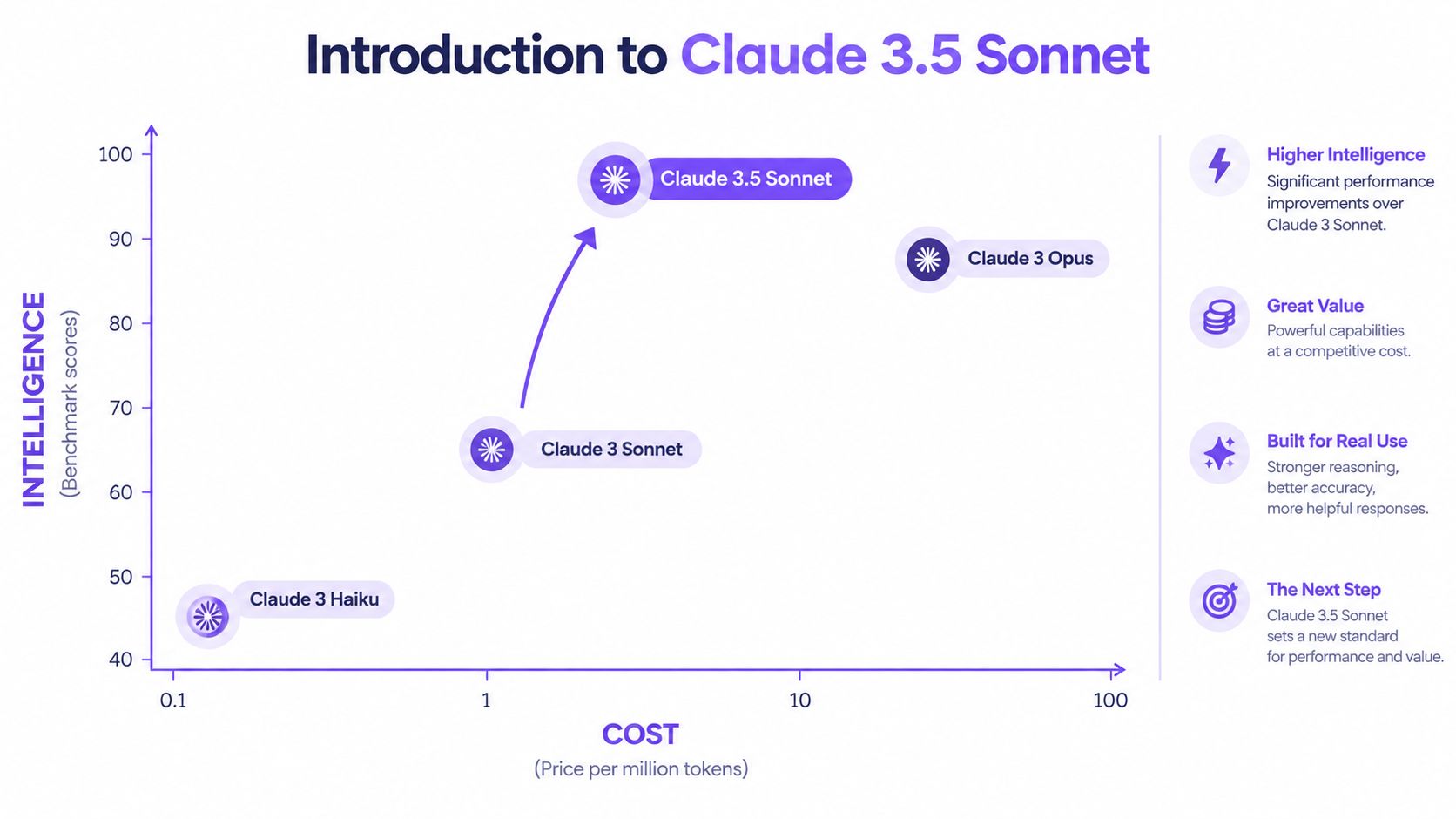
Anthropic’s earlier Claude 3 family launch framed Sonnet as the practical choice with a 200K-token context window and $3 per million input tokens and $15 per million output tokens. Since then, the Sonnet line has kept evolving. Anthropic later expanded the family with larger-context releases, including Sonnet 4.6, and by mid-2026 the current Sonnet line overview describes a 1M-token context window and lower pricing for newer Sonnet versions. Even if you are specifically evaluating Claude 3.5 Sonnet, that progression tells you why the Sonnet name matters: Anthropic has treated it as one of its core general-purpose model tracks.
What is Claude 3.5 Sonnet best at? In plain English: reasoning through multi-step prompts, drafting polished long-form text, and helping with coding tasks where explanation quality matters as much as the final snippet. Where is it weaker? Based on the benchmark sources already cited in this article, mathematics and image-heavy reasoning are the main caveats, which matches my own experience when prompts rely on precise visual reading or strict quantitative accuracy.
Compared with GPT-4o, Claude 3.5 Sonnet’s edge is usually in writing texture and code-oriented reasoning, while GPT-4o tends to feel more rounded for image interpretation and some math-heavy workflows. That tradeoff is visible in the benchmark coverage discussed by AI News and in Anthropic’s own benchmark image: Sonnet performs very strongly overall, but not uniformly across every test category. If your work is mostly coding, editing, outlining, and document-heavy reasoning, this sonnet AI model makes a strong case for itself. If your workload leans visual or heavily numerical, I would compare it directly with GPT-4o before committing.
Key Features of Claude 3.5 Sonnet
The useful way to think about Claude Sonnet is not as a list of buzzwords, but as a model that combines three strengths well enough to be a daily driver for many people.
- Long-context reasoning: Sonnet is good at staying coherent across long drafts, large code snippets, and multi-part instructions, which is why it works well for revision-heavy tasks.
- Writing quality: It usually produces cleaner structure and more natural prose than many fast chat models, especially on articles, briefs, and explanation-based prompts.
- Coding support: It is effective at debugging, refactoring, and explaining why a change was made instead of only pasting a replacement block.
- Multimodal input: It can work with images and screenshots, which is useful for UI feedback and document review, though not always the best option for image-first tasks.
The model is also easy to understand from a value perspective. People choose Claude Sonnet because it usually gives stronger reasoning and writing than cheaper lightweight models, while staying more practical than always defaulting to the most expensive frontier option.
The High-Performing Claude 3.5 Sonnet on Writingmate
The main reason to use Claude 3.5 Sonnet on Writingmate is not that the model is available there. Writingmate makes comparison easier. Instead of trusting one benchmark chart, you can run the same prompt across multiple models and see where Sonnet is stronger.
The benchmark story matters, but only when translated into real work. A model “winning” broad tests is less important than whether it can keep a long brief coherent, preserve logic during a code rewrite, and avoid flattening your writing into generic AI prose. That is where Sonnet impressed me most. The cited benchmark coverage is useful because it supports the bigger pattern: Sonnet is a very capable general model, not just a niche writing assistant.

It seems that it is only slightly behind in mathematics and image-based questions on the MMMU test, if you trust the benchmarks.
This is the first next-generation model from one of OpenAI's main competitors, Anthropic. And it is following their excellent 3.0 generation models released earlier this year.
Coding with Claude
On Writingmate, one of the clearest use cases is code cleanup. I had the best results when I pasted a working but ugly code block and asked Sonnet to refactor it without changing behavior. It generally did a good job splitting logic into smaller functions, naming things more clearly, and telling me what tradeoffs it introduced. That explanation layer is why many developers like Claude Sonnet in the first place.
It also works well for longer engineering prompts. For example, I found it more reliable than many chat models at taking a product requirement, proposing a simple implementation plan, and then generating the first version of the code. If you want to extend that workflow into coding-specific tooling, the BlitzReels Claude Code integration is a relevant example of how this model is being used beyond simple chat.
A second strong task is long-form outlining. If I give Sonnet a topic, target reader, argument angle, and a few constraints, it usually returns an outline that already has a sensible narrative order instead of a shallow list of H2s. That makes it useful for articles, landing pages, and research summaries where structure matters.
The third practical use case is screenshot analysis. On Writingmate, Sonnet can look at an uploaded UI screenshot, bug capture, or dashboard image and describe what is happening in plain language. I would use it for “what looks broken here?” or “turn this interface into implementation notes,” not for high-stakes visual reasoning where exact interpretation is critical.
The limitation is worth stating clearly: if the task is image-heavy, or if you need stronger math handling, another model may be a safer first pick. Sonnet is excellent as a general work model, but it is not automatically the best tool for every benchmark category.
What is known about Claude 3.5 Opus?
As of December 9, 2024, Claude 3.5 Opus has yet to hit the market. Dario Amodei, co-founder of Anthropic, recently shared insights in an interview. He confirmed that the model is under development. However, he refrained from providing a specific release date.
Amodei discussed the challenges of versioning in the fast-evolving AI environment. He noted that the development process involves multiple stages, like pre-training or reinforcement learning from human feedback. Each requires considerable time and resources, so it is not as easy as you may think. Yes, he did not disclose specific enhancements for Claude Opus 3.5, but he indicated that it would build on the strengths of earlier versions. New Claude 3.5 Opus will incorporate new data and training techniques.
But some of it has been scrapped, and here is a reddit thread about the subject of Claud 3.5 Opus: this Reddit discussion
Claude 3.5 Opus is likely to feature an expanded context window, enabling it to handle larger inputs for more complex tasks. It may also enhance its multimodal capabilities, improving its ability to process and generate both text and images. The model is expected to excel in coding and reasoning tasks, potentially setting new benchmarks in programming applications. Finally, given Anthropic's focus on safety, it will (most probably!) include advanced safety measures to ensure responsible and ethical AI behavior.
How to Use Claude 3.5 Sonnet on Writingmate
Accessing Claude 3.5 Sonnet on the Writingmate platform is straightforward. Here’s a step-by-step guide:
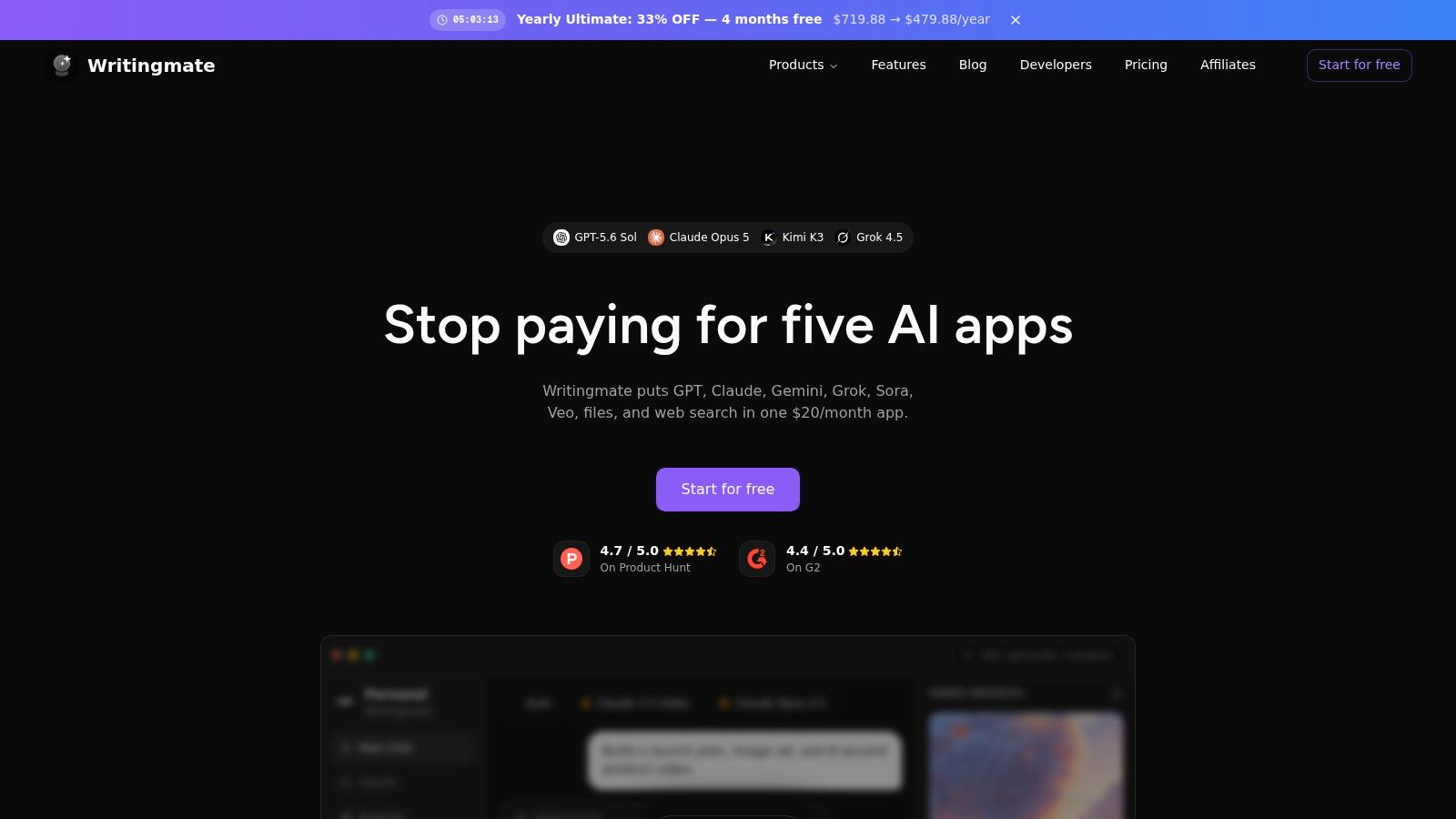
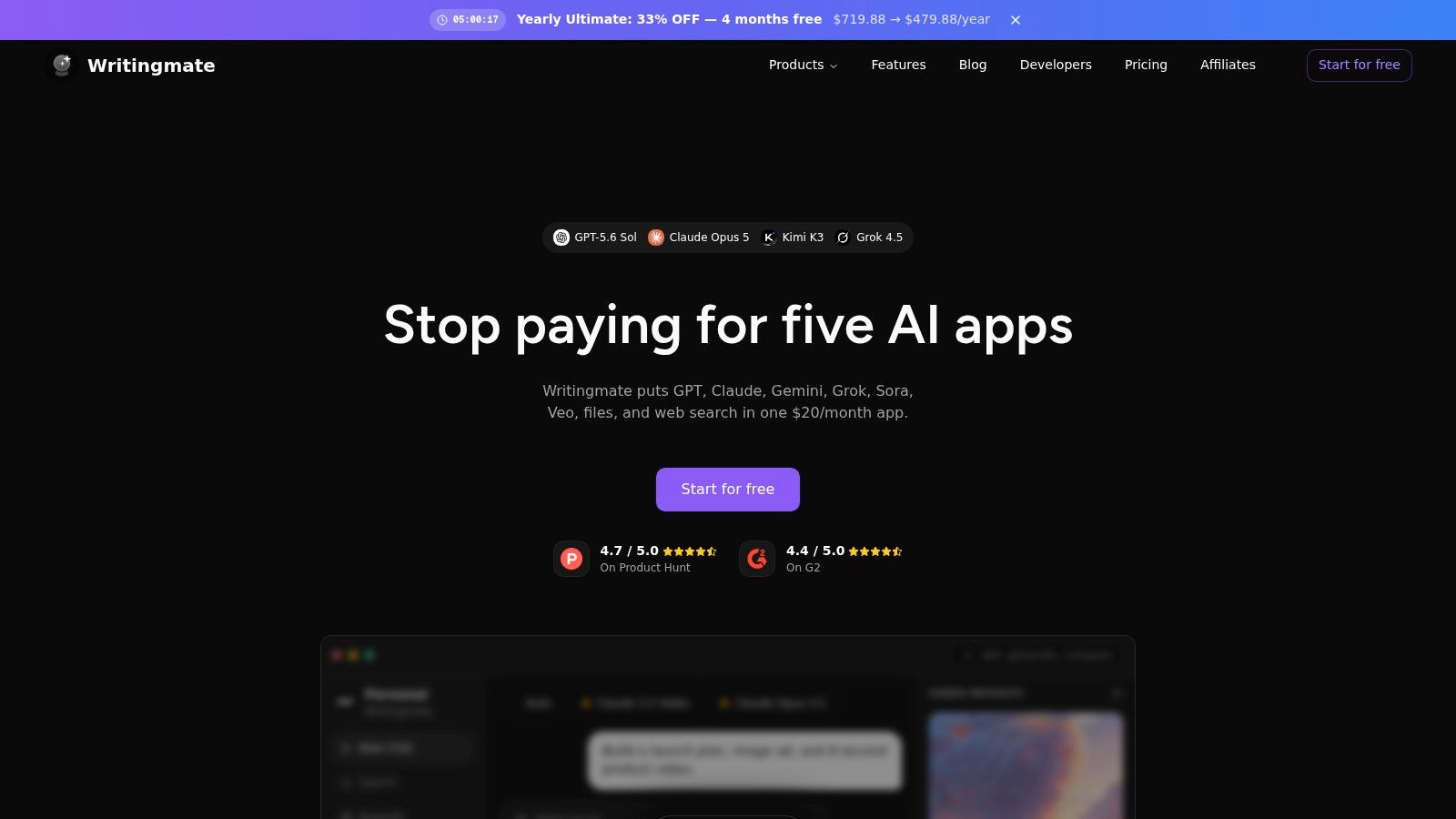
- Visit the Writingmate Website: Go to Writingmate and log in.
- Activate Pro Subscription: To use Claude 3.5 Sonnet, you need a Pro subscription, which costs $20 per month and allows you to use all the top AI models without additional subscriptions and with much less limits.
- Select the Model: From the dropdown menu in the top right corner, choose Claude 3.5 Sonnet and start chatting.
- You may also create your custom assistants or use ones that we offer – SEO, Medical Student, AI Originality check, social media content writer and much more.
Subscription Benefits
For just $20/month, you'll get unlimited access not only to Claude 3.5 Sonnet but also to all Pro models, including all Claude 3 series, Llama 3, Gemini 1.5 Pro, GPT-4o, and Perplexity. With Writingmate, you can access the world's best AI models for only $20 per month without paying for each model separately, saving you hundreds. If you don't want to pay, you can use Writingmate for free – the tool provides access to many free models.
Comparing AI Models Using Writingmate
One of the unique features of Writingmate is the Split Screen view, which allows you to compare different AI models side by side. Here’s how to use this feature:
- Activate Split Screen View: Open the left sidebar menu and enable the Split Screen view.
- Select Models: Choose any two models you want to compare.
- Input Prompts: Give the same prompts to both models and observe the differences in their responses.
This feature is useful for understanding the strengths and weaknesses of different models and helps you choose the best one for your specific needs.

Why Choose Claude 3.5 Sonnet?
The best reason to choose Claude 3.5 Sonnet is not that it tops every chart. It is that it is one of the easiest strong models to recommend for mixed workloads. If you write, code, brainstorm, summarize, and occasionally inspect images, Sonnet covers more of that ground well than many single-purpose alternatives.
Best for coding and long-form drafting
I would start with Sonnet. Sonnet is especially good when the task has to remain coherent over many paragraphs or many steps. It tends to preserve tone better than average during rewrites, and in coding it usually explains its own changes clearly enough that you can review them instead of blindly accepting them. That combination makes it a strong default for article planning, editing, product specs, refactors, and research synthesis.
Less ideal for heavy math or image reasoning
The caveat has been fairly consistent in both Anthropic’s published benchmark framing and third-party reporting: Sonnet is not the model I would pick first for math-specific workflows or image-intensive problem solving. It can absolutely help with diagrams, screenshots, and charts, but if visual interpretation is the center of the task, I would compare outputs before relying on it.
When ChatGPT may be the better fit
ChatGPT, especially in GPT-4o-style workflows, can be the better option when speed, broad multimodal polish, or quick visual interaction matters more than writing depth. If your job is highly conversational, very image-driven, or you depend on stronger performance in categories where Sonnet trails, ChatGPT may feel more balanced.
Quick comparison
| Factor | Claude 3.5 Sonnet | ChatGPT / GPT-4o |
|---|---|---|
| Writing quality | Usually stronger for long-form structure and tone | Often faster, sometimes flatter in long drafts |
| Coding help | Strong at refactoring and explanation | Strong overall, often better if your workflow is tool-rich |
| Multimodal ability | Useful for screenshots and documents, with caveats | Often preferable for image-heavy work |
| Math handling | Not its clearest advantage | Often the safer choice for math-specific tasks |
| Best fit | Drafting, reasoning, code review, long context | Fast multimodal work, visual tasks, broader general chat |
If I had to reduce it to one sentence: Claude Sonnet is a good AI choice when your work depends more on reasoning and writing quality than on pure image understanding or quantitative problem solving.
Is Claude 3.5 Sonnet Better Than ChatGPT for Your Use Case?
For writing, strategy, and thoughtful code assistance, I would often pick Sonnet first. It tends to give more deliberate answers, better article structure, and cleaner “here is why” explanations during debugging or rewriting. That is especially useful if you are using AI as a collaborator rather than a one-shot answer engine.
For fast multimodal interaction, heavy image interpretation, or tasks where you already live inside the OpenAI ecosystem, ChatGPT may be more convenient. The difference is not that one is universally smarter. It is that they have different strengths. Sonnet feels better when the prompt is long, nuanced, or document-heavy. ChatGPT often feels better when the task is broad, visual, or speed-sensitive.
My advice is to compare them on one real task, not five toy prompts. Use the same article brief, code bug, or screenshot in Writingmate’s side-by-side mode and judge the result based on output quality, edit time, and whether the answer helped you finish the work.
Accessing Multiple AI Models with Writingmate
One of the standout features of Writingmate is the ability to access multiple AI models within a single platform. Here’s what you get with Writingmate:
- Diverse AI Models: Access to top AI models like Claude 3.5 Sonnet, Mistral, Llama, all of GPT’s and more.
- Image Generation: Create images using advanced AI models, enhancing your creative projects.
- Cost-Effective: For just $20 per month, you can use all Pro models without paying for each one separately, saving you hundreds of dollars.
How to Get Started with Writingmate
Getting started with Writingmate is easy:
- Sign Up: Visit Writingmate and create an account.
- Choose Your Plan: Opt for the Pro subscription to access all features and models.
- Explore: Start using the various models and tools available on the platform.
Frequently Asked Questions
Is Claude Sonnet better than ChatGPT?
It depends on the task. Claude Sonnet is often better for long-form writing, editing, and code explanation because its answers tend to be more structured and careful. ChatGPT can be the better fit for image-heavy work, faster back-and-forth, or math-focused tasks. On Writingmate, the practical answer is to compare both on the same prompt.
Is Claude Sonnet AI free?
Claude access depends on where you use it. Anthropic offers Claude through its own products and plans, while Writingmate offers free access to some models and paid access for broader model selection. So the answer is not a simple yes or no: Claude Sonnet may be available in limited free contexts, but full access usually comes with plan limits or a paid tier.
Is Sonnet a good AI?
Yes, especially if your work involves writing, summarizing, brainstorming, coding help, or long documents. Claude 3.5 Sonnet became popular because it combines strong reasoning with polished output and a practical cost profile. I would be more cautious only when the task is highly visual or depends on very reliable math performance.
Which company owns Sonnet AI?
Claude Sonnet is made by Anthropic. “Sonnet” is not a separate company or standalone product line owned elsewhere; it is one model family within Anthropic Claude. People sometimes shorten or misspell the name as claude sonet or claude 3.5 sonne, but they are usually referring to Claude Sonnet from Anthropic.
Sources
- Claude 3.5 Sonnet
- Writingmate
- AI News benchmark coverage
- the benchmarks
- this Reddit discussion
- Writingmate blog
Written by
Artem Vysotsky
Ex-Staff Engineer at Meta. Building the technical foundation to make AI accessible to everyone.
Reviewed by
Sergey Vysotsky
Ex-Chief Editor / PM at Mosaic. Passionate about making AI accessible and affordable for everyone.
Frequently Asked Questions
Sources
Written by
Artem Vysotsky
Ex-Staff Engineer at Meta. Building the technical foundation to make AI accessible to everyone.

Reviewed by
Sergey Vysotsky
Ex-Chief Editor / PM at Mosaic. Passionate about making AI accessible and affordable for everyone.