Quick answer: the best ChatGPT alternative in 2026 depends on the job. Use ChatGPT Plus if you want the simplest all-purpose assistant. Use Claude if long writing and careful critique matter most. Use Gemini if your work lives in Google files and multimodal inputs. Use Perplexity if research with citations is the main job. Use Writingmate if you want one subscription for model switching, image generation, video generation, and repeatable AI workflows.

My name is Artem, and I test AI tools from the perspective of someone who has to ship real work, not collect model names. For this guide, I compared the tools the way a buyer actually decides: what do you need to finish this week, how much does the stack cost, and how many times do you have to move the same brief between apps?
The short version is simple. ChatGPT Plus is still a strong default, but it is not always the cleanest buying decision once you need Claude-style writing, Gemini-style multimodal help, Perplexity-style research, image tools, video tools, and agents. If you are comparing options, start with the Writingmate vs ChatGPT Plus guide, check the model directory, compare pricing, and then look at text-to-image tools or text-to-video tools if your work moves beyond text.
"Isn't this 60 bucks a month?" - a Reddit user discussing multiple AI subscriptions

Best ChatGPT alternatives at a glance
If you only read one section, use this table. It is built around the job each product is best at, not around brand hype. That is the fastest way to avoid paying for five tools that all overlap in the middle.
Product | Best for | Where it gets weak | Choose it if... |
|---|---|---|---|
| Everyday assistant, voice, fast drafting, general coding help | You stay mostly inside one provider's model choices | You want the simplest paid AI assistant and do not need much model comparison. |
| Long writing, editing, critique, reasoning, nuanced drafts | It becomes another place to manage files, prompts, and context | Your main pain is writing quality, long context, or thoughtful analysis. |
| Google-connected work, multimodal prompts, files, Android workflows | Value depends heavily on whether you already live in Google products | Your work starts in Docs, Drive, Gmail, images, or mixed media. |
| Research, citations, quick source discovery, topic scanning | It is research-first, not the best place to finish production work | You need source-backed answers more than creative production. |
| Multi-model workflows, side-by-side comparison, images, video, agents | You still need to learn which model fits each task | You already use several AI tools and want one calmer workspace. |
 ChatGPT Plus
 Claude Pro
 Gemini Advanced
 Perplexity Pro
The table is the buyer's map. If your week is mostly quick questions, do not overcomplicate it. If your week includes research, writing, model comparison, visuals, video, and reusable workflows, the all-in-one setup starts to make more sense.
"AI tools are very expensive." - @Adam_Bidd on X
How I compared them
I used five practical tests: a long writing task, a source-summary task, a model-comparison task, an image-direction task, and a short video-planning task. A tool scored higher when it helped finish the whole job with less switching, not when it merely produced one impressive answer.
This matters because real workflows do not behave like benchmark prompts. A founder might start with product positioning, move into customer email copy, ask for a sharper rewrite, generate a visual direction, and then need a short video concept. Every handoff creates friction. The best alternative is the one that removes friction from your actual sequence of work.
I also looked for answer quality after the first draft. Some tools produce a flashy first response that takes a long time to clean up. Others produce a quieter answer that edits better. For a working buyer, editing time matters as much as first-response quality.
I did not treat price as a separate footnote. Price is part of workflow quality. A cheaper subscription can be expensive if it forces you to buy three add-ons, and a broader subscription can be cheaper if it replaces tools you already use every week.
When ChatGPT Plus is still the right answer
Use ChatGPT Plus if you want one familiar assistant for most daily tasks. It is strong for quick drafting, brainstorming, explaining concepts, voice conversations, code help, and general productivity. If you are moving from free ChatGPT to a paid plan and do not want to think about model choice, it remains the easiest answer.
The reason not to overthink it is simple: a broad tool that you actually use every day beats a more flexible stack you never develop habits around. If ChatGPT Plus handles 80 percent of your work and you rarely wonder what another model would do, the extra flexibility of a larger workspace may not matter yet.
But the warning sign is easy to spot. If you keep asking, "Would Claude write this better? Would Gemini understand this file better? Would Perplexity cite this better? Which image tool should I open now?" then you are no longer comparing one assistant against another. You are designing a workflow.
When Claude, Gemini, or Perplexity wins
Claude is the first alternative I would test for long writing. It is especially good when the job requires taste, restraint, critique, and structure. If you write founder updates, customer emails, essays, onboarding docs, product specs, or long-form analysis, Claude often feels less generic than a fast general assistant.
Gemini becomes more interesting when your inputs are mixed. If the work starts with Google files, screenshots, images, or mobile context, Gemini can be the most natural fit. It is not always the tool I would choose for final copy, but it is useful when the source material is visual or tied to Google's ecosystem.
Perplexity is best when the output needs citations and source discovery. I would not use it as my main production workspace, but I would absolutely use it to understand a topic quickly, collect sources, and get a first map of the territory before writing.
The catch is that each of these tools can be the right answer for one task and the wrong answer for the next. That is how people end up with a $60-plus AI stack before they notice the bill.
Where Writingmate fits
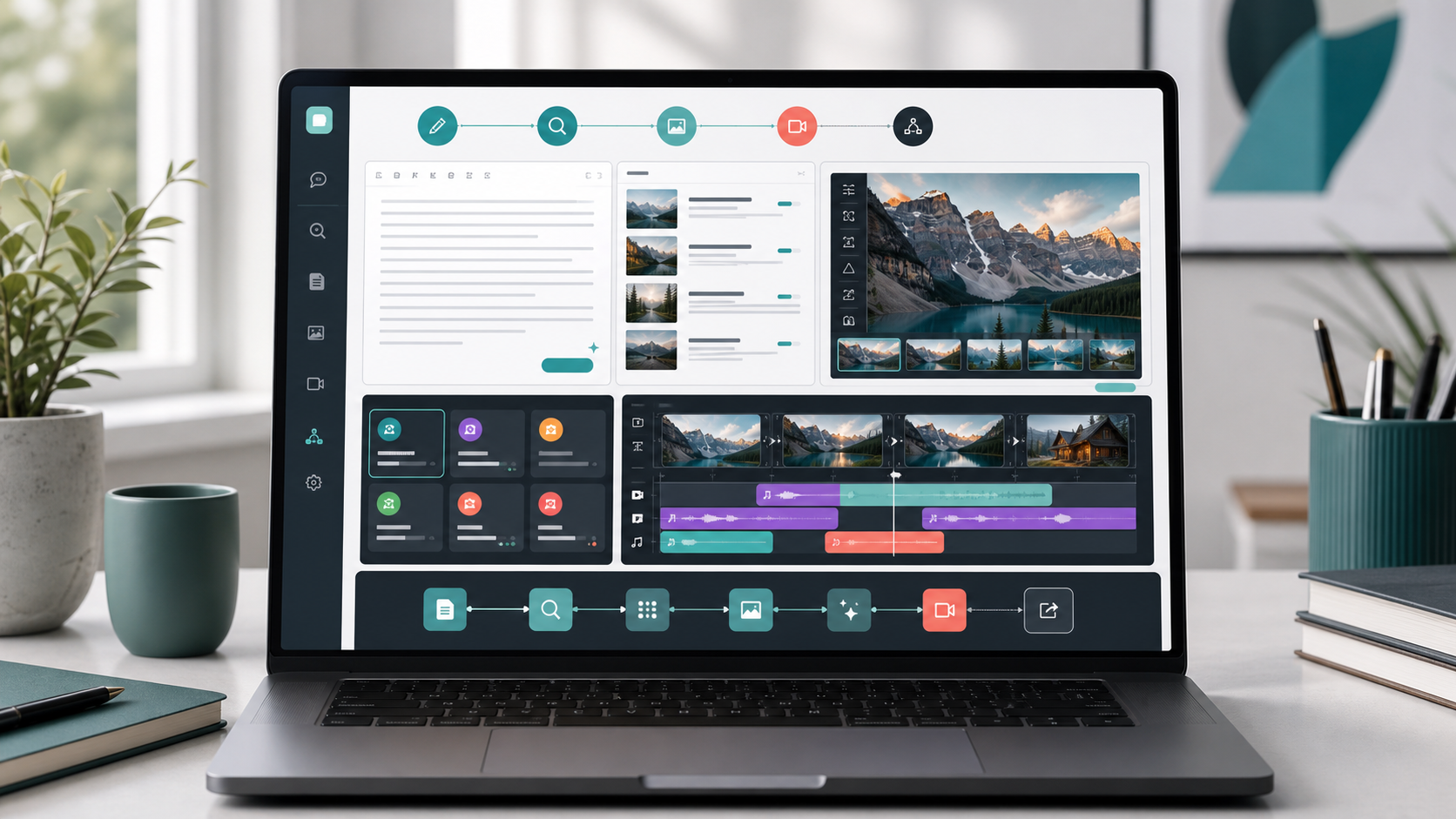
Writingmate makes the most sense when you already know one model is not enough. It is not trying to replace the idea of ChatGPT, Claude, Gemini, or Perplexity. It is trying to make the workflow around them easier: compare outputs, keep the brief close, move from text into images or video, and use one subscription instead of several disconnected apps.
The model directory is the first page I would check. It answers the practical question: are the models you care about available? If yes, compare that against your current subscriptions. If you are paying for ChatGPT Plus and considering another paid model on top, the pricing page is worth opening before you add another bill.
The all-in-one argument becomes strongest when the task moves beyond text. A blog post needs a hero image. A product launch needs creative direction. A short campaign needs a video outline. If you keep jumping between writing tools, image generators, and video tools, look at the image workflow and video workflow before deciding.
My five-minute buying test
Do this before you subscribe to anything. Open a real task from this week, not a toy prompt. Use the same brief in your current tool and in the alternative you are considering. Ask for a first draft, then ask for a revision, then ask for the next output you actually need: a source check, a visual direction, a customer email, or a video outline.
Judge the result on five questions:
Would I send or publish this after one edit? If not, how much cleanup does it need?
Did the tool remember the brief? Losing context between steps is a real cost.
Did another model clearly improve the result? If yes, model switching matters for you.
Did the task move into an asset? Images, video, and reusable workflows change the subscription math.
Would I use this setup three times a week? A tool you do not repeat is not worth paying for.
If ChatGPT Plus wins that test, keep it. If Claude wins the writing stage, use Claude. If Perplexity wins the research stage, keep it in your stack. If different tools win different stages, test Writingmate because the workflow itself is now the problem.
Bottom line
There is no universal best ChatGPT alternative. There is only the best setup for the work you actually do. ChatGPT Plus is the safest default. Claude is the best first stop for long writing and careful edits. Gemini is strongest when your work is tied to Google and mixed media. Perplexity is the clean research pick. Writingmate is the practical choice when you want several model families, image generation, video generation, and workflow tools in one place.
My recommendation: do not buy based on a ranking list. Run one real workflow. If one assistant finishes the job, pay for one assistant. If the job keeps crossing writing, research, models, images, videos, and agents, choose the workspace that supports the whole chain.
See you in the next one!
Artem
Frequently Asked Questions
Sources

Written by
Artem Vysotsky
Ex-Staff Engineer at Meta. Building the technical foundation to make AI accessible to everyone.

Reviewed by
Sergey Vysotsky
Ex-Chief Editor / PM at Mosaic. Passionate about making AI accessible and affordable for everyone.