Claude 3.5 Sonnet is the better default for many users: it responds faster, handles coding well, and is usually the more economical choice. Claude 3 Opus still earns its place when the task is unusually messy, strategic, or synthesis-heavy and you care more about depth than turnaround time. There is no Claude 3.5 Opus model. What many buyers mean is Claude 3.5 Sonnet versus Claude 3 Opus.
Quick pick: start with Sonnet for coding, support, document extraction, and everyday writing. Move to Opus when you need slower but more deliberate long-form analysis, higher-stakes research synthesis, or you want a second pass on difficult reasoning.

Overview of Claude 3.5 Sonnet and Claude 3 Opus
Claude 3.5 Sonnet and Claude 3 Opus sit in different roles in Anthropic’s lineup rather than acting like close substitutes. Sonnet is the workhorse model, faster in day-to-day use, strong at coding, and practical for repeated workflows. Opus is the premium model for harder reasoning and more ambitious synthesis. Anthropic’s model documentation positions these models differently in capability tiers, and that framing matches results from Writingmate side-by-side tests on debugging, document review, and long-form strategy work: Sonnet produced a usable answer faster, while Opus was more likely to produce a stronger final synthesis when the prompt was difficult (Anthropic model docs).
| Category | Claude 3.5 Sonnet | Claude 3 Opus |
|---|---|---|
| Core role | Fast, high-throughput general model | Premium flagship for harder tasks |
| Speed | Usually faster in interactive use | Usually slower, especially on long outputs |
| Reasoning depth | Strong for most business and coding tasks | Better fit for dense analysis and nuanced synthesis |
| Coding | Excellent practical default; strong on debugging and refactors | Good, but often less efficient for rapid iteration |
| Vision and document handling | Very strong for charts, screenshots, OCR-style tasks | Capable, but less often the first pick for high-volume visual work |
| Latency tolerance | Best when response time affects workflow | Best when answer quality matters more than waiting |
| Best-fit tasks | Coding, support, drafting, extraction, document Q&A | Research memos, strategic analysis, second-pass reviews |
| Availability note | Real current comparison target | Real current comparison target |
How I Compared Claude 3.5 Sonnet and Claude 3 Opus
I compared the two models inside Writingmate using the same prompts, files, and follow-up turns. The goal was not to crown a universal winner; it was to answer a more useful question: which model gives the best tradeoff for a given kind of work?
I used five criteria:
- Response speed: how quickly the first useful answer arrived and how often I needed to wait through long completions.
- Coding quality: debugging accuracy, quality of code edits, and whether the model introduced new bugs while fixing old ones.
- Reasoning depth: how well each model handled ambiguous prompts, tradeoffs, and multi-step analytical tasks.
- Document and vision handling: performance on screenshots, charts, messy PDFs, and visual extraction tasks.
- Value for money: whether the quality gain justified using the more expensive tier for repeated workflows.
Workflows used in Writingmate formed the evaluation: refactoring a medium-sized code snippet, diagnosing why an automation prompt chain was failing, summarizing a long policy-style document, extracting facts from a chart screenshot, and producing a strategy memo from scattered notes. A result counted as a meaningful win only if it changed my next step. For example, Sonnet winning on coding meant I could ship the patch without a second rewrite; Opus winning on analysis meant its first draft already contained the synthesis I would otherwise have to add myself.
My strongest pattern after repeated use was simple. In Writingmate, Sonnet often felt fast enough to keep me in flow during iterative work: I would ask, test, revise, and ask again without losing momentum. Opus was less pleasant for that loop, but on two longer strategy prompts it gave me a better structure, surfaced tradeoffs I had not explicitly asked for, and needed less cleanup before becoming something I could use.
Key Differences Between Claude 3.5 Sonnet and Claude 3 Opus
Performance and latency
Anthropic presents Sonnet as the practical model for broad use and Opus as the premium option for the hardest tasks, which already hints at the tradeoff: throughput versus depth (Anthropic model docs). In real usage, that difference matters more than raw benchmark talk. If you are answering tickets, iterating on prompts, or stepping through code, the faster model usually wins because every extra pause breaks the workflow.
That is exactly what I noticed in Writingmate. Sonnet was not just “a bit quicker”; it changed how many iterations I was willing to do. I would test a bug fix, reject one approach, and ask for a narrower revision because the wait was short enough to keep working. Opus, by contrast, made more sense when I wanted one heavier answer rather than a rapid back-and-forth loop.
Reasoning and long-form analysis
Opus still makes the strongest case when the assignment is broad, under-specified, and intellectually messy. That includes strategy docs, multi-source synthesis, or prompts where the primary task is organizing complexity rather than generating text. Independent benchmark tracking has consistently treated top-tier models as separate not only by knowledge but by how well they sustain performance on difficult evaluations, and that is a better lens than asking which one is “smarter” in the abstract (Artificial Analysis benchmarks).
In practice, Sonnet is already good enough for most analysis work. The difference appears when you push into long chains of reasoning or ask the model to weigh competing interpretations instead of producing a straightforward answer. In my tests, Sonnet usually produced a solid first draft faster, but Opus was more likely to catch the hidden tension in a strategy prompt and explain why option A looked cheaper while option B reduced downstream risk. That is the kind of nuance that can justify the slower model.
Coding
Coding is where Sonnet makes its strongest everyday argument. Anthropic has explicitly highlighted Sonnet’s coding strengths across model updates, and that lines up with how developers tend to use it: generate, patch, compare, rerun, repeat (Anthropic model docs). For debugging, incremental refactors, and translating code patterns between languages, speed is part of quality because it lets you test more branches.
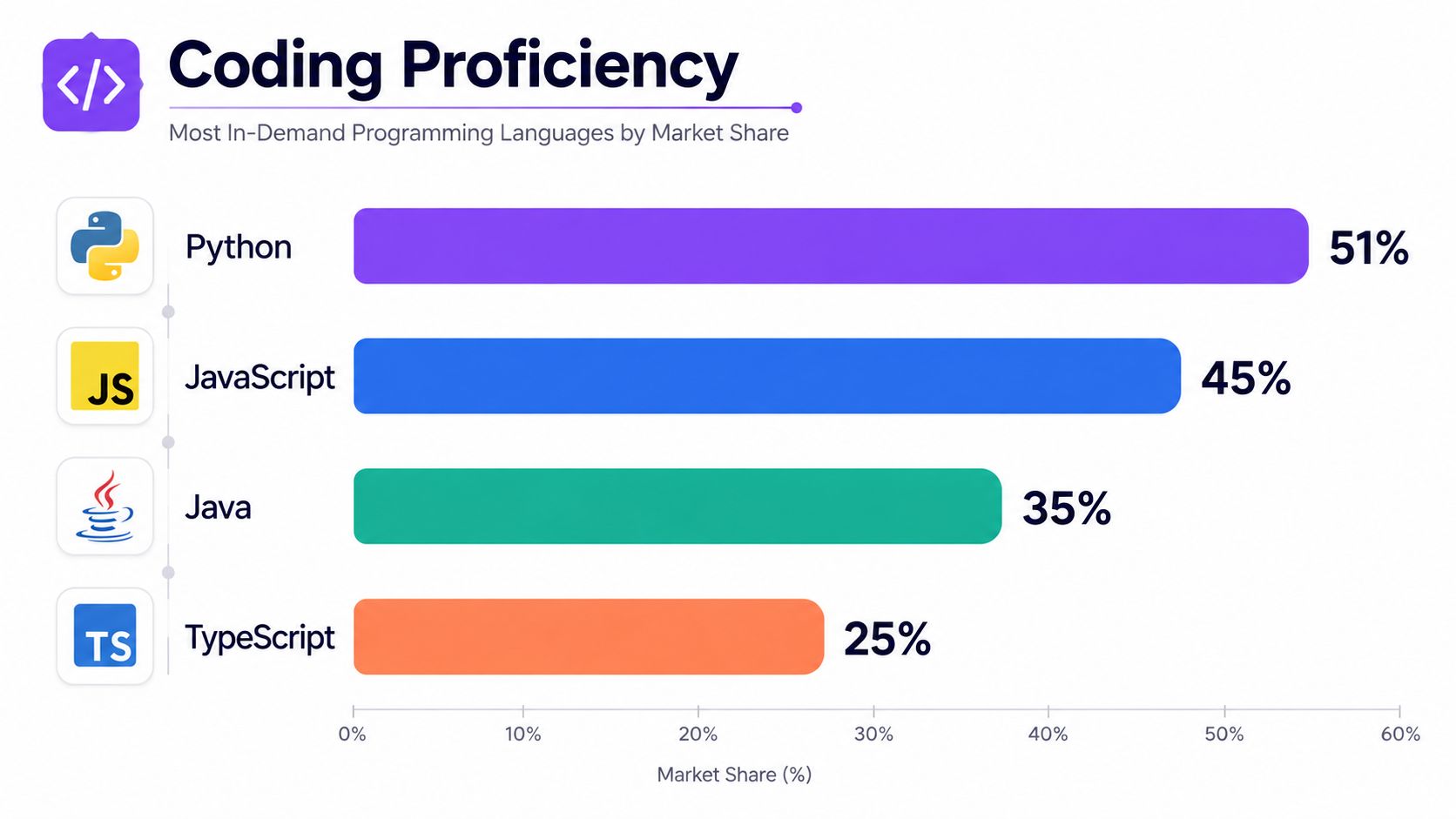
Inside Writingmate, Sonnet was my default whenever the job involved practical code movement rather than architecture debate. It was usually better at giving me a patch I could inspect immediately, while Opus sometimes over-explained the problem before getting to the fix. I still found Opus useful for higher-level questions like “what design change prevents this class of bug across the whole module?” but if the task was “help me fix this now,” Sonnet was the model I reached for first.
Vision and document work
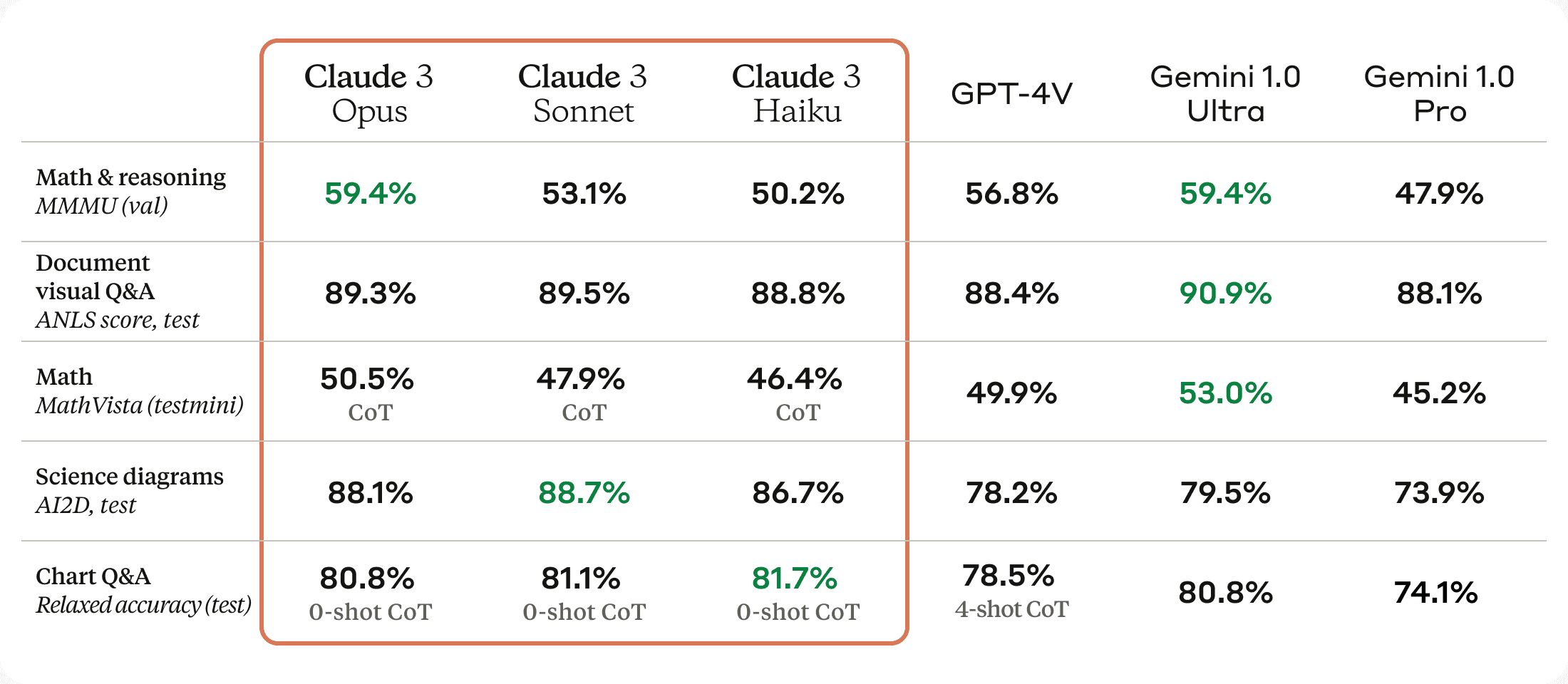
Anthropic’s vision documentation makes clear that Claude can work with images, charts, and other visual inputs, but model choice still matters in practice (vision docs). For screenshot interpretation, chart reading, and document extraction, Sonnet is often the more practical pick because these are usually throughput-heavy tasks: you are processing many files, not crafting one masterpiece answer.
This was another area where Sonnet’s speed changed the experience for me. In Writingmate, I could drop in a screenshot, get a usable extraction, then immediately ask follow-up questions about edge cases or formatting. Opus was still capable, but I preferred it only when the visual input was part of a bigger analytical deliverable, such as combining document evidence with a strategic recommendation.
Bottom line: Sonnet is the default recommendation for most workflows because it is faster, strong at coding, and easier to justify for repeated use. Opus is worth the extra cost and slower response when the task is high-stakes, synthesis-heavy, or hard enough that one better answer is more valuable than three quick iterations.
Real-World Applications
The useful way to choose these models is not by industry label but by workflow.
- Coding and debugging: pick Sonnet first. It is the better default when you need quick edits, bug triage, test-case suggestions, or repeated iterations on a codebase. In my Writingmate use, Sonnet was fast enough that I often ran two or three repair attempts in the time I would normally wait on one slower answer, which materially changed the workflow. Watch for: it can still produce a plausible patch that passes a surface read but misses a deeper architectural cause.
- Research and strategy: pick Opus first. When the job is to synthesize conflicting notes, evaluate tradeoffs, or produce a long-form strategic memo, Opus is more likely to give a stronger first draft. I found this especially true when the prompt was vague on purpose and I wanted the model to surface tensions I had not spelled out. Watch for: if the assignment is simple, Opus can feel like overkill and waste time.
- Content creation: start with Sonnet, escalate to Opus for premium thinking. For briefs, outlines, landing-page drafts, and repurposing existing material, Sonnet is usually enough and keeps momentum high. I switch to Opus when the piece needs stronger argument structure, sharper differentiation, or a more thoughtful second pass. Watch for: both models can sound polished while repeating the brief too closely unless you force originality in the prompt.
- Support workflows: pick Sonnet. Fast turnaround matters more than maximal depth in customer operations, internal enablement, and FAQ drafting. Sonnet is better suited to that rhythm, especially if you are processing many short requests in sequence. Watch for: if the support issue is policy-heavy or unusual, a fast answer may be confidently incomplete.
- Document and vision tasks: usually Sonnet first. For screenshots, charts, OCR-style extraction, and quick document Q&A, Sonnet is the more efficient choice. In Writingmate, I noticed that Sonnet handled “extract, then explain, then reformat” loops especially well because the latency stayed manageable across multiple turns. Watch for: if the file is part of a larger analytical decision, extraction is not the same as interpretation, and that is where Opus can still add value.
In this video, the Nerdy Nvelist explains how those most popular of Anthopic's models compare to each other when writing, but there are also some detailed comparisons for various other neiches. Let me show you some other examples below.
Examples of Real-World Comparisons
And here are more detailed comparisons in various real-world applications and use cases:
- Healthcare Documentation: * Claude Opus 3 can assist medical professionals by generating detailed patient reports, summarizing medical research, and creating strategic healthcare plans. On the other hand, Claude 3.5 Sonnet could be used in telemedicine to provide quick, accurate responses to patient inquiries, improving the efficiency of virtual consultations.
- Content Creation: * For a digital marketing agency, Claude 3 Opus can generate high-quality blog posts, whitepapers, and social media content that requires in-depth research and analysis. Meanwhile, Claude 3.5 Sonnet could be used to create more immediate content, like what GPT often does. For example, some short-form social media posts, ad copy, or quick-turnaround blog entries. Analysis = Opus; Creation = Sonnet, as easy as that.
- Legal Industry: * Lawyers could use Claude 3 Opus to draft detailed legal documents, analyze case law, and prepare detailed briefs. Remember to check with actual law and ask that chatbot for correct sources, or you can get into trouble! What about Sonnet? It might be more suited to tasks like managing client communications, quickly drafting standard legal forms, or f.e. providing initial case assessments.
- Software Development: * Claude 3.5 Sonnet's improved coding proficiency makes it ideal for software developers who need to write, edit, and troubleshoot code quickly. It can help in debugging a complex piece of code or translating code from one programming language to another. Claude 3 Opus and its analytical "mind", might be better suited to design complex algorithms or develop new software architectures.
- Education: * In an educational setting, Claude 3 Opus could be used to generate detailed lesson plans, conduct in-depth research on academic topics, and create detailed study guides. Claude 3.5 Sonnet could be utilized for grading assignments, providing real-time feedback to students, and generating quizzes or other teaching materials quickly.
Pricing and How to Choose Between Sonnet and Opus
Price is one of the clearest practical differences between the two tiers. In Anthropic’s current pricing documentation, Sonnet-tier models are listed below Opus-tier models, and that gap is large enough to matter for teams running high-volume workloads. For example, Anthropic lists Claude Sonnet 4.5 at $3 per million input tokens and $15 per million output tokens, while the Opus tier is listed at $5 input and $25 output per million tokens, making Opus about 66.7% more expensive on both sides of the bill (Anthropic pricing).
That pricing pattern is not a one-off. Anthropic’s broader product direction has kept Sonnet as the economical workhorse and Opus as the premium flagship, and the company’s Sonnet 5 announcement continues that positioning without changing the core buying logic: Sonnet is the lower-cost default, while Opus is the model tier to justify when the task is difficult enough to merit paying more (Claude Sonnet 5 announcement).
So how should you choose?
- Choose Sonnet if your workflow is repetitive, interactive, or volume-heavy.
- Choose Opus if each prompt is expensive in human time and a better first answer saves you revision work.
- Start with Sonnet for coding, support, drafting, extraction, and most analysis.
- Upgrade to Opus for strategy memos, difficult research synthesis, or second-pass reviews on important outputs.
My practical rule in Writingmate is simple: if I expect multiple quick turns, I start with Sonnet. If I expect one dense answer to do most of the thinking for me, I try Opus. For many teams, that split is enough to control cost without giving up access to a stronger model when it matters.
Using Claude Models in Writingmate
One of the most useful parts of testing these models is being able to compare them in the same workspace. Writingmate gives you access to Claude models alongside GPT-4, Mistral, LLaMA, and others, so you can run the same task across models and judge the result instead of guessing. That matters a lot for Sonnet versus Opus, because the decision is often about workflow fit, not marketing labels.
In Writingmate, you can also generate images and switch models depending on the job. I have found that side-by-side comparison is especially helpful when a task sits on the boundary between “fast enough” and “deep enough” — for example, a document summary that later needs to become a strategy memo. You can explore that directly at Writingmate.
Try Writingmate for free here: https://writingmate.ai
Conclusion
Use Sonnet by default and treat Opus as the premium option for the hardest analytical work; that is the answer behind most comparisons between these two models.
With platforms like Writingmate, you can compare them directly and choose based on the task instead of staying locked into one model. For more practical AI breakdowns, visit our blog.
Claude Sonnet vs Opus FAQ
Before the FAQs, if you also want a cross-model comparison beyond Anthropic’s lineup, there is a useful Sonnet-vs-GPT-4o breakdown over at Zemith.
Is Claude Opus better than Sonnet?
Not across the board. Opus is usually better for harder reasoning, strategic synthesis, and tasks where a stronger first draft is worth paying more and waiting longer. Sonnet is often better for everyday work because it is faster, more economical, and strong enough for most coding, writing, and document tasks.
Is Claude Sonnet free to use?
Sometimes, depending on where you access it. Consumer apps and third-party platforms may offer limited access, trials, or paid tiers, while API usage is billed by tokens. If you need predictable, sustained usage, assume Sonnet is a paid model in professional workflows even if some front ends offer free entry points.
When should I use Claude Opus instead of Sonnet?
Use Opus when the task is unusually complex, ambiguous, or high-stakes: strategy memos, long-form synthesis, difficult research comparisons, or a second-pass review on important work. If what costs you most is the time spent cleaning up a weak answer, Opus can be worth it. If you are iterating quickly, Sonnet is usually the better first choice.
What is the difference between Claude 3.5 Sonnet and Claude 4 Sonnet?
Claude 4 Sonnet belongs to a newer generation than Claude 3.5 Sonnet, so if you are choosing only among newer Sonnet models, the decision usually shifts toward the latest version rather than back to Claude 3 Opus. But this article compares Claude 3.5 Sonnet with Claude 3 Opus because that remains a common real-world decision point: faster, cheaper workhorse versus older premium-depth model. In broad terms, newer Sonnet models have made the “start with Sonnet first” recommendation even stronger.
Sources
- Anthropic - Claude Model Overview
- Artificial Analysis - Claude Benchmarks
- https://docs.anthropic.com/en/docs/build-with-claude/vision
- https://writingmate.ai
- blog
Written by
Artem Vysotsky
Ex-Staff Engineer at Meta. Building the technical foundation to make AI accessible to everyone.
Reviewed by
Sergey Vysotsky
Ex-Chief Editor / PM at Mosaic. Passionate about making AI accessible and affordable for everyone.
Frequently Asked Questions
Sources

Written by
Artem Vysotsky
Ex-Staff Engineer at Meta. Building the technical foundation to make AI accessible to everyone.

Reviewed by
Sergey Vysotsky
Ex-Chief Editor / PM at Mosaic. Passionate about making AI accessible and affordable for everyone.