If you searched "what is Grok" and landed here, you're probably not looking for a history lesson about xAI or a quote from Elon Musk. You want to know what this thing actually does, whether it's any good compared to ChatGPT, and whether it's worth adding to your workflow. That's exactly what this covers.
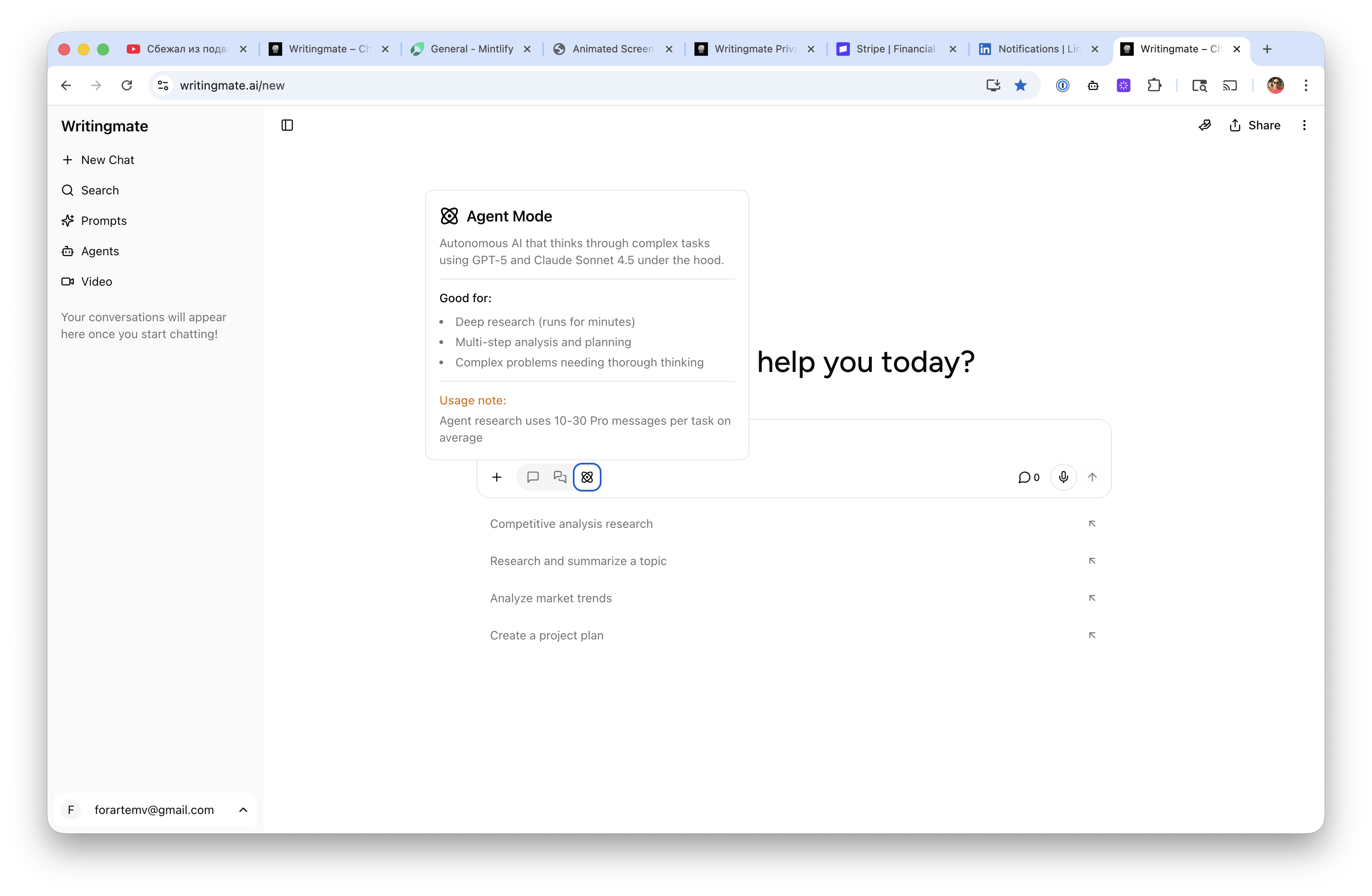
My name is Artem, and I've been testing AI models daily since GPT-3 launched. At Writingmate, we give users access to 200+ models — including both Grok 4 Fast and Grok 4 Heavy — and Grok is consistently one of the most-asked-about models we carry. So I want to give you the practical answer: what Grok actually is, how the two model tiers differ, what it costs across every access method, what the iOS app experience looks like, and when you'd actually pick it over the alternatives.
Let's get into it.
What Is Grok, in Plain Terms?
Grok is an AI assistant made by xAI, the AI company Elon Musk founded in 2023. It competes directly with ChatGPT, Claude, and Gemini — same category, same basic use case. You type something, it responds.
The name comes from Robert Heinlein's Stranger in a Strange Land, where "grok" means to understand something so completely that you become one with it. Whether xAI lives up to that name is a reasonable question, but what actually makes Grok different from its competitors comes down to three things:
- Real-time X (Twitter) data. Grok has live access to the X firehose, which means it can answer questions about things happening right now — not just up to a training cutoff. No other frontier model does this natively.
- A very large context window. Grok 4 Fast has a 2 million token context window. That's roughly 15–20x larger than GPT-4o's standard 128K limit. You can drop enormous documents, long codebases, or dense research files and work with all of it in a single session.
- A different personality. Grok is noticeably less restricted than ChatGPT. It tends toward sarcasm, directness, and willingness to engage with edgier topics. That's a feature for some users and noise for others.
Those three factors define Grok's competitive niche. Everything else — writing quality, reasoning depth, coding ability — is in roughly the same tier as other frontier models, with some specific strengths and weaknesses I'll cover below.

Grok 4 Fast vs Grok 4 Heavy — Which One Should You Use?
This is the question that trips up almost everyone who first signs up for Grok. The two tiers sound like a simple speed/quality tradeoff, but the practical difference is a bit more nuanced than that.
Grok 4 Fast is the model you'll use most of the time. It's optimized for response speed while maintaining solid general-purpose quality. The 2M token context window lives here. For everyday tasks — research, drafting, summarization, quick Q&A, social media content — Grok 4 Fast handles everything well and does it quickly. Think of it as your daily driver.
Grok 4 Heavy is for hard problems. It has more compute behind it, takes longer per response, and is meaningfully better on multi-step reasoning tasks, complex code generation, and situations where you want the model to think carefully before answering rather than give you the fastest plausible response. If you're debugging something genuinely tricky or need a rigorous analysis, Heavy earns its name.
My practical rule: start with Fast for everything. Switch to Heavy when Fast gives you an answer that feels close but slightly wrong, or when the task explicitly involves chained reasoning steps. You'll know when it matters.
"The Fast vs Heavy distinction took me a while to actually feel — now I default to Fast and only switch to Heavy for complex coding or multi-doc analysis. The speed difference is real and it matters when you're iterating." — u/aitoolsbuilder on Reddit r/LocalLLaMA
How Much Does Grok Cost? Every Pricing Tier Explained
"How much does Grok cost" is one of the top follow-up searches after "what is Grok," so let me cover every access method in one place. As of May 2026:
Access Method | Monthly Cost | What You Get | Best For |
|---|---|---|---|
X free account | $0 | Limited Grok 4 Fast queries/day | Casual use, testing the product |
X Premium | ~$8/mo | Higher daily limits on Grok Fast | Regular personal use |
X Premium+ | ~$16/mo | More limits + some Heavy access | Power users on X platform |
SuperGrok | ~$30/mo | High limits on Fast + Heavy | Heavy daily use, content creators |
xAI API (Grok 4 Fast) | ~$0.20/M input tokens | Full API access, no daily caps | Developers, high-volume workflows |
Writingmate subscription | Single plan | Grok 4 Fast + Heavy + 200 other models | Multi-model users, comparison workflows |
The API pricing is where Grok becomes genuinely interesting for developers. At $0.20 per million input tokens, Grok 4 Fast is roughly 12x cheaper than GPT-4o's $2.50 per million. For applications that need to process large documents — and remember, you have 2M tokens of context to work with — that cost difference is substantial at scale.
For individuals, the cleaner comparison is SuperGrok (~$30/mo) versus ChatGPT Plus (~$20/mo). ChatGPT Plus is cheaper and gives you GPT-4o. SuperGrok costs more but includes Grok 4 Heavy access and the X platform integration. Whether that tradeoff makes sense depends heavily on how much you value the real-time X data and large context window specifically.
The Grok App for iOS — What It Actually Gives You
If you've been searching "grok app for ios," the short answer is: yes, it exists, it's in the App Store, xAI maintains it actively, and it's cleaner than accessing Grok through the main X app.
The Grok iOS app has a dedicated chat interface without the social media noise of X. It supports text input, image uploads, and voice input. Image analysis works — you can photograph something and ask questions about it. The interface is responsive and doesn't feel like an afterthought.
The main limitation is the same one that applies across all Grok access methods: your usage caps are tied to your X subscription tier. Free account users hit limits fairly quickly. If you're relying on the app for regular daily use, you'll need at least X Premium.
One thing the dedicated app doesn't change: if you want to compare Grok 4 Fast's output against ChatGPT or Claude on the same prompt, you still have to bounce between apps and copy-paste. That's the friction that Writingmate's model comparison feature eliminates — same prompt, multiple models, side-by-side in one interface.

Grok 4 Fast vs ChatGPT — The Honest Head-to-Head
Let me be direct about where each model actually wins, because "it depends" is only useful if I tell you what it depends on.
Grok wins clearly on:
- Real-time information. If you need to know what happened in the last 24 hours — a breaking news story, a product launch, a social media event — Grok's native X data access is a real advantage. ChatGPT has web browsing, but it's slower and less comprehensive on very recent social signals.
- Large-context document work. 2M tokens vs 128K is not a small gap. If your task involves feeding in a full codebase, a long research paper stack, or an extended conversation history, Grok 4 Fast handles loads that would force GPT-4o to truncate or split across sessions.
- API cost efficiency. At roughly 12x cheaper per token, Grok wins on price for developer and high-volume use cases, especially when the context window advantage is also in play.
- Direct, personality-driven responses. Grok skips the hedging. If you ask for a strong opinion, it gives you one. Some users find this refreshing; others find it occasionally overconfident.
ChatGPT wins clearly on:
- Writing polish. GPT-4o's long-form writing — articles, emails, reports — is still a step more refined than Grok 4 Fast in my testing. The vocabulary is richer, the structure more considered. For high-stakes writing, GPT-4o still has an edge.
- Ecosystem and integrations. ChatGPT has a massive plugin library, memory features, custom GPTs, and connections to external tools. Grok is a capable chat model; ChatGPT is an expanding platform.
- Coding on complex tasks. For intricate debugging, multi-file code generation, and deep architectural suggestions, GPT-4o and especially GPT-4o with extended thinking tend to outperform Grok 4 Fast. Grok 4 Heavy closes this gap significantly, but it comes at slower response times.
"Grok's real-time X integration is genuinely useful for anything involving current events. For deep coding sessions though I still route to GPT-4o or Claude Sonnet." — Observed in community discussion around @xAI on X
When to Pick Grok — The Practical Decision Tree
Here's how I'd frame the decision for someone evaluating whether Grok belongs in their workflow alongside or instead of ChatGPT:
Use Grok 4 Fast when:
- You need real-time information from X/Twitter — events, news, trending discussions, product announcements from the last few hours
- Your task involves very large documents (contracts, codebases, research paper collections) that need to stay in one context window
- You're building something on the API and per-token cost is a real constraint — the $0.20/M rate is hard to match at this quality tier
- You want a model with less filtering and more directness — Grok won't walk back a clear answer with three paragraphs of caveats
- You're already in the X ecosystem and the SuperGrok bundle makes sense for you financially
Use ChatGPT or Claude when:
- You need highly polished long-form writing — marketing copy, detailed reports, editorial work
- Complex, multi-file coding tasks where getting it right matters more than speed
- You rely on integrations — calendar, files, memory, plugins — that ChatGPT's ecosystem provides
- You want Claude's more careful, nuanced reasoning style on sensitive or complex topics
The best-performing workflow for most power users in 2026 isn't picking one model and ignoring the rest — it's routing tasks to the right tool. A research task about something from this week goes to Grok. A 5,000-word article draft goes to GPT-4o or Claude. A long document that needs deep Q&A goes back to Grok for the context window. Writingmate's comparison tool makes that routing easy: test your actual prompt across models and let the output tell you which one to use.
How to Run a Proper Grok 4 Fast Comparison Right Now
Benchmark scores are fine for general orientation, but the real test is your prompts on your tasks. If you want to actually evaluate Grok 4 Fast against ChatGPT before committing to a subscription change, here are four tests I'd run:
- Real-time news query. Ask about something that happened in the last 48 hours — a product launch, a political development, a viral social post. See how each model's recency and source depth compares.
- Large document task. Paste in a long document (a research paper, a long report, a chunk of codebase) and ask detailed questions about it. Note whether either model truncates or loses context toward the end.
- Writing draft. Ask for the intro to an article on a topic you care about. Compare the voice, structure, and quality of the output. This is subjective but revealing — you'll have a clear preference.
- Coding debug. Submit a function with a subtle bug and ask the model to find and fix it. This is a good proxy for reasoning quality at a practical task level.
Running those four back-to-back across Grok 4 Fast, GPT-4o, and whichever third model you're curious about will give you a clearer picture than anything I can summarize here. Writingmate's model comparison page sets up those side-by-side runs without requiring separate accounts for each model — one subscription, 200+ models, including the full Grok 4 line.
Grok is a real competitor. Not a replacement for ChatGPT across the board, but a meaningfully better choice in specific, well-defined scenarios — particularly anything requiring current social data or very long context. The $0.20/M API pricing also makes it the obvious pick for developers building cost-sensitive applications at scale. If those use cases apply to you, it deserves a real test, not just a glance at the homepage.
See you in the next one!
Artem
Frequently Asked Questions About Grok
Sources

Written by
Artem Vysotsky
Ex-Staff Engineer at Meta. Building the technical foundation to make AI accessible to everyone.

Reviewed by
Sergey Vysotsky
Ex-Chief Editor / PM at Mosaic. Passionate about making AI accessible and affordable for everyone.