Kimi K2.7 Code is now available in Writingmate, and the useful question is not whether it is new. The useful question is whether it should replace, supplement, or sit behind the coding model you already trust.

This release is aimed at coding-focused long-context agent work. That means the first tests should not be generic riddles or marketing prompts. They should be repository analysis, multi-file edits, debugging, and instructions that force the model to keep track of constraints across several turns.
The model availability date in our feed is June 12, 2026. This article was edited on July 2, 2026 so the page can keep the release timeline while still reflecting the current Writingmate catalog.
What changed with Kimi K2.7 Code
Kimi K2.7 Code is a MoonshotAI model in the Kimi K2 family. The model metadata describes it as coding-focused, long-context, and suitable for agent-style work where the answer is not a single snippet but a sequence of decisions.
In Writingmate, the immediate value is comparison. You can put Kimi K2.7 Code next to a model you already use for development work and run the same prompt through both. That matters because coding models often fail in different ways: one invents APIs, one ignores constraints, one writes clean code but misses the edge case, and one asks the clarifying question you actually needed.
The live model entry is available on Kimi K2.7 Code in the Writingmate model directory. Use it to confirm the current catalog details before you compare outputs.
Kimi K2.7 Code specs at a glance
Field | Kimi K2.7 Code | Reader takeaway |
|---|---|---|
Provider | MoonshotAI | Useful context if you already use Kimi models for code or agent tasks. |
Availability date | June 12, 2026 | The blog date follows the model feed release date. |
Context window | 262,144-token | Large enough for bigger source excerpts, specs, logs, and multi-file planning. |
Input | text and image | Good candidate for prompts that include screenshots, error captures, or UI references. |
Output | text | Use it for code, plans, reviews, explanations, and structured outputs. |
Pricing | $0.74 / $3.50 per 1M input/output tokens on OpenRouter | Reasonable for repeated coding tests before you promote it into daily work. |
How I would test Kimi K2.7 Code
Start with coding tasks that punish shallow answers. A good first prompt is a real bug report with a stack trace, one relevant file, and one misleading symptom. Ask for the likely root cause, the smallest patch, and a test that would fail before the fix.
Then run a multi-step repository prompt: summarize the architecture from three files, identify the risky boundary, and propose an implementation plan without writing code yet. If the plan is coherent, ask for the patch in a second turn. That tests whether the model can keep intent and constraints alive across the conversation.
- Bug fix test: stack trace, suspected file, expected behavior, and a required regression test.
- Refactor test: two files with duplicated logic and a constraint not to change public behavior.
- UI/code bridge test: screenshot plus component code, asking for the most likely layout bug.
- Instruction-following test: require a patch plan first, then code only after approval.
My rule for coding-model releases: do not switch defaults because the first answer looks clever. Switch only after the model fixes a real bug and writes the test that proves it.
For a fair comparison, keep the prompt, files, temperature, and requested format the same. Change only the model. Then compare correctness, formatting, uncertainty handling, and how much editing the answer needs before it is usable.
Where Kimi K2.7 Code fits against alternatives
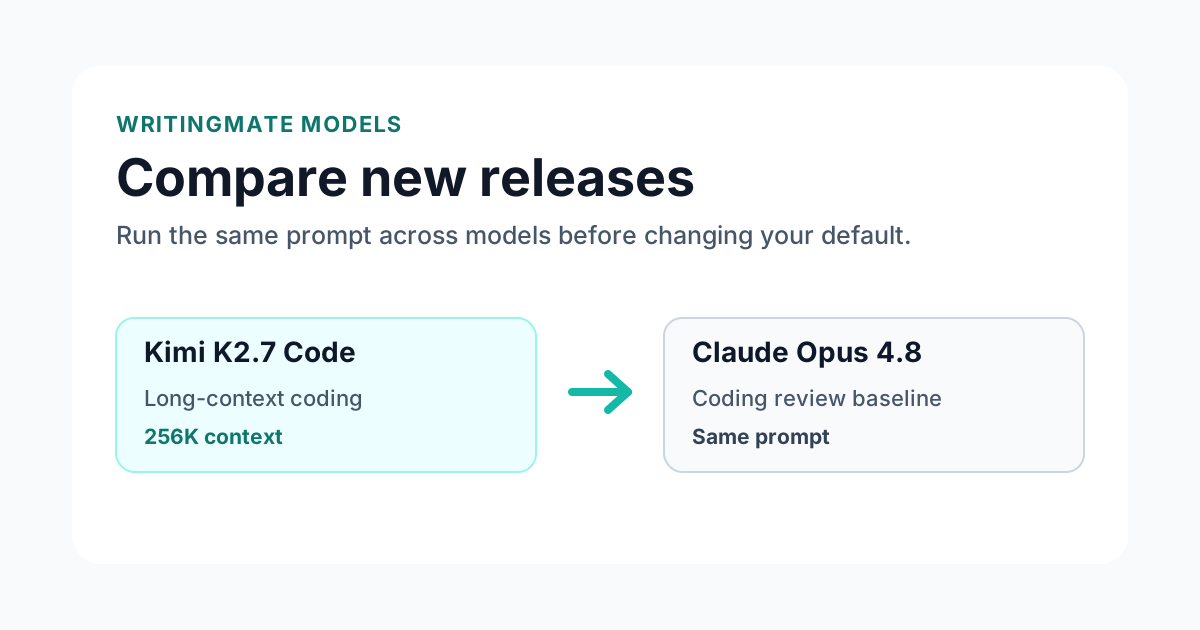
Kimi K2.7 Code should be compared against the model you already use for development. If Claude is your review model, compare there. If GPT-5.5 is your planning model, compare there. If you already use Kimi models for coding, compare inside that family first so you can see whether this release changes your existing habit.
A tie is not enough. Add Kimi K2.7 Code to your workflow when it wins on something concrete: cleaner plans, fewer invented APIs, better use of long context, or stronger second-turn revisions.
Open the Writingmate comparison page to run the same prompt against a concrete baseline. A complete comparison URL is better than a vague instruction to "try another model" because it gives you a repeatable starting point.
Best use cases for Kimi K2.7 Code
Start with jobs where the model has a realistic chance to outperform your current default:
- End-to-end coding tasks
- Multi-turn debugging with preserved constraints
- Repository analysis before implementation
- Screenshot-assisted UI/code review
After that, test failure modes. Ask for strict formatting. Ask for a second pass. Give it incomplete context and see whether it asks a useful question or guesses. Those behaviors matter more in daily work than a single polished demo answer.
A practical evaluation checklist for Kimi K2.7 Code
Before I recommend any new model inside Writingmate, I want it to clear a practical checklist. The checklist is intentionally boring because boring tests catch the problems that show up in real work. First, the model has to follow the exact output format. Second, it has to use the source material instead of paraphrasing the prompt. Third, it has to say what it is uncertain about. Fourth, it has to improve when you ask for a second pass. Fifth, it has to be worth its price compared with the model you already use.
For Kimi K2.7 Code, I would start with a real bug with a stack trace and a multi-turn refactor. Those are concrete enough to expose shallow reasoning, but common enough that the result matters. If the model gives you a generic answer, that is useful information. If it asks one clarifying question, preserves constraints, and gives you a plan you can execute, that is a stronger signal than a leaderboard score.
The comparison page matters here because you can keep the prompt identical. Open the Writingmate comparison page, paste the same task into both sides, and score the outputs with a simple rubric: correctness, completeness, formatting, uncertainty, and edit time. I care most about edit time. A model that sounds impressive but still needs twenty minutes of cleanup is less useful than a quieter model that gives you a clean answer in the format you asked for.
Test | What to watch | Pass signal |
|---|---|---|
Format control | Can it follow table, JSON, or bullet constraints? | The answer matches the requested structure without extra narration. |
Source use | Does it cite or reuse details from the supplied context? | It references specific facts from the input instead of guessing. |
Revision | Does the second pass improve the first? | It tightens the answer without dropping important caveats. |
Failure behavior | What happens when context is missing? | It asks or states uncertainty instead of inventing details. |
What I would not use Kimi K2.7 Code for yet
New model releases are easy to over-promote, so it is worth saying where I would be careful. I would not immediately use Kimi K2.7 Code for irreversible customer-facing work, unattended production code changes, legal or medical conclusions, or any workflow where you cannot review the output. Even strong models still need a human checkpoint when the cost of a mistake is high.
That does not make the release less useful. It just means the right rollout is staged. Use it first for drafts, analysis, planning, or review. Keep your current default for the work where reliability is already proven. Then move the model into higher-risk workflows only after it wins on your own prompts several times. For Kimi K2.7 Code, do not promote it until it writes a useful test or catches a bug your current model misses.
One more practical note: compare models by job, not by brand. A model can be excellent for coding-focused long-context agent work and still be the wrong choice for a short marketing caption or a sensitive support reply. The best Writingmate workflow is not one model everywhere. It is a small set of trusted defaults, each attached to the job where it consistently performs well.
How this fits into a real Writingmate workflow
The workflow I would use for Kimi K2.7 Code is deliberately narrow at first. Pick one repeatable job, not ten. For this model, the best starting lane is agentic coding sessions where constraints have to survive across turns. Run the same prompt three times over a week, ideally on real work rather than demo material. If the model saves time on the second and third run, then it has earned a place in your saved workflow.
Here is a concrete example: start with a repository-level plan, approve one step, then ask it to implement only that step with a test. After the first answer, do not stop. Ask for a critique of its own output, then ask for a smaller version that preserves only the parts you would actually use. This second-turn behavior tells you whether the model is merely fluent or genuinely controllable. In my experience, controllability is the difference between an impressive launch and a model you keep using after the announcement fades.
Inside Writingmate, I would save the winning prompt as a reusable pattern only after the comparison is done. That keeps the model release from turning into clutter. The model page gives you the catalog facts, the comparison page gives you side-by-side evidence, and the saved prompt becomes the operational version of what you learned. That is the path from release note to actual workflow.
Bottom line
Kimi K2.7 Code is worth testing if your coding workflow needs more than one-shot code generation. Put it against your current default on one real bug, one refactor, and one planning task before you decide where it belongs.
Frequently Asked Questions About Kimi K2.7 Code
Sources

Written by
Artem Vysotsky
Ex-Staff Engineer at Meta. Building the technical foundation to make AI accessible to everyone.

Reviewed by
Sergey Vysotsky
Ex-Chief Editor / PM at Mosaic. Passionate about making AI accessible and affordable for everyone.