Free sounds great — until you do the math.
If you've been using Perchance AI image generator for a while, you've probably noticed something: the time you spend retrying, refining, and working around its limitations adds up faster than you'd expect. I'm Artem, and I run the Writingmate blog. I've spent a significant chunk of 2025 and 2026 testing every major image generator across every price tier — from zero-cost tools to $0.30-per-image premium models — and the "free vs. paid" question is almost never as clean as it looks on the surface.
This article isn't another "here are alternatives to Perchance" roundup. There are plenty of those already. What I want to show you is the actual economics: cost per usable image, time value included. As of May 2026, the numbers tell a story most comparison posts skip entirely. At the end, I'll point you to the image models directory on Writingmate — the fastest way to compare every major generator without managing five separate accounts.
Why "Free" Image Generation Actually Has a Price Tag
Perchance AI is genuinely free. No account required, no credit card, nothing in the fine print. But free tools carry a different kind of cost: your time.
Think about what a typical Perchance session actually looks like. You write a prompt. You wait through the queue — sometimes 10 seconds, sometimes two full minutes depending on server load. You get a result that's close but not quite right. The lighting is off, or the hands are wrong, or the style isn't what you described. You tweak the prompt. You wait again. Repeat three to eight times before you get something you'd actually use. Sound familiar?
If your time is worth anything — even a conservative $20 an hour — a 15-minute Perchance session to produce one usable image is costing you $5 in time value. That's more expensive than paying $0.03–$0.07 per image on a dedicated model where your first or second prompt nails it.
That's the hidden math that most free tool comparisons skip entirely. And it's why a lot of people who start on Perchance end up feeling like AI image generation "doesn't work well" — when the bottleneck is the tool, not the technology.
"I spent about two hours trying to get Perchance to produce a usable product mockup. Switched to FLUX.2 Pro through Writingmate and got exactly what I needed on the third prompt. The time difference is just absurd once you've seen both." — u/pixel_logic_dev on Reddit r/artificial

The Actual Cost-Per-Image Breakdown (May 2026)
Let me put real numbers on the table. These figures come from actual published API pricing as of May 2026, combined with realistic estimates of how many attempts a typical user needs to get one image they'd actually publish or hand to a client. The "effective cost" column is where the honest comparison lives.
Model | Direct Cost / Image | Avg. Attempts for 1 Usable | Effective Cost / Usable Image | Best For |
|---|---|---|---|---|
Perchance AI | $0.00 | 5–8 attempts | $2–$10 (your time) | Casual, zero-commitment experiments |
FLUX.2 Pro | ~$0.03–$0.05 | 1–2 | ~$0.03–$0.10 | Quality creative work, products, portraits |
FLUX.2 Flex | ~$0.06/megapixel | 1–2 | ~$0.06–$0.12 | Typography, text in image, fine detail |
FLUX.2 Max | ~$0.07–$0.10 | 1 | ~$0.07–$0.10 | Top-tier output, premium client deliverables |
GPT-5 Image | Varies by use | 1 | Low–moderate | Inpainting, editing, instruction following |
Nano Banana Pro | Moderate | 1–2 | Moderate | Photorealism, color accuracy, text rendering |
Grok Imagine (1K) | $0.05/image | 1–2 | ~$0.05–$0.10 | Photorealism, multilingual text in images |
Grok Imagine (2K) | $0.07/image | 1 | ~$0.07 | High-resolution output, fine detail at scale |
Recraft v4.1 Vector | $0.08/image | 1–2 | ~$0.08–$0.16 | Logo design, SVG output, brand assets |
The takeaway from this table isn't "pay more, get more" across the board — it's that even the entry-level paid models deliver a fundamentally different iteration experience. At 20 images per week, FLUX.2 Pro costs you roughly $1.20–$2.00. That's not a meaningful expense. The time you'd spend getting comparable output from Perchance at that volume is.
Quality vs. Speed vs. Budget: How the Models Really Compare
Price is one dimension. Here's how the major models actually perform on what matters for different creative workflows:
Perchance AI runs on a lightweight diffusion pipeline that was never built for professional output. Results are unpredictable with complex prompts. Text inside images almost never renders correctly. Character consistency across multiple generations doesn't exist. For a quick "what might this look like" experiment, it works. For anything you'd put in front of another person or use in a real project, it's a gamble every single time.
FLUX.2 Pro (from Black Forest Labs) is a genuinely different class of tool. It balances speed and quality for production use — up to 4 megapixel output, strong prompt adherence, and reliable results that don't require five retries to get to something usable. If you're doing regular creative work — social assets, product photography concepts, editorial illustration — FLUX.2 Pro is where the cost-to-quality ratio makes the most sense for most creators.
FLUX.2 Flex is the specialist in the FLUX family. Its real strength is text rendering, typography, and fine detail work. If you've been struggling to get readable text inside an AI-generated image, this is the model to try. It's also notably good at multi-reference editing — generating from multiple style or content references at once.
Nano Banana Pro (Google's image model) is the current benchmark for photorealism and color accuracy. Skin tones, lighting, and environmental detail all land closer to photography than most models. If photorealism is the specific goal, this is where I'd start testing.
GPT-5 Image is built around a different workflow entirely — it's strongest for editing and inpainting existing images rather than pure generation from scratch. When you have an image that's mostly right and need to fix one element without regenerating the whole thing, GPT-5 Image is the tool that handles that naturally.
"FLUX.2 Pro hits the cost-to-quality sweet spot for production work in 2026. For client deliverables I don't want to gamble on, that's my default now — fast enough, consistent enough, priced sensibly." — @creativetoolsstack on X
How to Use the Writingmate Image Models Directory
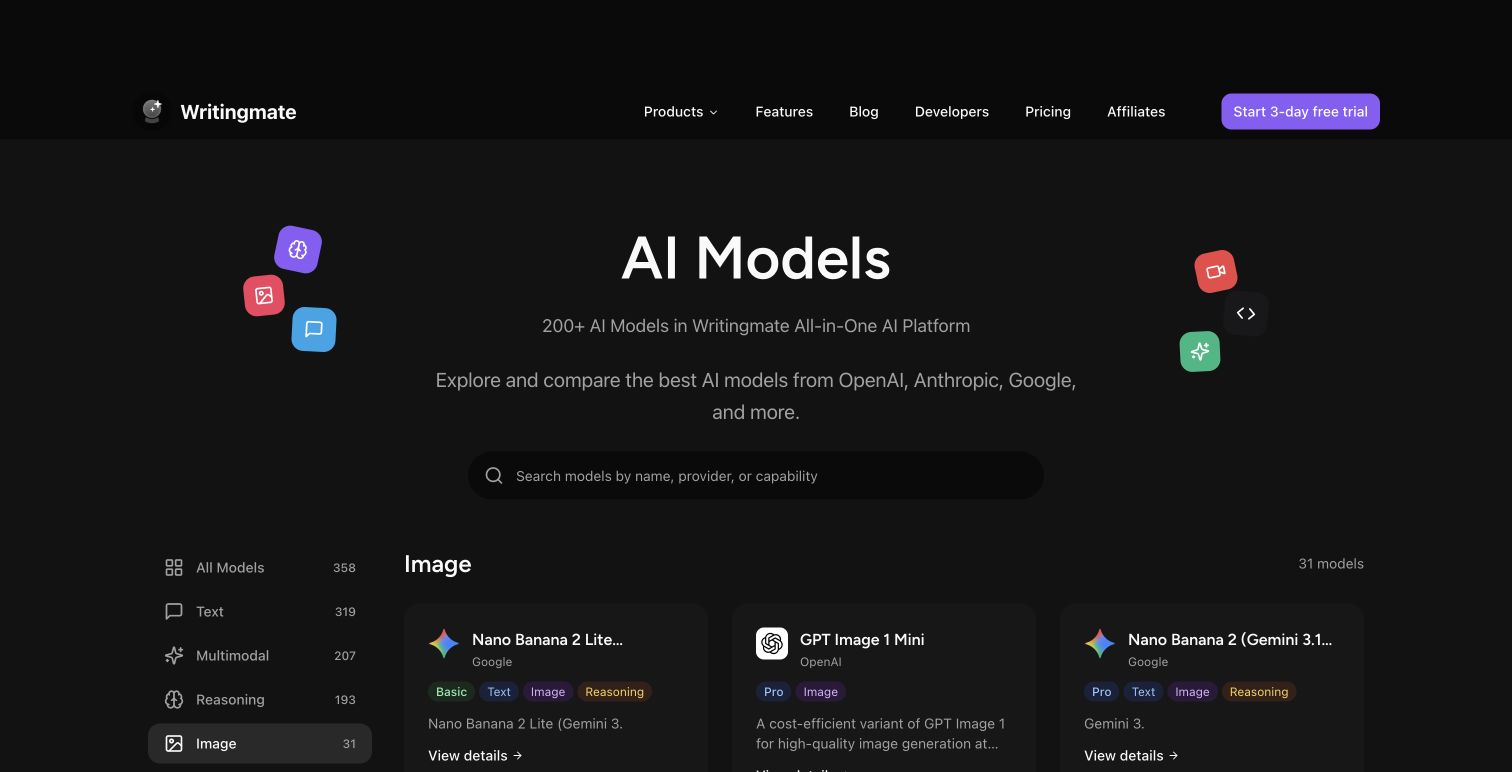
Here's the practical problem with comparison articles like this one: they're snapshots. New models ship constantly in 2026. Pricing changes. A model that was the clear best-value pick three months ago might now be second or third. The Writingmate image models directory keeps the comparison live — every image generation model on the platform is listed with current capabilities and pricing, updated as things change.
But the bigger workflow advantage is unified access. Instead of finding a model you want to try, signing up for its API or platform, learning their credit system, getting the output, and then realizing it's not quite right — you can test three models with the same prompt in the same interface and switch mid-project without losing your prompt history or starting over.
That's the real friction reducer for anyone coming from Perchance. You're already comfortable with iterative prompting. The main difference is your first or second iteration is usually your final one, because the models are more responsive to how you actually describe things. The directory also surfaces models like Seedream 4.5 and Recraft's vector output line that most people don't find through standard searches.
Writingmate also includes inpainting and image editing — so when you generate something mostly right but one element needs to change, you can mask and redescribe that element without regenerating the full image. Perchance doesn't offer this at all, and it's one of those workflow differences that only becomes obvious after you've done it once.
Three Questions That Point You to the Right Model
Rather than a single recommendation, here's the decision logic I actually use when someone asks which image model to try first:
1. Is this for personal use or something you'll publish or get paid for? For personal experimentation, Perchance or a fast FLUX variant might be completely fine — the quality bar is lower and you're not billing anyone. For client work, branded content, or anything with your name on it, output predictability matters and even a $0.05/image model is worth it on the first attempt alone.
2. What does the image actually need to do? Text in the image → FLUX.2 Flex or Nano Banana Pro. Photorealism → Nano Banana Pro or Grok Imagine 2K. Editing or retouching an existing image → GPT-5 Image. Vector or logo output → Recraft v4.1. Character or anime style → browse the full image models directory for community-trained options. Most of the nuance lives in this question, not in price.
3. Are you generating one image or fifty a week? At low volume, the cost difference between any two paid models is noise — we're talking cents. At 50 images per week, FLUX.2 Pro runs you roughly $3–$5. That's less than a coffee, and significantly less than the time you'd spend getting comparable output from Perchance at that volume.
Most people searching "perchance ai image generator" fall into the first bucket — they want something fast, free, and zero-commitment. A meaningful share, though, have already outgrown Perchance and just haven't found the right path to something better. If that second description fits you, the models directory is worth ten minutes of your time to explore.
What the Paid Upgrade Actually Gets You
I want to be concrete about what changes when you move from Perchance to a paid model, because "better quality" is too vague to be useful:
- Resolution ceiling disappears. Perchance tops out at 512–768 pixels. FLUX.2 Pro goes up to 4 megapixels. Grok Imagine 2K gives you, literally, 2K resolution. For anything you'd print, display at large scale, or use as a hero image, this matters.
- Prompt adherence improves dramatically. On Perchance, a complex multi-element prompt produces something loosely in the ballpark. On FLUX.2 Pro or Nano Banana Pro, the model actually reads and interprets the full prompt. "A woman in a red coat standing next to a yellow bicycle outside a blue door" produces exactly that, not a rough approximation of it.
- Queue times become irrelevant. FLUX.2 Pro generates in 10–20 seconds at consistent quality. No two-minute waits, no server-load lottery. Your iteration speed goes up by an order of magnitude.
- History and reproducibility. Every generation in Writingmate saves to your conversation thread. You can return to any prompt and regenerate, or branch off it in a new direction. Perchance's interface is completely stateless — nothing saves, nothing is recoverable.
The Bottom Line
Perchance AI image generator is good at one specific thing: letting you experiment with zero friction and zero commitment. No account, no money, no risk. That has genuine value when you're new to AI image generation or testing whether a concept is worth pursuing further.
But free has a functional ceiling, and it appears fast once image generation becomes a real part of your workflow. When you're spending 20 minutes to get one usable image, the question isn't "should I look at paid options?" — it's "which model fits my actual use case and what does it really cost per image I'd use?"
The image models directory at Writingmate is the fastest way to answer that question without going through the sign-up-trial-abandon cycle on five different platforms. Every model I've covered here — FLUX.2 Pro, FLUX.2 Flex, FLUX.2 Max, GPT-5 Image, Nano Banana Pro, Grok Imagine, Recraft v4.1 — is in one place, with one account, and one payment setup.
The math on image generation in May 2026 is fairly clear. The question isn't whether dedicated models outperform Perchance — they do, on every dimension except price-at-zero-volume. The question is which model fits your actual workflow at a cost that makes sense for how often you generate. That's a five-minute decision with the right directory in front of you.
See you in the next one!
Artem
Frequently Asked Questions
Sources

Written by
Artem Vysotsky
Ex-Staff Engineer at Meta. Building the technical foundation to make AI accessible to everyone.

Reviewed by
Sergey Vysotsky
Ex-Chief Editor / PM at Mosaic. Passionate about making AI accessible and affordable for everyone.