You searched for "perchance ai image generator" — and if I had to guess, it wasn't because you wanted a long tutorial on generative AI theory. You probably wanted something immediate: open a tab, type a prompt, get an image. No account, no credit card, no waiting on a confirmation email.
My name is Artem, and I've spent an embarrassing amount of time testing AI image generators — from the early Stable Diffusion days through to the current generation of commercial models. I run the Writingmate blog and I've been paying close attention to what people actually need when they land on Perchance. The search itself tells you something important about what users want. And it's rarely just "give me any free generator."
What's really behind that search is a sharper question: what's the fastest, simplest way to turn my idea into a visual? Perchance answers that well — for certain types of images. But once you understand where it thrives and where it hits a wall, you can make a smarter choice about when to use it and when to reach for something built specifically for your style. That's what this guide covers.

What the Perchance AI Image Generator Actually Is
Perchance is a browser-based platform (perchance.org) that started as a tool for text-based randomizers — character name generators, loot tables, random quest hooks for tabletop RPGs. It expanded into AI image generation by packaging open-source models (primarily Stable Diffusion variants) into zero-friction web generators. As of May 2026, there are 18+ image generation presets on the platform, each built and maintained by community contributors rather than a centralized engineering team.
The pitch is genuinely compelling: no sign-up, no daily limit, no payment required. Generation times average 10–30 seconds on lighter loads, and the interface is minimal enough that you can go from a blank page to a finished image in under a minute. For someone who needs a quick visual concept — a character sketch, a scene reference, a mood board placeholder — that's real value with real zero friction.
But there are trade-offs baked into that model. Perchance's generators are community-built on top of SDXL and similar base models, which means output quality depends heavily on which preset you're using and how well that fine-tune handles your specific prompt style. Photorealistic faces tend to drift. Hands are a persistent weak point across most presets. The platform is also resolution-capped at around 768×1024, which rules it out for anything that needs to be printed or displayed at large sizes. And during peak hours — typically US evenings — queue times stretch to 2–5 minutes per generation, which kills the "instant" appeal fast.
"Been using Perchance for quick thumbnails and concept sketches — free, no limits, no fuss. But honestly, if I need anything that looks actually polished or needs to hold up at full size, I have to use something else. The hands are still broken half the time." — r/StableDiffusion community
That split reaction is what I hear from nearly everyone who uses Perchance for more than a few sessions. It's excellent for its lane. The problem is most users don't stay in that lane — they start wanting more, and that's when knowing the broader image model landscape becomes essential.
The Style Problem: Why "AI Image Generator" Isn't One Thing
Here's the framing shift that changes everything about how you pick an image model: style determines fit. A model exceptional at photorealistic portraits will be mediocre for anime. A model optimized for painterly concept art might render product mockups poorly. These aren't flaws — they're design choices baked into how each model was trained and fine-tuned, reflecting what data it learned from and what objectives guided its development.
Most comparison guides skip this entirely and jump straight to rankings. But ranking "best AI image generator" without specifying style is like ranking "best paint" without saying whether you're doing watercolors or walls. When I look at what people searching for Perchance AI images are actually creating, it breaks down mostly into: anime and manga characters, casual fantasy illustrations, quick scene references, and mood board imagery. Perchance's SDXL-based presets — including the Jellymon preset and the "Ultimate AI Image Generator" — are specifically strong in that stylized, illustrated range. Where they consistently underperform is photorealism, commercial product imagery, and any use case requiring repeatable character consistency across multiple generations.
Here's the framework I use before picking a model for any creative task:
What You're Creating | Style Type | Perchance Fit | Recommended Model |
|---|---|---|---|
Anime / manga characters | Stylized / illustrated | Good | Flux Dev + anime LoRA, NovelAI |
Photorealistic portraits | Photorealistic | Weak | Flux Pro, Midjourney v7, DALL-E 3 |
Product / commercial mockups | Studio photorealism | Not suited | GPT-5 Image, Flux Pro, Ideogram |
Concept art / painterly scenes | Semi-realistic | Okay | Midjourney v7, SDXL fine-tunes |
Quick concept sketches | Any | Excellent | Perchance is the right call here |
Consistent character series | Any | Poor | Flux Pro with seed locking |
The last row matters most if you're building anything iterative — a webcomic, a recurring social media character, a game asset series. Perchance doesn't expose seed parameters reliably, so regenerating "the same character" across multiple images is largely a coin flip. If that's your use case, you need a platform that gives you seed control and style locking built into the interface.
The Major Image Models in 2026 — Matched to Your Use Case
Flux Pro is where I send most users who've outgrown Perchance for photorealistic work. It handles lighting, face anatomy, and scene composition significantly better than SDXL-based generators. The results look like they could have come from a professional photographer rather than a community tool. Per-image cost through a platform like Writingmate is low enough that it makes sense for anyone doing regular creative work — you're not paying Midjourney subscription prices for a single use case.
Flux Dev is the open-weight version of Flux that powers many community fine-tunes. If you want anime-quality images with Flux-level detail — rather than standard SDXL output — look for Flux Dev paired with an anime LoRA. The output is noticeably cleaner than Perchance's anime presets: better hand anatomy, more reliable face consistency, tighter style adherence across multiple generations.
DALL-E 3 and GPT-5 Image are the right choice for complex, compositional prompts. If you write detailed, paragraph-length descriptions — specific lighting, precise spatial relationships between objects, exact text overlays in the image — DALL-E's instruction following is hard to match. The aesthetic leans polished and clean rather than raw or artistic, which makes it particularly strong for business-facing imagery and content marketing visuals.
Midjourney v7 is still the best option when aesthetic beauty is the primary goal. Concept art, world-building imagery, illustration work — Midjourney's output has a distinctive visual quality that other models haven't fully replicated. The workflow is Discord-based by default, which is clunky compared to web interfaces. Accessing it through an aggregator platform eliminates that friction entirely while keeping access to the same underlying model.
Stable Diffusion XL is the flexible foundation if you want maximum control and are willing to invest time in setup. Most of Perchance's generators are built on SDXL — so if you've gotten solid results from Perchance and want to go deeper without paying for a commercial model, learning SDXL via a hosted UI like Automatic1111 or ComfyUI is a natural next step. It's free but technically demanding.
"A new website just launched: Perchance AI — a free text-to-image generator with 18 AI models, no signup needed! Login for Flux AI access." — @ethansunray on X
That post captures the appeal — but notice the detail: "Login for Flux AI access." The best model available on Perchance's platform requires an account anyway. At that point, the "no signup needed" advantage narrows considerably, and you're better off accessing Flux directly through a platform that gives you the full toolset without the queue times.
How Writingmate's Image Models Directory Cuts Through the Noise
The practical problem with everything above is that knowing which model is theoretically best for your style doesn't help if testing each one requires a separate account on a separate platform with separate billing. That friction is exactly what pushes people back to Perchance — not because it's the best option, but because it's the easiest to try without any commitment.
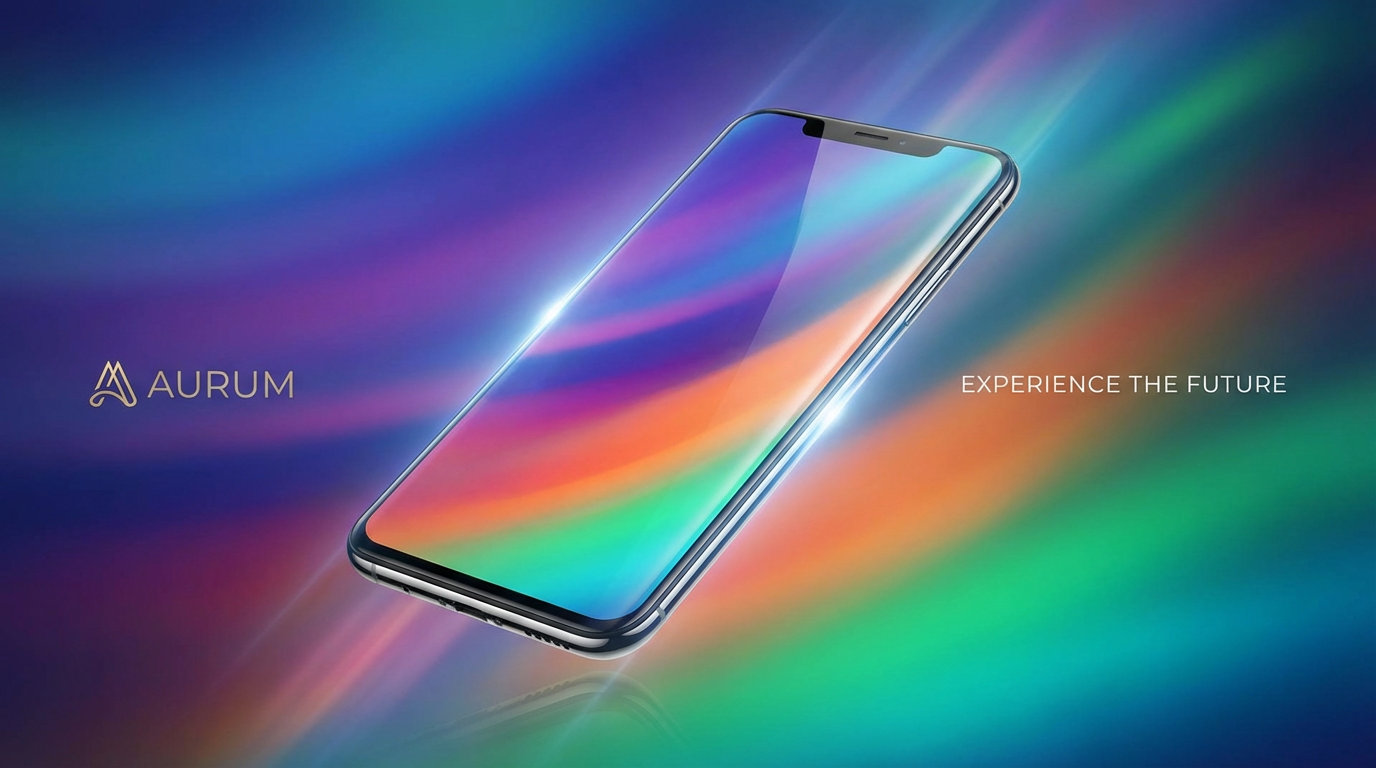
That's the problem Writingmate's image models directory is built to solve. Flux Pro, DALL-E 3, Midjourney, and SDXL variants are all accessible from one interface, under one subscription, without switching platforms or managing separate API keys. You can run the same prompt through three different models in quick succession and compare results directly — no tab juggling, no separate logins, no billing surprises.
For someone who's been working in Perchance and wants to understand what each major model actually produces with their specific prompting style, this is the fastest path to a real answer. Take your best Perchance prompt, paste it into Writingmate, and run it through Flux Pro and DALL-E 3. The quality difference — if there is one for your particular use case — will be immediately obvious. That whole comparison takes about three minutes, and it gives you a concrete, practical answer about whether upgrading is worth it for your work.
The directory also stays current as new models release. When Flux pushes a meaningful update, or a new model worth using appears, it shows up in the directory without requiring you to hunt down a new platform. In a space where model releases happen every few months and the quality jumps are real, that continuity is genuinely useful.
Five Tips That Improve Results Across Any Image Model
Whether you're staying with Perchance or testing something from the directory above, these adjustments consistently improve output quality:
Lead with style, then subject. Most models respond strongly to style keywords at the front of the prompt. "Anime illustration of a warrior in armor" produces better stylistic coherence than "a warrior in armor, illustrated, anime style." Put the look and feel before the subject description — it anchors the model's interpretation before it starts filling in details.
Use aspect ratio intentionally. Most generators default to square. Portraits look significantly better at 2:3. Landscape and wide scenes look better at 16:9 or 3:2. A huge number of composition complaints I see would disappear just by switching away from the square default to the ratio that fits the subject naturally.
On SDXL-based models, negative prompts still help. Adding "deformed hands, blurry, low quality, disfigured face" as a negative prompt genuinely reduces anatomy errors on community SDXL tools like Perchance. On DALL-E 3 and GPT-5 Image, this matters less because quality control is handled internally — but on open-source SDXL wrappers, negative prompts are still a meaningful lever.
Lock the seed for character consistency. Any model that exposes a seed parameter lets you regenerate variations of the same base image by holding the seed constant and changing only specific prompt elements. This is the primary technique for maintaining consistent character appearance across a series. Perchance doesn't reliably expose seed controls — it's one of the main documented reasons character consistency is a weak point on the platform.
Iterate fast rather than prompting perfectly. The most common mistake I see is crafting an elaborate first prompt and then being confused when the result doesn't land. Short prompts generate faster, are easier to debug, and make it clearer which element is causing an undesired result. Start with 10–15 words, get the style and subject right, then add specificity in the next generation rather than the first.
If your Perchance AI images are plateauing no matter how much you adjust your prompts, the issue probably isn't the prompts — it's the model ceiling. The jump from community SDXL generators to Flux Pro or Midjourney v7 is significant and immediate. The fastest way to find out whether it matters for your work is to test the same prompt across both through the Writingmate image models directory rather than signing up for each platform separately.
Searching for "perchance ai image generator" is really searching for the fastest way to get artificial intelligence to create images that match what you're imagining. Perchance is a solid starting point — genuinely useful, no friction, good for quick concepts and stylized sketches. But once you know the style you're chasing, matching it to a model built for exactly that output makes the results stop feeling like a lottery.
See you in the next one!
Artem
Frequently Asked Questions
Sources

Written by
Artem Vysotsky
Ex-Staff Engineer at Meta. Building the technical foundation to make AI accessible to everyone.

Reviewed by
Sergey Vysotsky
Ex-Chief Editor / PM at Mosaic. Passionate about making AI accessible and affordable for everyone.