You generated a character in Perchance Jellymon that came out exactly how you wanted — the right face, the right anime aesthetic, the exact vibe you were going for. Then you tried to generate her again with a different outfit. Different character entirely.
That's the wall every Perchance AI image generator user hits eventually. It's not unique to Perchance — character consistency is the hardest unsolved challenge in AI image generation. But as of 2026, the gap between tools that handle it badly and tools that handle it well has gotten very large, and most of the good options are easier to access than people realize.
My name is Artem, and I run the Writingmate blog. I've been testing AI image generators for character work since 2023, and the consistency problem is the complaint I hear most from readers who started with free tools like Perchance Jellymon. This guide is specifically about that problem — what causes it, which models handle it best, and how to use the Writingmate image model directory to find the right tool for your workflow.
What Is Perchance AI Jellymon?
Perchance is an open community platform where anyone can build and publish randomized generators using a simple scripting language. It's been around since before the AI art boom, but it exploded in popularity when community members started wrapping AI image models into it — making generation accessible to anyone with a browser and no other setup.
Jellymon is one of the most popular community-built generators on the platform, designed specifically for anime-style monster and fantasy character art. It uses a tag-based prompting system — you pick or type tags like "elf," "blue hair," "fantasy armor" — instead of requiring natural-language prompt writing. That's a huge part of its appeal: there's almost nothing to learn before your first generation.
The platform is genuinely free with no account, no credits, no quota. As of 2026, some Perchance generators now run FLUX models from Black Forest Labs alongside older Stable Diffusion fine-tunes. There's even a dedicated Perchance AI text-to-image generator that uses SDXL. The catch is architectural: each Perchance page is a separate community generator with a single fixed backend. You can't switch models, expose seed control, or use inpainting without navigating to a completely different URL built by a different community member.

That architectural detail — one page, one backend, no model control — is the direct cause of the character consistency problem that Perchance AI images users run into so frequently.
The Real Problem: Why Your Perchance AI Characters Never Match
Character consistency means generating the same character — recognizable face, same proportions, same overall look — across multiple prompts with different poses, outfits, or contexts. This matters for:
- Character sheets and reference packs for games, illustration, or animation
- Comic panels and visual stories where the same character appears in multiple scenes
- Social media content built around a recurring AI-generated persona
- Any semi-professional output where "same character" actually has to mean something
Standard text-to-image generation is inherently inconsistent. Every generation is a fresh sample from the model, and faces in particular are highly sensitive to tiny changes in prompt wording, random seed, and sampler settings. Perchance Jellymon exposes no seed control in its UI — which means you literally cannot reproduce the same generation even with an identical prompt. You can get lucky and hit a similar look, but you can't engineer it.
"I used Perchance for quick concept sketches for months and it's great for that. But when I needed a consistent main character for a webtoon project, I had to move to a proper setup with seed locking and reference image input. The moment I made that switch I understood why people pay for this stuff." — u/inkpixel_arts in r/StableDiffusion
This isn't a flaw in Perchance's design — it's an honest trade-off for the zero-friction experience. Exposing seed control, ControlNet, inpainting, and model switching would require a much more complex interface and would break the simplicity that makes Perchance appealing. But once you understand what consistency actually requires, you can see exactly why Perchance hits its ceiling for serious character work.
Here's what consistency actually needs:
Seed locking. Every AI image generation has an underlying random seed. Locking that seed and changing only parts of your prompt gives you a starting point for variations that look like the same character. Without seed access, every generation is a fresh lottery draw.
Reference image input. Feeding a reference image of your character alongside a new prompt guides the model to maintain visual identity while applying new context — new outfit, new setting, new pose. This is the single most powerful consistency technique available in 2026.
Modern model architecture. FLUX-generation models handle identity and facial structure more reliably than SD 1.5-era fine-tunes. The gap in face consistency between a 2022-era Stable Diffusion checkpoint and a current FLUX model is large enough to see immediately in side-by-side tests.
None of these are available in Perchance Jellymon. All of them are available in models accessible through the Writingmate image model directory.
How the Major Models Compare for Character Art
Here's a practical breakdown of the main options for character and anime art generation in 2026, including what Perchance offers versus dedicated model platforms:
Model / Tool | Best For | Consistency | Max Resolution | Cost |
|---|---|---|---|---|
Perchance Jellymon | Quick anime concepts | None — no seed control | 768×1024 | Free |
Perchance FLUX Pages | Fast general images | Low — no UI seed control | 768×1024 | Free |
Illustrious XL | Anime / manga character art | High with seed locking | 1024×1024+ | Low per-gen |
FLUX.1 Dev | Semi-realistic portraits, detail | Very high | 2048×2048+ | Low per-gen |
FLUX.1 Pro | Professional character sheets | Excellent | 2048×2048+ | Medium per-gen |
DALL-E 3 | Concept art, mixed illustration | Moderate | 1024×1024 | Medium per-gen |
The resolution column matters more than most people realize. Perchance AI images max out at 768×1024 — workable for a thumbnail reference but not for anything you're going to use at full size in a design, print, or detailed web graphic. Modern model platforms generate at 1024×1024 minimum, with FLUX-based models going significantly higher.
For anime-specific work, Illustrious XL is the current benchmark. It's an SDXL architecture fine-tuned specifically on curated anime art data, and it produces the aesthetic that Jellymon users are typically going for — but with higher resolution, cleaner linework, dramatically better hands, and actual prompt adherence for complex clothing descriptions. For realistic character portraits and semi-realistic fantasy character art, FLUX.1 Dev and FLUX.1 Pro are what working illustrators and concept artists are using in 2026.
"Seed-locked character generation in FLUX.1 Pro opens up iteration workflows that would have needed a full LoRA fine-tune to achieve just 18 months ago. The architecture handles identity structure at a level earlier models simply couldn't." — @bfl_ml on X
Using Writingmate's Image Model Directory for Character Consistency
The practical obstacle to using FLUX.1 Dev, Illustrious XL, and DALL-E 3 separately is account management — each one requires a different signup, API key, or subscription. Writingmate's image model directory puts all of them behind a single login so you can test models side by side without managing multiple platforms.
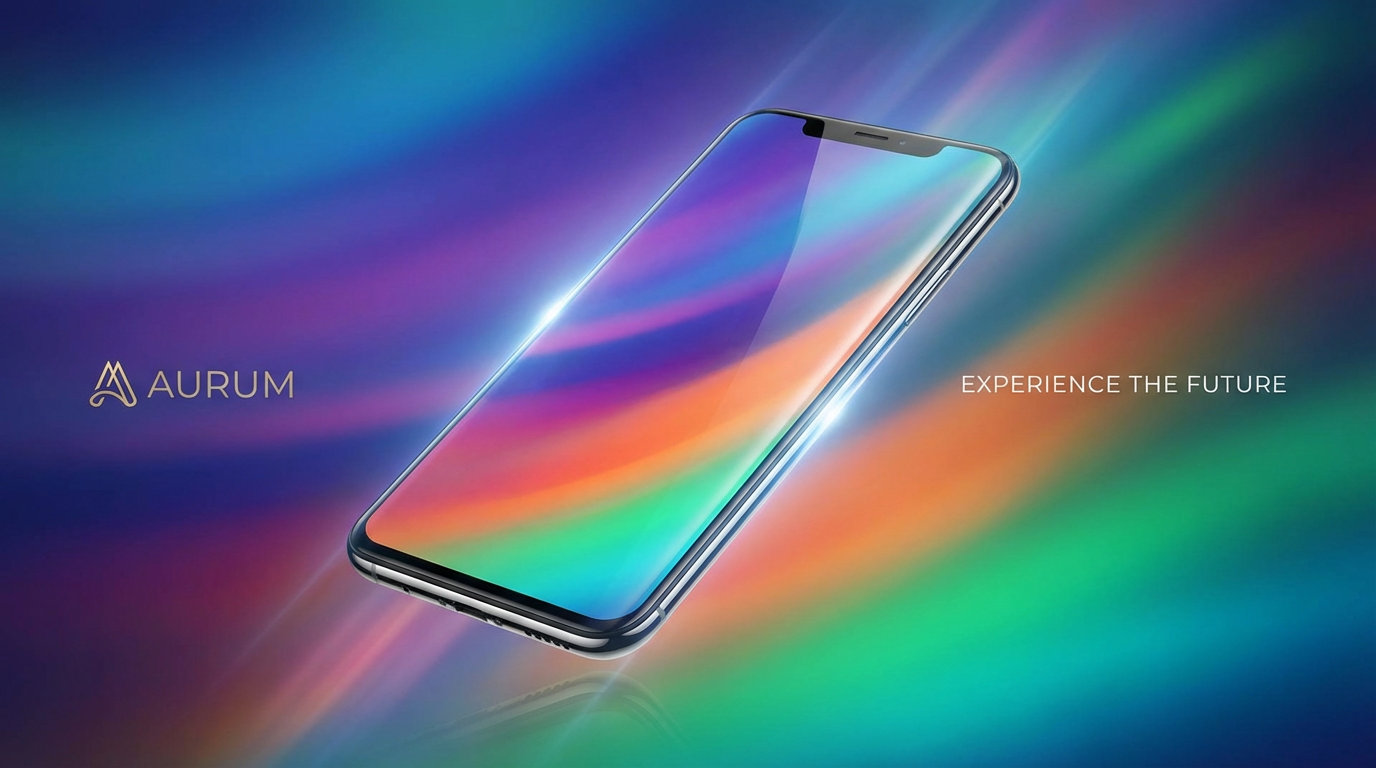
Here's the workflow difference in practice:
With Perchance Jellymon: Open the page, use the tag selector or type a prompt, wait for generation, download. No account, no seed, no iteration path. Every generation stands alone.
With Writingmate's image directory: Log in once. Pick a model — Illustrious XL for anime, FLUX.1 Dev for realism. Write your prompt in natural language. Generate. Save the seed from any output you like. On the next generation, use that seed with a modified prompt to iterate on the same character. Use the inpainting tools to fix specific elements (a hand, a detail in the clothing) without regenerating the whole image.
The model-switching is where the consistency advantage compounds. If Illustrious XL isn't giving you the right aesthetic for your specific character concept, you switch to DALL-E 3 or FLUX.1 Pro in two clicks — same prompt, different model, no new tab and no new account. Finding which model suits your character's visual style is a ten-minute experiment instead of a multi-day setup process.
Practical Prompting Techniques for Character Consistency
Whatever model you use, these habits produce meaningfully better consistency across generations:
Build a character anchor into your base prompt. Include a distinctive visual marker that's unlikely to vary randomly — an unusual eye color, a specific scar, a recognizable accessory like a particular piece of jewelry or a weapon. This gives the model something stable to latch onto, and it makes it much easier to identify "same character" across varied poses even when the seed isn't locked.
Describe the shot explicitly. "Portrait, face and shoulders, centered composition, plain background" is mandatory information — without it, the model makes its own framing decisions and your character ends up at different scales and compositions in every generation. Models don't assume anything; if you don't say it, they'll vary it.
For anime models, use quality tag stacking. On Illustrious XL and similar SDXL anime fine-tunes, "masterpiece, best quality, detailed linework, sharp lines" in your positive prompt still moves output quality noticeably. It's less necessary on FLUX models but doesn't hurt.
Build a reusable negative prompt. "Bad hands, extra fingers, deformed limbs, blurry face, inconsistent proportions, low quality, watermark" covers the most common failure modes across all major models. Keep this saved somewhere and paste it into every generation session. Hands in particular remain a weak point across every model in 2026 — the negative prompt reduces failures significantly even if it doesn't eliminate them.
When model-testing, keep your prompt identical. If you're comparing how FLUX.1 Dev and Illustrious XL render the same character, don't change a single word. The only variable should be the model. This is the only honest way to evaluate which model suits your aesthetic — otherwise you're measuring prompt differences, not model differences.
When Perchance AI Jellymon Is Still the Right Choice
To be clear: Perchance Jellymon and the broader Perchance AI platform remain genuinely useful for specific workflows.
If you need a quick concept sketch — something to show a collaborator the visual direction you have in mind, a throwaway reference image for a document, or pure experimentation to discover what aesthetic you're looking for — Perchance delivers that faster than any tool with account friction. The tag-based Jellymon interface is also genuinely friendlier for users who haven't yet built the vocabulary for natural-language image prompting. As an introduction to AI image generation, it's excellent.
The search intent behind "perchance ai image generator" and "perchance ai jellymon ai image generator" is largely exploratory. People who find Perchance are usually in discovery mode — they've heard of AI art, they want to try it with zero friction, and Perchance removes every possible barrier to that first generation. For that job, it's still one of the best tools available.
The limitation only bites when you're trying to move beyond one-off perchance ai images into actual character work — when you need the same character in multiple scenes, or you're building visual content that has to be consistent enough for someone else to recognize the character across images. That's when the tools in Writingmate's image model directory become the right call.
Quick Reference: Match the Tool to the Goal
- Quick anime concept sketches with no account: Perchance Jellymon — still the fastest path to a first result
- Anime character sheets with visual consistency: Illustrious XL via Writingmate, with seed locking
- Realistic or semi-realistic character portraits: FLUX.1 Dev or FLUX.1 Pro via Writingmate
- Concept art and mixed-style illustration: DALL-E 3 via Writingmate
- Finding the right model without managing multiple accounts: Writingmate's image directory — single login, all models
Perchance AI introduced a lot of people to the idea of generating characters with AI — the platform deserves real credit for that. But the consistency ceiling is real, and in 2026 the tools that solve it are genuinely accessible without any more setup complexity than Perchance itself. The gap between "quick concept" and "consistent character art" is now a few settings and a model choice, not a weeks-long technical project.
See you in the next one!
Artem
Frequently Asked Questions
Sources

Written by
Artem Vysotsky
Ex-Staff Engineer at Meta. Building the technical foundation to make AI accessible to everyone.

Reviewed by
Sergey Vysotsky
Ex-Chief Editor / PM at Mosaic. Passionate about making AI accessible and affordable for everyone.