
Message Limits
Writingmate is moving from daily message limits to a simple monthly credit system. New plans use credits. Some older plans still use daily limits until they renew. This page explains both.
Credits
Credits are like minutes on a phone plan. Small tasks use less. Big tasks like video use more. They refill on your billing date each month, and unused plan credits do not carry over.
On a credit plan, there are no daily message limits, no separate model-category limits, and no monthly count limit on video. Everything — chat, images, video, voice, and web search — draws from one monthly pool of credits. The only remaining video restriction is that at most 3 clips can be generating at the same time, which is a queue limit rather than an allowance.
What things roughly cost:
What a message costs depends on the whole conversation, not just what you type. Every reply re-reads the thread so far, so the first message in a chat is cheap and the twentieth is not. A typical turn re-reads about 7,500 tokens — around 5,500 words — and writes about 600 back.
- A chat message: well under 1 credit on our everyday models (GPT-5.6 Luna, Qwen3.7 Flash, Gemini 3.5 Flash Lite) and about 3 to 4 on top models like Claude Opus 5 or GPT-5.6 Sol. The difference is mostly the conversation: every message re-reads the chat so far. We cache that history so you are not charged full price for re-reading it, which is why a long thread costs less per message than its length suggests.
- An image: about 2–20 credits, depending on the model. (One model, FLUX Schnell, costs 1 — it is available through our API only, not the image picker.)
- Video: about 4–50 credits per second, depending on the model.
- A web search: about 2 credits.
Your plan credits refill on your billing date every month. Unused plan credits do not carry over. If you run out early, you can buy a top-up pack on the upgrade page — credits you buy last 90 days from purchase — or move to a plan with more monthly credits.
If your plan is already on credits, you can see your balance any time in Profile Settings → Subscription. Older plans show daily limits there instead until they renew onto credits. See the Fair Use Policy for the full credit rules.
Older plans (daily message limits)
If your plan still shows daily limits, this applies to you until your plan renews.
Writingmate measures text-model usage in counted messages. A short request uses one counted message. A request with a long chat history, large files, or a long response can use more than one.
Your allowance is shared by Writingmate chat and text requests made through the OpenAI-compatible API. It is tracked separately for Basic, Pro, and Ultimate model categories.
What counts as one message
One counted message covers up to 16,000 effective tokens. A token is a small piece of text that an AI model processes. In English, 16,000 tokens is roughly 12,000 words or 24 pages of plain text.
Writingmate counts:
- the tokens in your prompt, chat history, and attached context
- the tokens in the model's response
- cached prompt tokens at half their normal rate
Every request uses at least one counted message. Writingmate rounds requests above 16,000 effective tokens up to the next whole message.
Exact counting formula
cached_discount = floor(cached_prompt_tokens * 0.5)
effective_input = max(0, prompt_tokens - cached_discount)
counted_messages = max(1, ceil((effective_input + completion_tokens) / 16000))
For example:
- A request with fewer than 16,000 effective tokens uses 1 counted message.
- A request with 25,000 effective tokens uses 2 counted messages.
- A request with 48,000 effective tokens uses 3 counted messages.
Example with cached tokens
Suppose a request reports:
prompt_tokens = 19000completion_tokens = 3000cached_prompt_tokens = 4000
Writingmate calculates:
cached_discount = floor(4000 * 0.5) = 2000
effective_input = 19000 - 2000 = 17000
effective_total = 17000 + 3000 = 20000
counted_messages = ceil(20000 / 16000) = 2
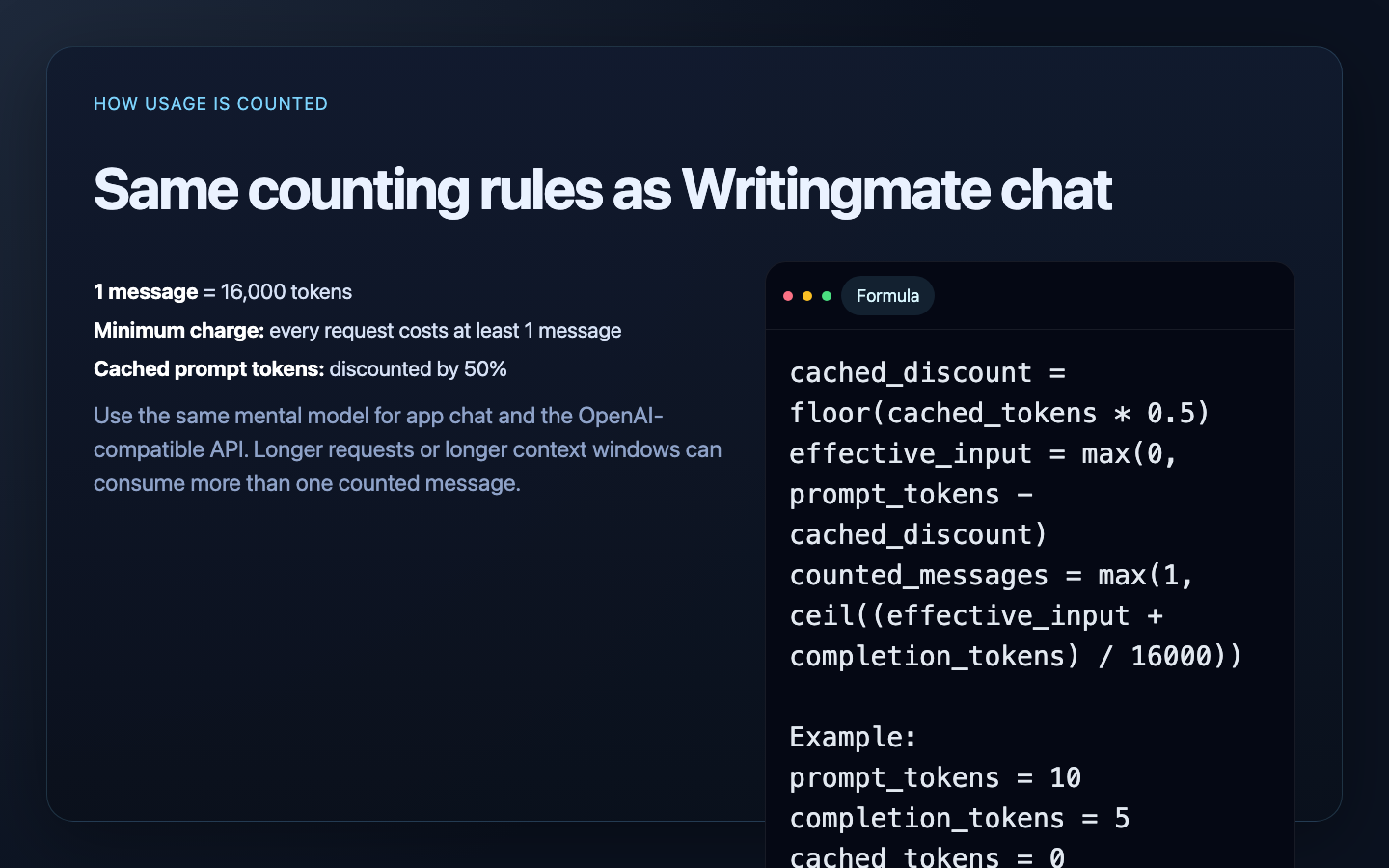
Writingmate chat and the OpenAI-compatible API use the same counting rule.
Current plan allowances
Plans that still use daily limits have these allowances:
| Model category | Basic (free) | Pro | Ultimate |
|---|---|---|---|
| Basic models | 10 per day | Unlimited* | Unlimited* |
| Pro models | Not available | 50 per day | Unlimited* |
| Ultimate models | Not available | 5 per day | 20 per day |
An allowance applies to the whole model category, not to each model separately. For example, using two different Pro models draws from the same Pro-model allowance.
Unlimited* is subject to the Fair Use Policy. Large files, long chat histories, and Projects can make one request use several counted messages.
Legacy, promotional, and AppSumo plans can have different allowances. Open Profile Settings → Subscription, or use the model usage indicator in chat, to see the limits and remaining usage for your account.
When daily limits reset
Daily allowances reset at 00:00 UTC. The usage indicator shows a countdown and converts the reset time to your local time zone.
Starting a new chat does not reset your allowance. It can reduce future usage because the new request does not include the previous chat's history.
AppSumo plans use monthly message pools with daily pacing limits. The monthly pools reset on the anniversary of the plan's activation date.
Chat and OpenAI-compatible API usage
Text requests to these OpenAI-compatible endpoints use the same category allowance as Writingmate chat:
POST /chat/completionsPOST /completionsPOST /responses
They do not have a separate API message quota. Each request is assigned to the category of the model it uses.
If you connect your own OpenRouter API key, supported requests that use that key bypass Writingmate's standard model-usage limits. OpenRouter's billing and limits then apply.
Image and video usage
Image and video generation do not use counted text messages.
For current subscription plans:
- Image generation is controlled by plan access. It does not reduce the Basic, Pro, or Ultimate text-message allowance.
- Video generation uses the plan's monthly video allowance. Queued, in-progress, and completed videos count toward that allowance; failed videos do not.
For AppSumo plans:
- A successful image generation uses one image credit. A failed generation is refunded.
- A video request reserves the requested number of seconds from the video-seconds pool. The reservation is refunded if the request fails to start.
- Image and video pools reset on the anniversary of the plan's activation date.
The same media rules apply when you use the OpenAI-compatible POST /images/generations and POST /videos endpoints.
Use messages efficiently
- Start a new chat when earlier history is no longer useful.
- Attach only the files and sections needed for the task.
- Split large Projects so unrelated files are not sent with every request.
- Use a Basic model for work that does not need a Pro or Ultimate model.
- Check the model usage indicator in chat before a large file or API workflow.