Quick answer: choose AI OCR software by matching the tool to the document job. Use open-source OCR for controlled, low-cost printed text. Use cloud document AI when you need tables, forms, handwriting, layout, confidence scores, and batch processing. Use LLM vision OCR when the hard part is understanding messy screenshots, mixed documents, or asking questions about what the page means. Use a multi-model workspace when your team needs to compare those options, review outputs, and turn extracted text into useful work.
This guide targets the Semrush cluster around OCR software, AI OCR, photo to text OCR, OCR of PDF, and document analysis. If you are evaluating Writingmate while reading, keep the model directory, key features guide, file upload docs, and pricing page open. The buyer question is not simply which OCR engine can read text. It is which workflow can turn imperfect documents into reliable decisions.
OCR is no longer just text recognition
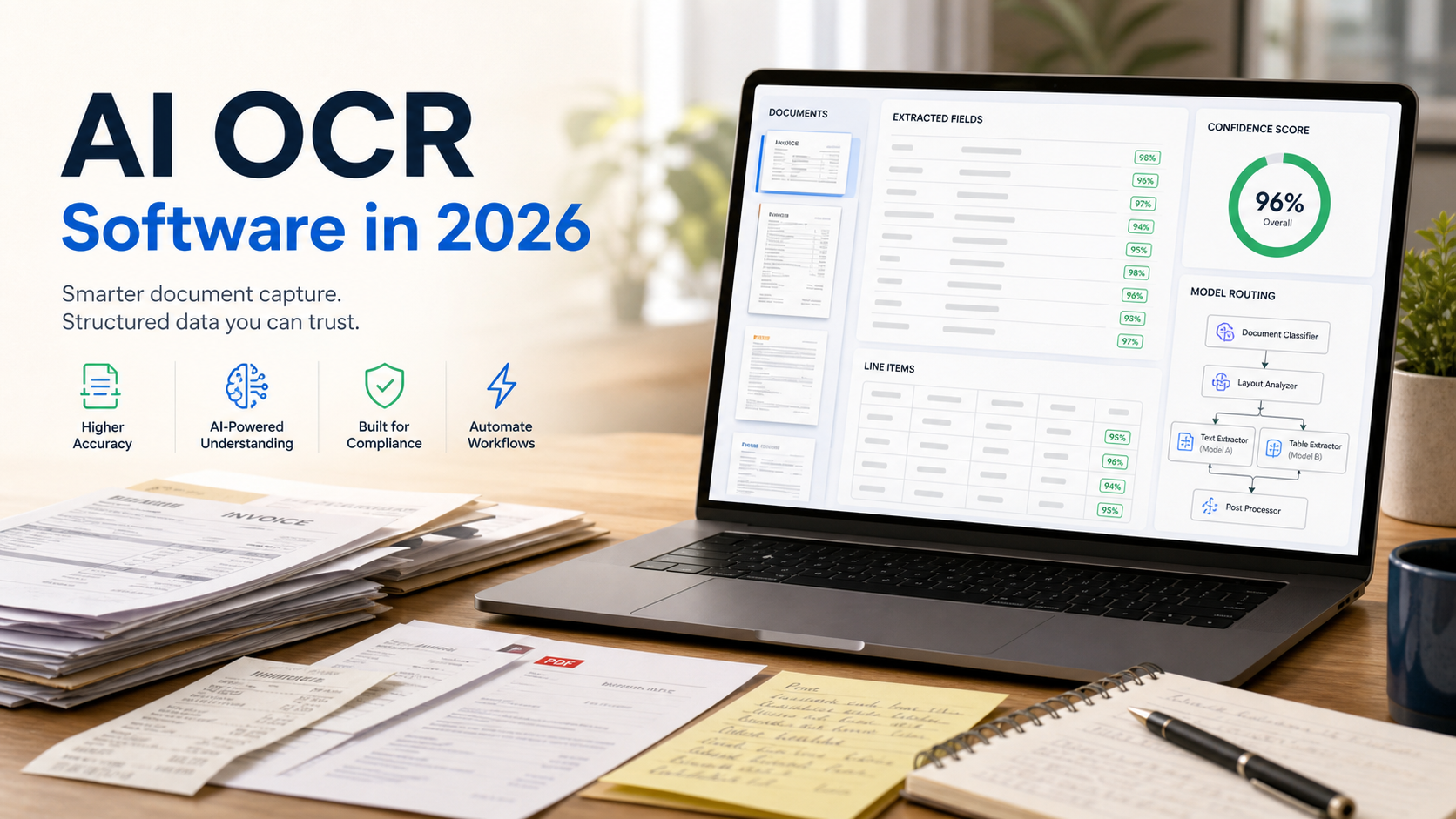
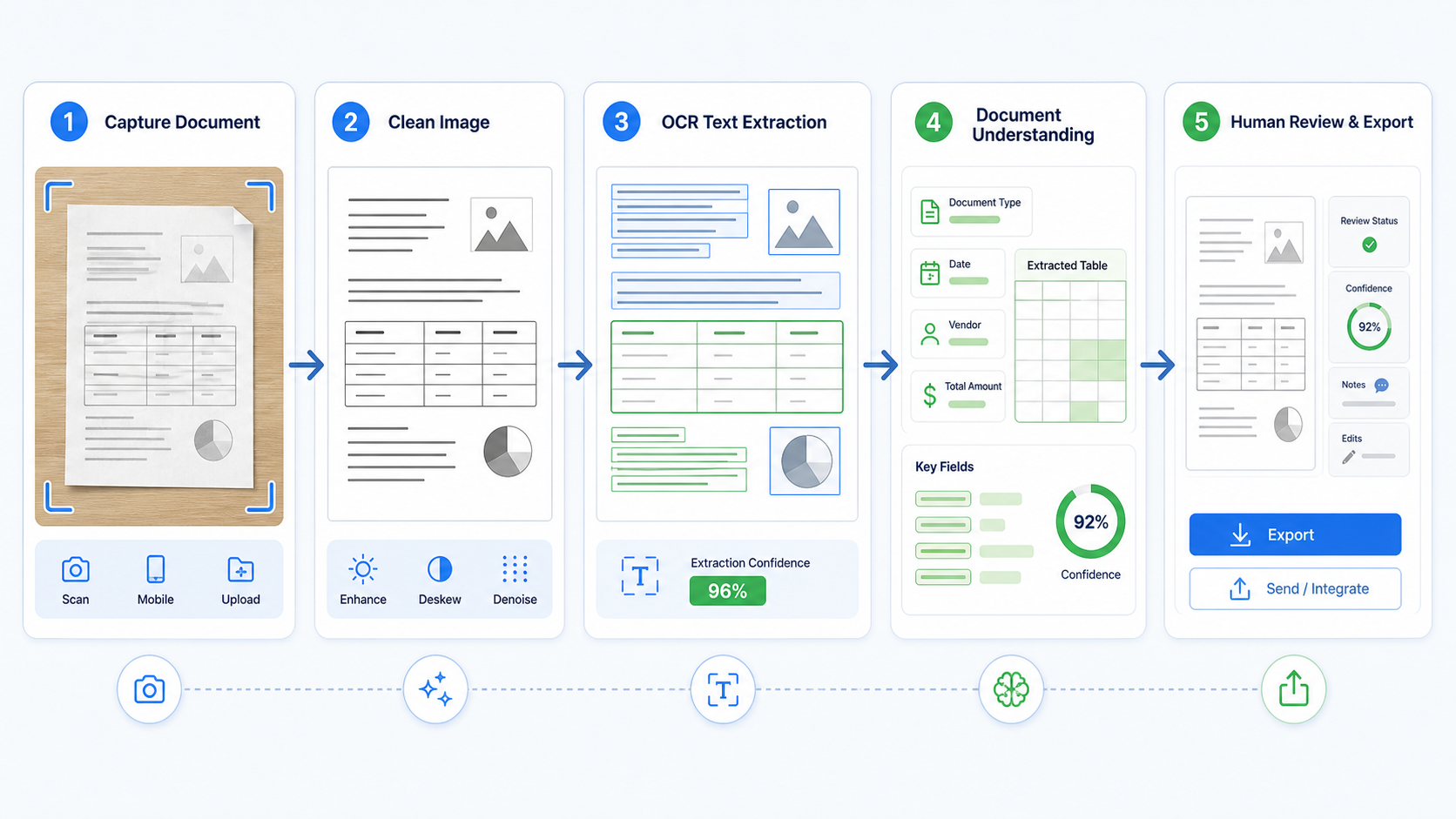
Classic OCR converted an image into text. That still matters, but most teams now need more than a plain transcript. They need line positions, tables, key-value pairs, checkboxes, handwriting detection, document quality signals, page order, confidence scores, and a way to route uncertain outputs to a human reviewer.
The official product docs show why the category changed. Google Document AI describes Enterprise Document OCR as a processor for extracting text from PDFs and images, including handwriting and more than 200 languages, with layout detail and document quality assessment. Microsoft Azure Document Intelligence says its Read OCR model extracts printed and handwritten text from PDFs and scanned images and can return paragraphs, lines, words, locations, and languages. Amazon Textract positions itself around text, tables, forms, key-value pairs, selection elements, and confidence scores. Tesseract remains important because it is open source and useful for direct command-line or API text extraction, but it does not solve every PDF, layout, table, or review problem by itself.
That is the practical distinction: OCR reads the page, document AI understands the page structure, and LLM vision can reason over the page when the output needs explanation or transformation. Strong workflows often combine all three.
The four OCR choices buyers actually have
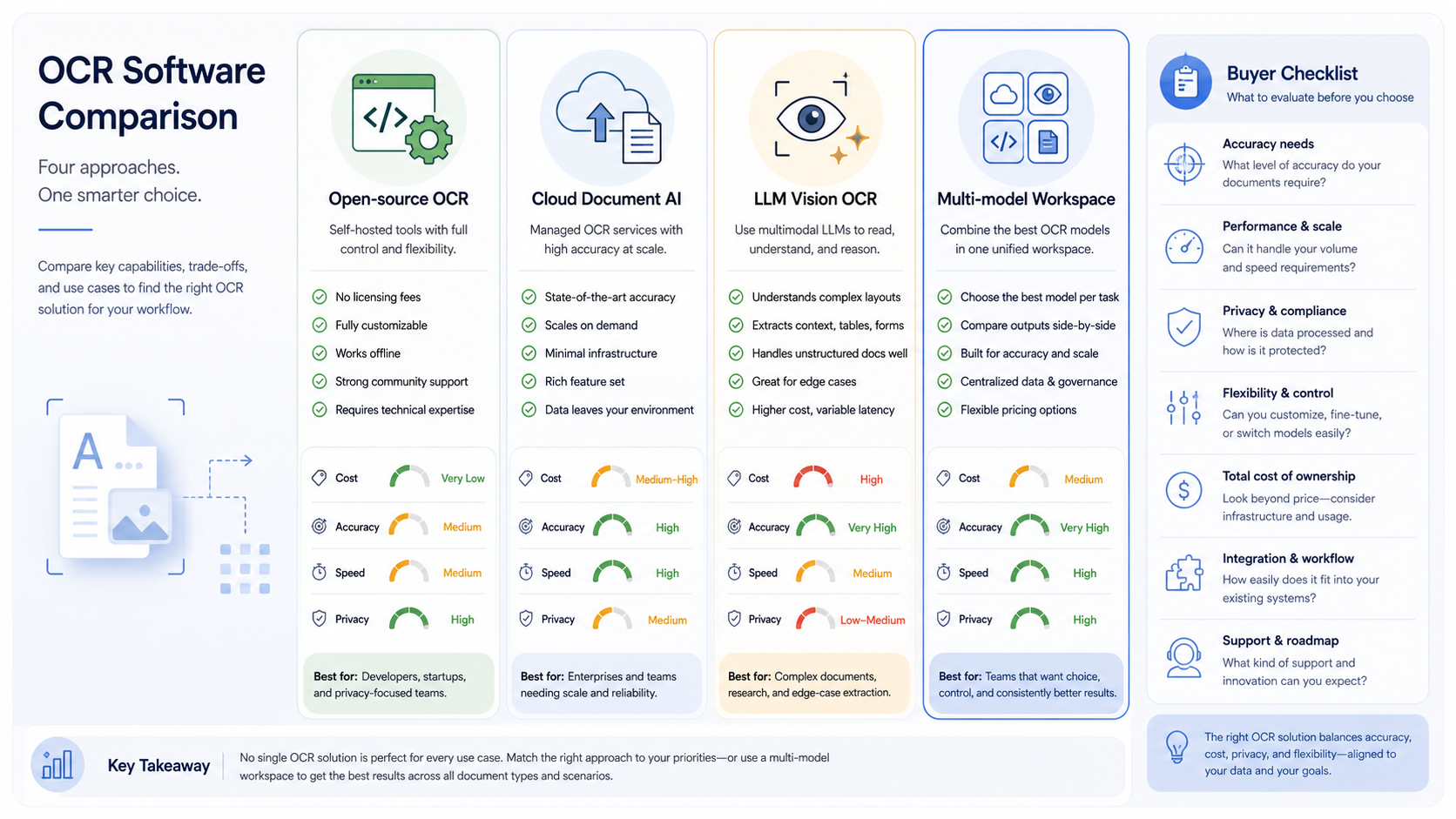
Most OCR comparisons are too broad because they compare libraries, cloud APIs, and AI chat tools as if they solve the same problem. They do not. Start by choosing the category.
Choice | Best fit | Main advantage | Main risk |
|---|---|---|---|
Open-source OCR | Controlled images, predictable printed text, local processing | Low cost and strong ownership | More engineering work for PDFs, tables, layout, and review |
Cloud document AI | Invoices, receipts, forms, PDFs, tables, handwriting, batch jobs | Structured extraction with confidence and layout | Cloud dependency, pricing, and provider-specific APIs |
LLM vision OCR | Screenshots, mixed content, unusual layouts, explanation-heavy tasks | Can interpret context, not only transcribe text | Needs validation for exact fields, citations, and repeatability |
Multi-model workspace | Teams that compare models and turn documents into summaries or actions | One place for upload, extraction, review, and follow-up work | Must define review rules and privacy expectations |
If the document is a clean scan of printed text, Tesseract or another open-source OCR stack can be enough. If the document is a vendor invoice with line items, tax fields, handwritten notes, and a bad scan angle, a document AI service is usually a better first choice. If the input is a screenshot of a dashboard and the user asks, “what changed and what should I do next?”, LLM vision becomes more useful than raw OCR.
Start with the document, not the vendor
Before you compare OCR software, collect 30 to 100 real documents. Include the bad ones: crooked phone photos, low-resolution scans, mixed languages, handwriting, stamps, checkboxes, dense tables, rotated pages, signatures, and PDFs with selectable text that still have visual layout problems. A vendor demo with perfect invoices tells you almost nothing about your production queue.
Score each candidate on the same documents. Track full-text accuracy, field accuracy, table structure, page order, layout coordinates, confidence scores, latency, cost, and how often a person must correct the result. For many workflows, field accuracy is more important than raw character accuracy. A 99% text transcript is not good enough if the invoice total, date, or account number lands in the wrong field.
Also check the input requirements. Google notes that higher scan quality helps OCR accuracy, and its file guidance recommends at least 200 dpi with 300 dpi and higher generally producing the best results. That one operational detail can matter more than switching vendors. Bad capture creates bad extraction, and no model completely removes the need for clean input where the process allows it.
Where LLM vision helps, and where it does not
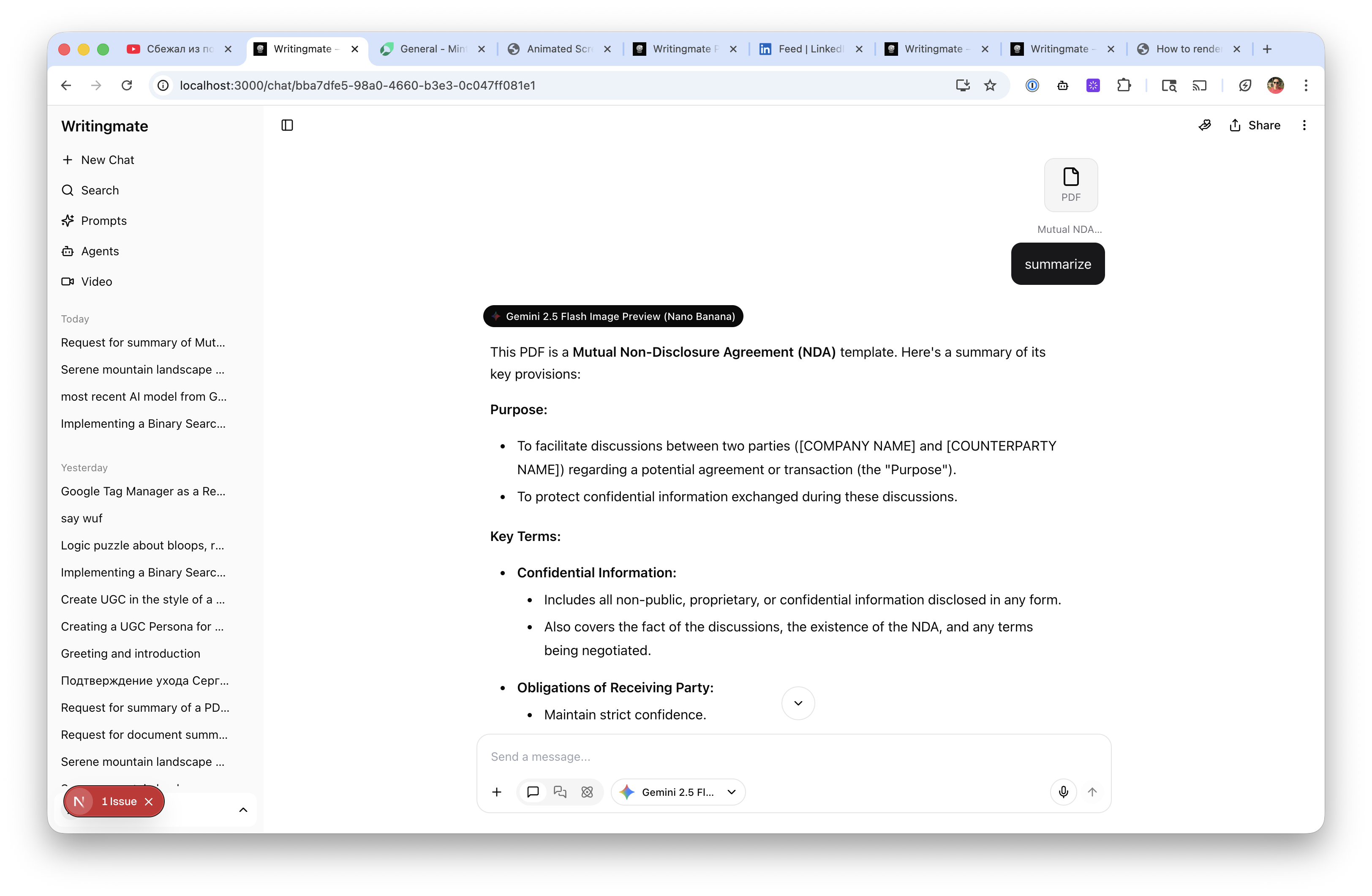
LLM vision models are useful when the task is partly reading and partly reasoning. They can summarize a contract screenshot, explain a chart, compare two document pages, describe a handwritten note, or answer questions from a messy image. In a Writingmate workflow, that matters because the document is usually not the final deliverable. The user wants a summary, email, checklist, comparison, spreadsheet draft, or decision memo.
But LLM vision is not automatically the best system of record for exact extraction. If you need every invoice field, every table row, or a repeatable audit trail, use deterministic validation around the model output. Ask for structured JSON, compare totals, check required fields, preserve the source image, log the model, and route low-confidence or high-value cases to human review. For regulated or financial workflows, the right answer is often document AI plus LLM review, not one model pretending to be the whole pipeline.
Writingmate fits well for the practitioner layer: upload a document, compare model behavior, ask follow-up questions, summarize the result, and move from extraction to writing or analysis. For deeper production automation, connect that practitioner testing to an API or document AI pipeline once you know which documents and outputs matter.
The buyer checklist
Use this checklist before you buy OCR software or standardize a model.
Document types: invoices, receipts, contracts, IDs, handwritten forms, screenshots, tables, or mixed PDFs.
Output contract: plain text, searchable PDF, CSV table, JSON fields, citations, or a human-readable summary.
Accuracy target: character accuracy, field accuracy, table accuracy, or decision accuracy.
Review workflow: confidence thresholds, required human approval, correction interface, and audit log.
Privacy posture: local processing, cloud processing, retention policy, access controls, and sensitive document rules.
Scale: one-off uploads, daily batches, real-time API calls, or high-volume back-office queues.
Integration: export to Google Sheets, CRM, accounting software, database, email, or internal tools.
Total cost: pages processed, retries, human correction time, storage, engineering maintenance, and vendor minimums.
My recommendation
For individuals and small teams, start with a multi-model AI workspace for exploration. Upload real documents, compare how models handle OCR-like tasks, and learn what outputs you actually need. If the workflow is occasional, the best answer may be a workspace that can read, summarize, rewrite, and analyze documents without a separate OCR procurement cycle.
For repeat business processes, build an evaluation set and test a document AI service against your real forms. Keep open-source OCR in the mix when local control, cost, or simple printed text matters. Add LLM vision when the task requires explanation, summarization, or flexible reasoning over visual context. Do not skip human review until you have measured the failure modes.
The best AI OCR software in 2026 is rarely a single engine. It is a workflow: good document capture, a reliable extraction layer, validation, review, and a model that can turn the extracted information into useful work. Choose the tool that improves the whole workflow, not the one that only looks best on a clean sample page.
Artem
Frequently Asked Questions
Sources

Written by
Artem Vysotsky
Ex-Staff Engineer at Meta. Building the technical foundation to make AI accessible to everyone.

Reviewed by
Sergey Vysotsky
Ex-Chief Editor / PM at Mosaic. Passionate about making AI accessible and affordable for everyone.