Quick answer: build an AI agent by choosing one narrow job, giving the model only the tools it needs, adding memory where repeat context matters, placing approval gates around risky actions, and testing the workflow with real examples before you let it touch customers or production systems. In 2026, the hard part is rarely the first demo. The hard part is getting an agent to behave reliably on the hundredth messy request.
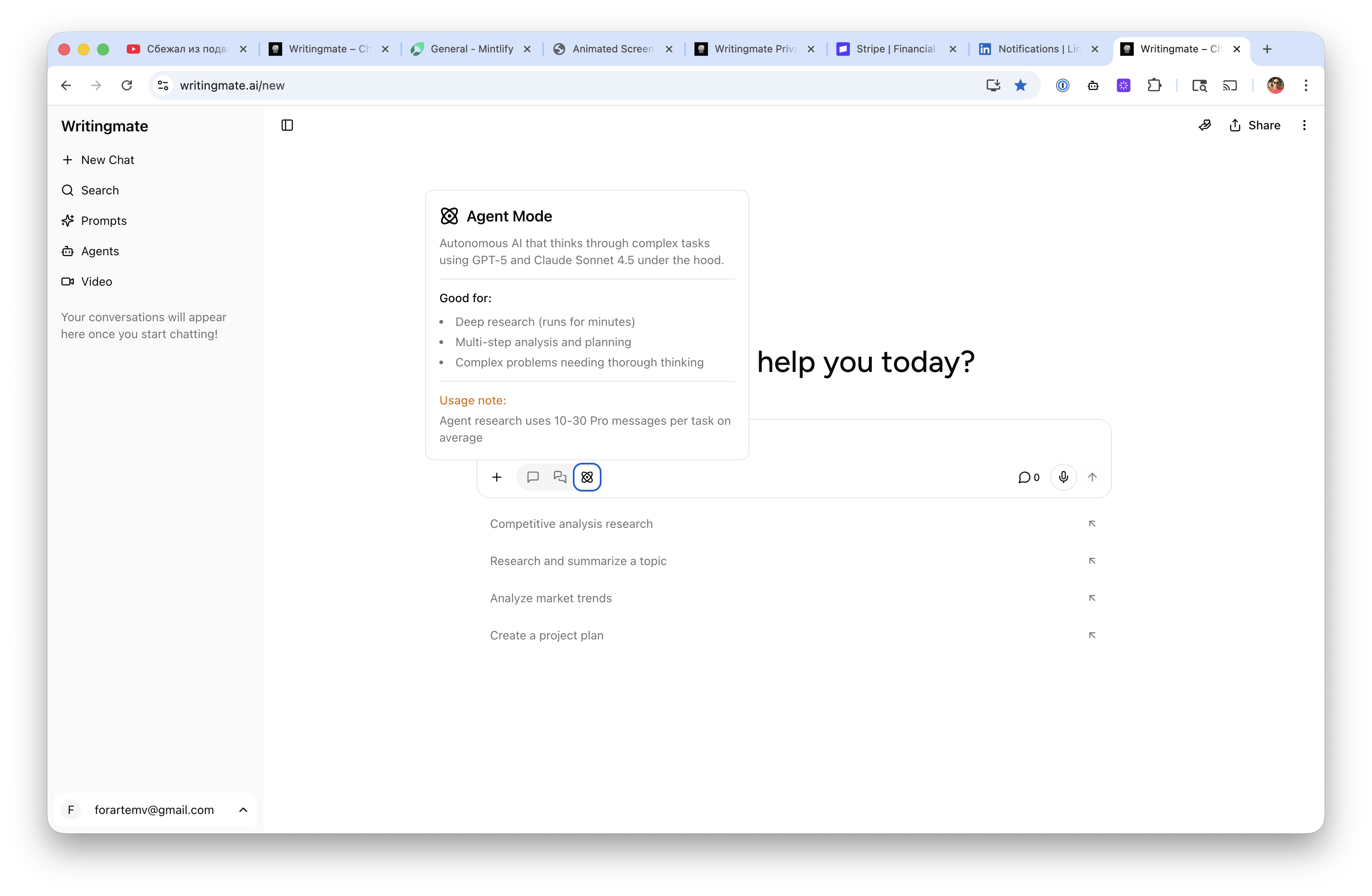
This guide targets the Semrush cluster around how to build an AI agent, how to create an AI agent, best AI agents, and AI agent platform. If you are evaluating Writingmate while reading, keep the custom agents docs, key features guide, model directory, and pricing page open. The practical buyer question is not whether agents are exciting. It is whether your team can own the workflow, tool access, cost, and failure modes.

Start with a job, not an agent
The most common agent mistake is starting with a broad title like research agent, sales agent, or operations agent. Those names sound useful, but they hide too many decisions. A reliable agent needs a specific job: qualify an inbound lead and draft a CRM note, turn a support transcript into a refund recommendation, compare three vendor proposals, prepare a weekly product changelog, or summarize a long document and create follow-up tasks.
Write the job as a workflow before you choose a framework. A good workflow has a trigger, input, success criteria, allowed tools, forbidden actions, review step, and final output. For example: when a support conversation is closed, read the transcript and account plan, classify the issue, draft a response, suggest whether a refund policy applies, and ask a human to approve before anything is sent. That is much easier to test than an agent that simply “handles support.”
OpenAI's current agent guidance separates simple tool-using model calls from fuller agent orchestration. Use the lighter pattern when one model call plus application-owned logic is enough. Move to an Agents SDK or platform when your application owns state, tool execution, handoffs, approvals, and repeated steps. Google ADK makes the same production point from another angle: agents need debugging, deployment, and evaluation support once they move beyond a personal assistant prototype. Anthropic's Model Context Protocol also matters because tools and data connections are becoming a standard part of agent design, not a side feature.
The recurring theme in Reddit and X builder discussions is blunt: demos are easy, dependable agents require scoped permissions, real evals, and observability. Treat that as buyer research, not cynicism.
Choose the right build path
There are four practical paths for most teams. The right one depends on how much control you need, who owns the workflow, and how risky the agent's actions are.
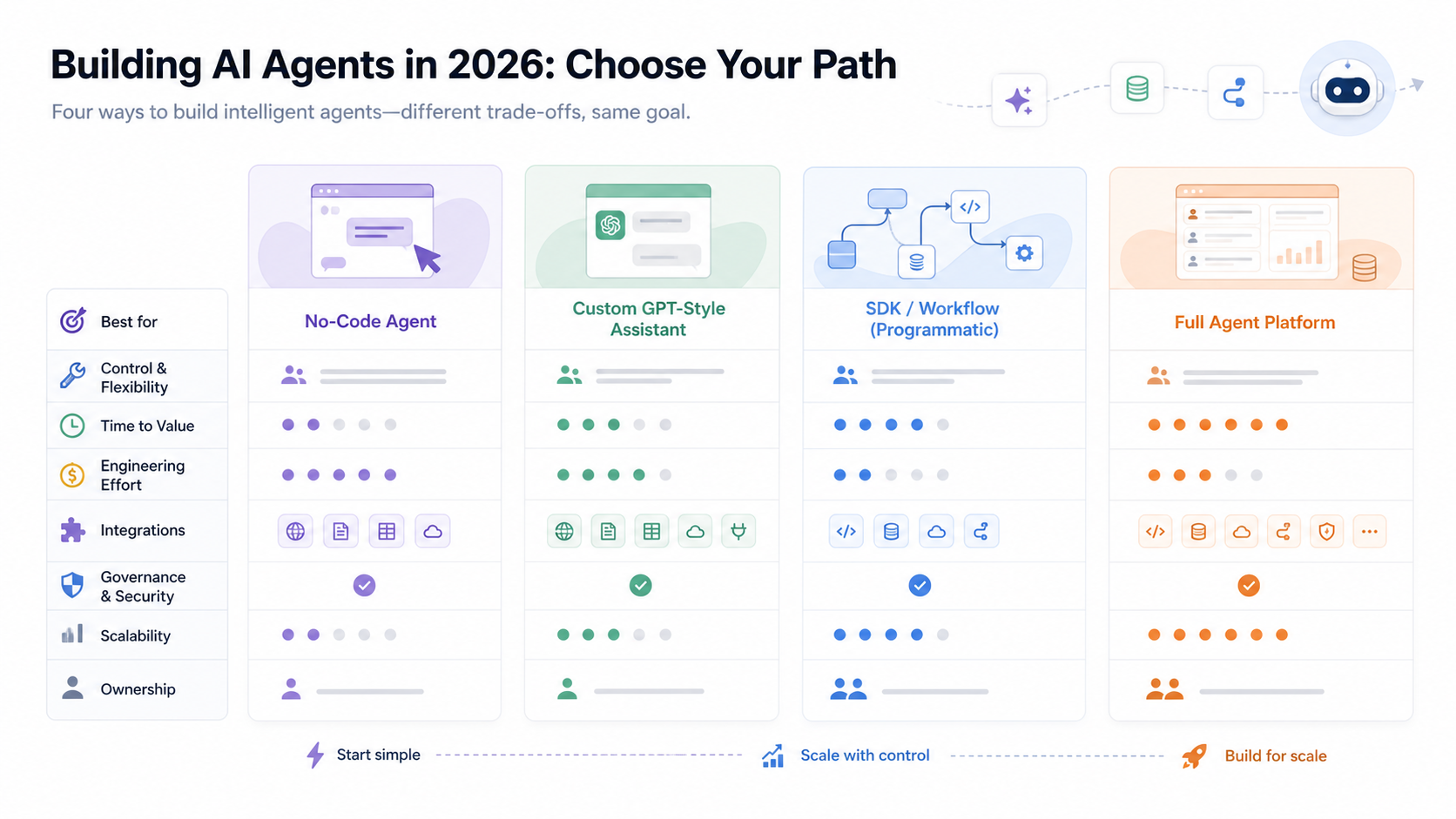
Build path | Best fit | What you own | Main risk |
|---|---|---|---|
No-code agent | Internal drafts, research, simple repeat tasks | Prompt, examples, tool selection | Weak control over edge cases and logging |
Custom assistant | Team workflows inside a managed AI workspace | Instructions, files, model choice, user process | May not cover deep product integration |
SDK workflow | Product features where engineers own orchestration | Code, state, tools, approvals, deployment | More engineering and maintenance work |
Agent platform | Multi-team workflows with governance and scale needs | Policy, routing, evaluation, integrations | Platform fit and abstraction trade-offs |
Writingmate's custom agents are strongest when a team wants a usable middle path: a reusable agent with instructions, model choice, files, and workspace context, without making every practitioner become an agent engineer. For deeper product features, developers can still use APIs and model routing patterns, but the managed workspace is often the faster place to prove whether the workflow deserves engineering investment.
If the agent is only producing drafts, start simple. If it reads private data, calls external tools, changes records, sends messages, or influences money, start with governance. The difference between a useful assistant and a dangerous automation is usually tool permission, not model intelligence.
Design tools, memory, and approvals together
An agent is a loop: observe the situation, decide the next step, call a tool or ask for clarification, update state, and continue until it reaches an acceptable result. The loop only works when the agent has enough context to act and enough boundaries to stop.
Tools should be narrow. A calendar lookup tool is safer than full mailbox access. A “draft invoice adjustment” tool is safer than “issue refund.” A search tool that returns cited snippets is easier to audit than a free-form browser session. If your agent needs MCP servers or other external connectors, document exactly which resources they expose and what the agent is allowed to do with them. MCP is useful because it standardizes connections, but standard access still needs security review, input validation, and least privilege.
Memory should also be intentional. Use short-term state for the current run: user request, retrieved documents, tool results, and decisions already made. Use long-term memory only when repeated context improves the workflow, such as a customer's implementation details, a team's writing style, or a product's release conventions. Do not let memory become a dumping ground for every conversation. Stale memory creates confident errors that are hard to debug.
Approvals are not a failure of automation. They are how good agent systems earn trust. Put human review before irreversible or external actions: sending email, posting to Slack, changing a database record, issuing a refund, deleting files, deploying code, or making a purchase. Over time, you can lower the review burden for low-risk cases that pass evals consistently, but you should earn that autonomy with evidence.
Build a test set before launch
The fastest way to improve an agent is to stop judging it from the best demo. Build a small eval set with real inputs. For a support agent, include angry customers, vague requests, missing account details, policy exceptions, and cases where the right answer is to escalate. For a research agent, include outdated pages, conflicting sources, long documents, and prompts where the agent should say it cannot verify a claim.
A useful first eval set can be small: 30 to 50 cases, each with a target outcome and a reason. Score correctness, citation quality, tool use, format, latency, cost, refusal behavior, and whether the agent escalated when it should. Then run the same cases whenever you change the model, prompt, tools, or memory policy. This is where the Writingmate model directory can help practitioners compare candidate models before standardizing a workflow.
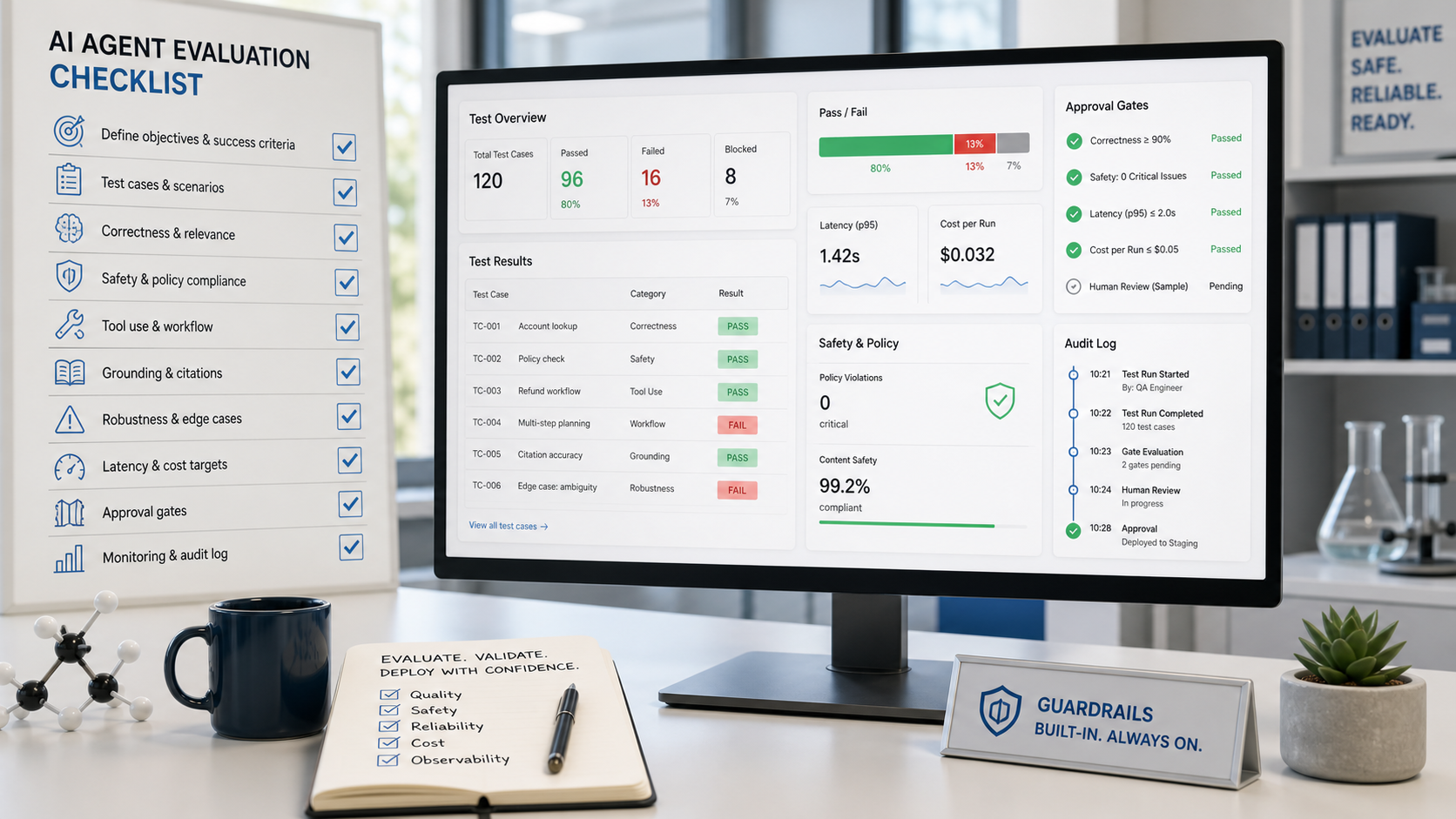
Information gain for your team comes from the failures. If the agent calls tools too early, add a clarification step. If it fabricates citations, constrain retrieval and require source IDs. If it chooses an expensive model for simple classification, add route rules. If it passes ordinary cases but fails edge cases, split the workflow into specialist steps instead of making one prompt longer.
A practical 10-step build plan
Here is the workflow I would use for a team building its first useful AI agent in 2026.
Pick one job. Choose a workflow with clear inputs and outputs, not a department-wide mission.
Write success criteria. Define what a good result looks like, what must be cited, and when the agent should refuse or escalate.
Select the model. Compare models for the actual task: long context, reasoning, coding, vision, speed, or cost. Do not assume the most expensive model is best for every step.
Give it only required tools. Start with read-only tools where possible, then add write actions behind approval gates.
Add context retrieval. Connect the agent to the documents, policies, records, or examples it needs. Prefer source-backed retrieval over vague memory.
Define the output contract. Specify the structure: summary, decision, citations, next action, risk level, and human approval request.
Create eval cases. Use real examples, edge cases, and known failures. Store expected outcomes so regressions are visible.
Log every run. Capture prompt version, model, tools called, retrieved sources, latency, cost, and approval outcome.
Launch internally. Let the team use it on real work while keeping review mandatory.
Promote only proven autonomy. Remove approvals only for low-risk cases that pass repeatedly and can be reversed.
This plan is intentionally conservative. It still gets teams to value quickly because the first useful agent does not need a giant platform migration. It needs a clear job, a controlled context, and a feedback loop.
When to use an AI agent platform
An AI agent platform makes sense when the agent is no longer a single prompt owned by one person. Look for these signals: multiple teams need reusable agents, tool permissions must be managed centrally, leaders need reporting, workflows need audit logs, model choice changes often, or security wants a standard review process.
A platform is also useful when agents span modalities. A marketing workflow may draft copy, generate images, summarize customer research, and produce video variants. A product workflow may read feedback, cluster requests, draft specs, and create engineering tickets. In those cases, an all-in-one workspace like Writingmate can reduce switching costs because users can move across chat, files, models, images, video, and custom agents in one place. The key features and pricing pages are worth reviewing when the alternative is buying separate subscriptions for every model family and creative tool.
Do not buy a platform to avoid thinking. Buy or build one when it makes ownership clearer: who can create agents, which data they can access, which model they use, what actions need approval, how failures are reviewed, and how costs are controlled.
My recommendation
If you are just starting, build the first agent around a real internal workflow and keep the blast radius small. Use a managed custom agent when a practitioner can own the instructions and review the output. Use an SDK when the agent becomes a product feature with custom state, tools, and deployment needs. Use a broader platform when governance, reporting, and repeatable team workflows matter more than the novelty of a demo.
The teams that win with agents in 2026 will not be the teams with the most elaborate architecture diagrams. They will be the teams that define jobs clearly, connect only the right tools, evaluate failures honestly, and expand autonomy only where the agent has earned it. Start there, and the platform decision becomes much easier.
Artem
Frequently Asked Questions
Sources
- OpenAI Agents SDK documentation
- OpenAI: The next evolution of the Agents SDK
- Google Agent Development Kit documentation
- Anthropic: Introducing the Model Context Protocol
- Model Context Protocol documentation
- Writingmate custom agents docs
- Reddit search: building AI agents
- X search: AI agent platform workflow evaluation
- YouTube: OpenAI Agents SDK tutorial

Written by
Artem Vysotsky
Ex-Staff Engineer at Meta. Building the technical foundation to make AI accessible to everyone.

Reviewed by
Sergey Vysotsky
Ex-Chief Editor / PM at Mosaic. Passionate about making AI accessible and affordable for everyone.