Quick answer: choose an AI agent platform when the workflow needs to be used by non-engineers, repeated often, and governed with clear approvals. Choose an agent SDK when the agent has to live inside your product, call proprietary systems, or pass production-grade evaluations. Choose a multi-model workspace like Writingmate when your team is still discovering which model, prompt, files, and tools make the workflow reliable enough to automate.
My name is Artem, and I look at agent tools from a practical buyer angle: what can a team safely delegate this month, not what sounds impressive in a launch demo. The phrase AI agent platform now covers everything from no-code builders to developer SDKs, workflow automation, model routing, computer use, and MCP servers. That makes the buying decision noisy. The useful question is simpler: where should the agent run, who owns it, and how much failure can you tolerate?
This guide targets the Semrush agent cluster around ai agent platform, how to build an AI agent, and best AI agents. If you are already evaluating Writingmate, keep the custom agents guide, agents overview, and model directory open while reading. The right agent choice usually depends on the model, tools, files, and approval loop together.
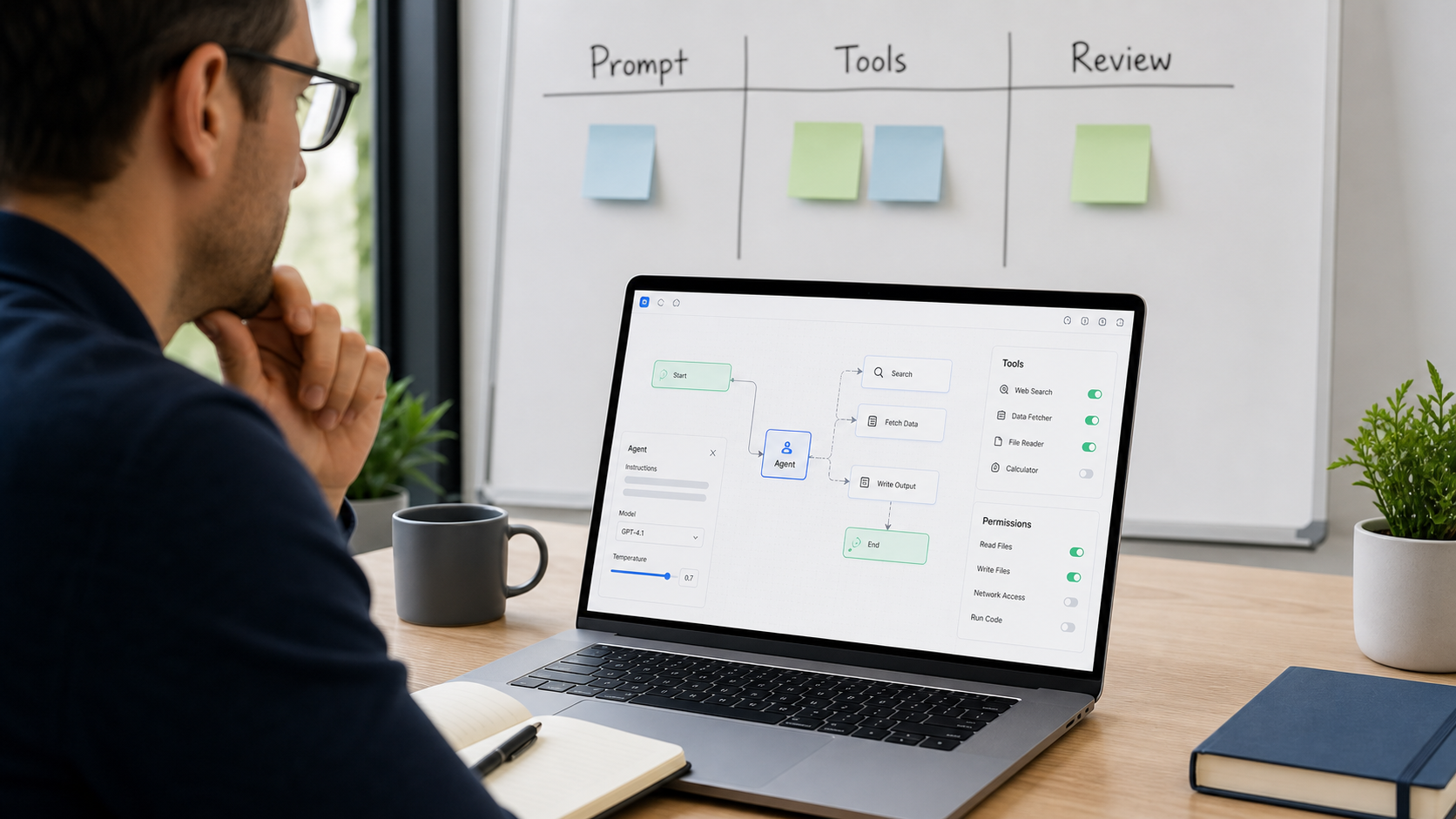
The agent decision is not no-code versus code
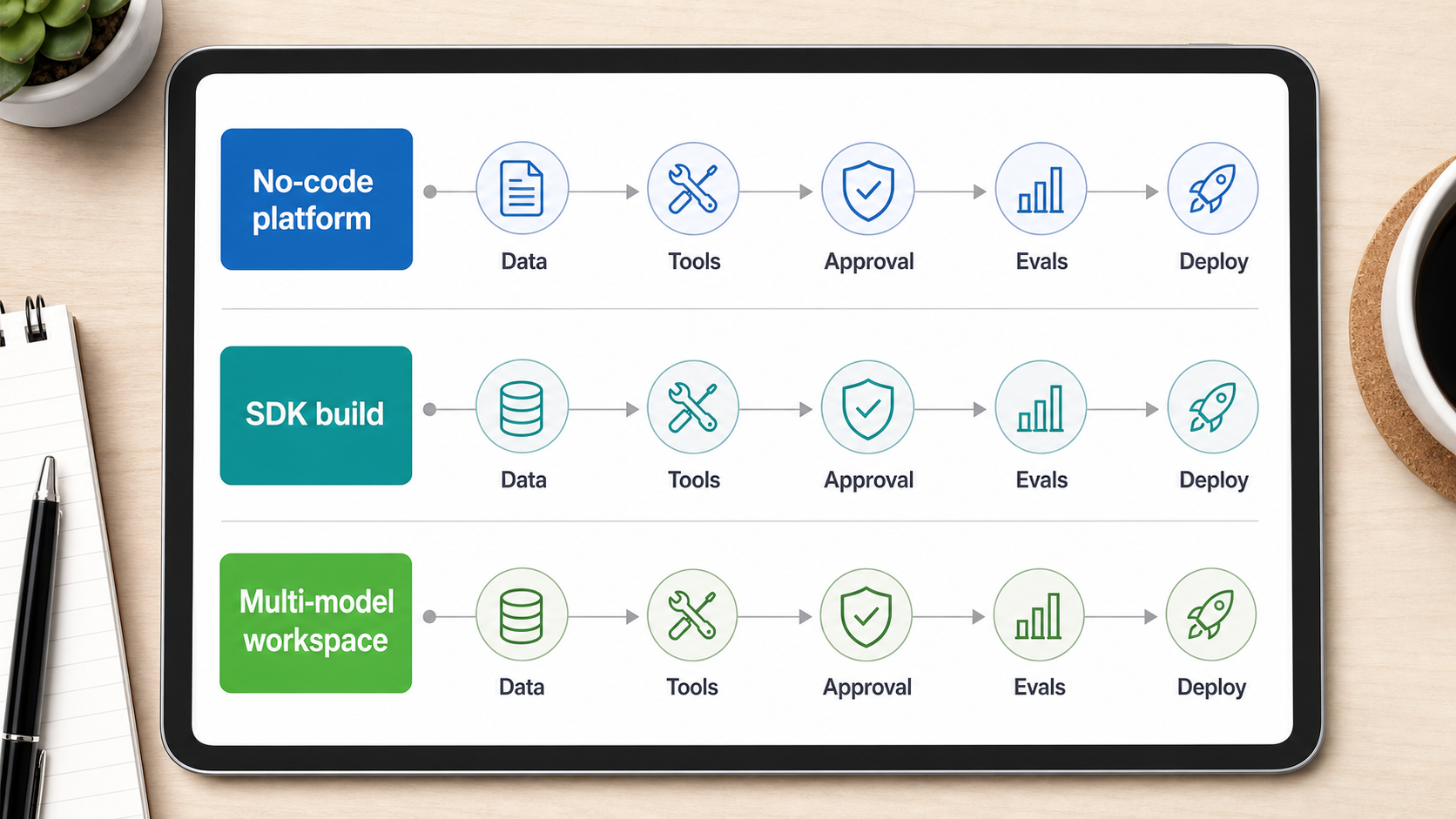
The common comparison says no-code platforms are for business users and SDKs are for engineers. That is too shallow. Real agent work has five layers: instructions, data, tools, approvals, and evaluation. A no-code platform can be excellent if those layers are simple and visible. An SDK can still fail if the team has no eval set, no rollback path, and no human review for risky actions.
OpenAI now documents the Agents SDK around concepts such as agent definitions, orchestration, guardrails, results, state, observability, and evaluating workflows. Google has pushed Agent Development Kit as a path for multi-agent applications. Anthropic’s engineering guidance is more conservative: start with simple workflows and only add agentic autonomy when the extra flexibility justifies the complexity. Those three positions point to the same buyer lesson: agents are systems, not prompts with a new name.
When I evaluate an agent platform, I start with this checklist. Can I see what the agent was asked to do? Can I restrict which tools it can call? Can I test it on historical examples? Can a human approve expensive or irreversible steps? Can I switch models when the current one is too slow, too expensive, or too weak? If the answer is no, the demo may still be useful, but I would not put important operations on it yet.
Anthropic’s agent guidance is useful because it separates predictable workflows from more open-ended agents. That distinction is the difference between automation you can manage and autonomy you merely hope will behave.
Three practical ways to build an AI agent
Most teams should think in three buckets instead of hunting for one universal tool.
Build path | Best fit | Main risk | What to verify first |
|---|---|---|---|
No-code agent platform | Internal repeatable workflows owned by operators | Hidden logic and weak eval discipline | Permissions, logs, approvals, and failure handling |
Custom SDK build | Product features, proprietary tools, complex orchestration | Engineering cost and maintenance burden | Tracing, guardrails, test fixtures, and deployment ownership |
Multi-model workspace | Teams still prototyping prompts, files, and model choice | Stopping too early before operationalizing the workflow | Whether the same task works across real examples |
No-code agent platforms are strongest when a workflow is already understood. Think sales research, inbox triage, meeting follow-up, document drafting, or support response preparation. The user should be able to describe the job, attach knowledge, choose tools, and keep review gates for anything sensitive. The platform’s value is not that nobody writes code. The value is that the person who understands the job can improve the agent without waiting for a sprint.
Custom SDK builds make sense when the agent becomes part of the product or a core internal system. If it needs deep authentication, custom databases, stateful orchestration, tool contracts, observability, and automated evals, engineering should own it. OpenAI’s Agents SDK docs and Google’s ADK direction both recognize this: serious agents need structure around models, tools, handoffs, state, and evaluation.
Multi-model workspaces are the underrated middle step. Before you build an agent, you often need to learn which model handles the task, which files matter, what the prompt should say, and where the output breaks. Writingmate fits this discovery stage because you can compare models, use files, test prompts, and then decide whether the workflow belongs as a custom agent, an SDK build, or a normal assisted task.
How to build an AI agent without overbuilding
If someone asks me how to build an AI agent in 2026, I do not start with frameworks. I start with the smallest useful delegation. Pick one recurring job with a clear input, clear expected output, and clear reviewer. Examples: summarize a customer call and draft follow-up, classify inbound leads, turn a product brief into launch copy, compare three model answers, or prepare a weekly competitor digest.
Then write the agent contract in plain language. The contract should say what the agent is allowed to do, what data it can use, what tools it can call, when it must ask for approval, and what a good output looks like. This contract matters whether you build in Writingmate, an automation platform, OpenAI Agents SDK, Google ADK, or a custom stack. Without it, you are not building an agent; you are hoping a chat transcript stays stable.
Next, collect 20 to 50 examples. They do not need to be perfect. They need to represent real edge cases: missing data, ambiguous requests, sensitive information, bad source material, and tasks where the correct answer is to refuse or ask a question. This is where many teams skip the work. They test one happy path, call the demo impressive, and then discover that the agent fails on the first messy real case.
After that, choose the build surface. If a non-technical team needs to run and adjust the workflow, start with a platform. If the agent must call product APIs, update records, or act inside a customer-facing feature, use an SDK and implement evals from day one. If you are still comparing GPT, Claude, Gemini, Grok, Perplexity, or specialized models for the task, use a multi-model workspace first and avoid premature architecture.
Where MCP changes the platform decision
The Model Context Protocol matters because it gives teams a common way to expose tools and context to AI applications. MCP does not remove the need for judgment, but it changes the agent-platform conversation. Instead of asking whether one vendor has every integration, you can ask whether your tools can be exposed through a standard protocol and governed consistently.
For buyers, the practical MCP question is not whether the acronym is popular. It is whether the tool layer becomes reusable. If your CRM, ticketing system, document store, or internal search can be connected once and used across multiple agent surfaces, you reduce duplicated integration work. If every agent builder needs a separate brittle connector, the platform may look easy at first and expensive later.
This is also why security review belongs early. Tool access is the line between a helpful assistant and an operational actor. Reading files, sending messages, updating records, running code, and browsing the web should not all be treated as equal permissions. A mature agent setup separates low-risk retrieval from high-risk actions and keeps approval in the loop for irreversible work.
My buyer recommendation
If you are buying for a team, do not start by asking for the best AI agent platform. Start by sorting workflows by risk and maturity.
Use a no-code or workspace agent for low-to-medium-risk internal work: research briefs, drafts, weekly reports, meeting follow-ups, sales prep, and repeatable knowledge workflows. This is where Writingmate custom agents can be useful because the team can define an assistant around a recurring job without turning every experiment into an engineering project.
Use an SDK build when the agent touches production systems, customer data, money movement, account changes, or anything with compliance impact. In those cases, the build should include tracing, evals, guardrails, permissions, logging, and rollback paths. The SDK is not automatically safer, but it gives engineers the control they need to make the system auditable.
Use a multi-model evaluation step before either path when quality is still unknown. Run the same task across models in the Writingmate model directory, compare outputs, and document where each model fails. If the workflow also needs generated assets, test handoffs into text-to-image or text-to-video before you lock the agent design.
The most expensive agent mistake is not choosing the wrong framework. It is automating a workflow nobody has actually understood. A good AI agent platform makes the work visible: instructions, tools, data, approvals, and evaluations. A good SDK implementation does the same thing in code. A good buyer does not skip either layer.
A simple 30-minute agent platform test
Before committing to a vendor or SDK, run this test. Pick one real workflow from last week. Give the agent the same messy source material a person received. Require it to produce the same output a person needed. Add one missing-data case and one risky-action case. Then score the result on usefulness, transparency, and recoverability.
If the agent produces a decent output but you cannot see why, that is a governance risk. If it works only when the prompt is perfect, that is a reliability risk. If it cannot ask for approval before a risky action, that is an operations risk. If it works across five realistic examples and the team can improve it without drama, you may have a workflow worth formalizing.
That is the sober way to buy agent software in 2026. Do not chase autonomy for its own sake. Build one useful delegation, prove it survives realistic inputs, then decide whether it belongs in Writingmate, a no-code platform, or a custom SDK.
Artem
Frequently Asked Questions
Sources

Written by
Artem Vysotsky
Ex-Staff Engineer at Meta. Building the technical foundation to make AI accessible to everyone.

Reviewed by
Sergey Vysotsky
Ex-Chief Editor / PM at Mosaic. Passionate about making AI accessible and affordable for everyone.