Every time someone types "perchance ai image generator" into Google, I have a pretty clear picture of what's actually happening: they've seen an AI-generated image somewhere — on Instagram, Reddit, a Discord server — and they want to make one. They've heard Perchance is free and doesn't require an account, so they're trying that first. Completely reasonable.
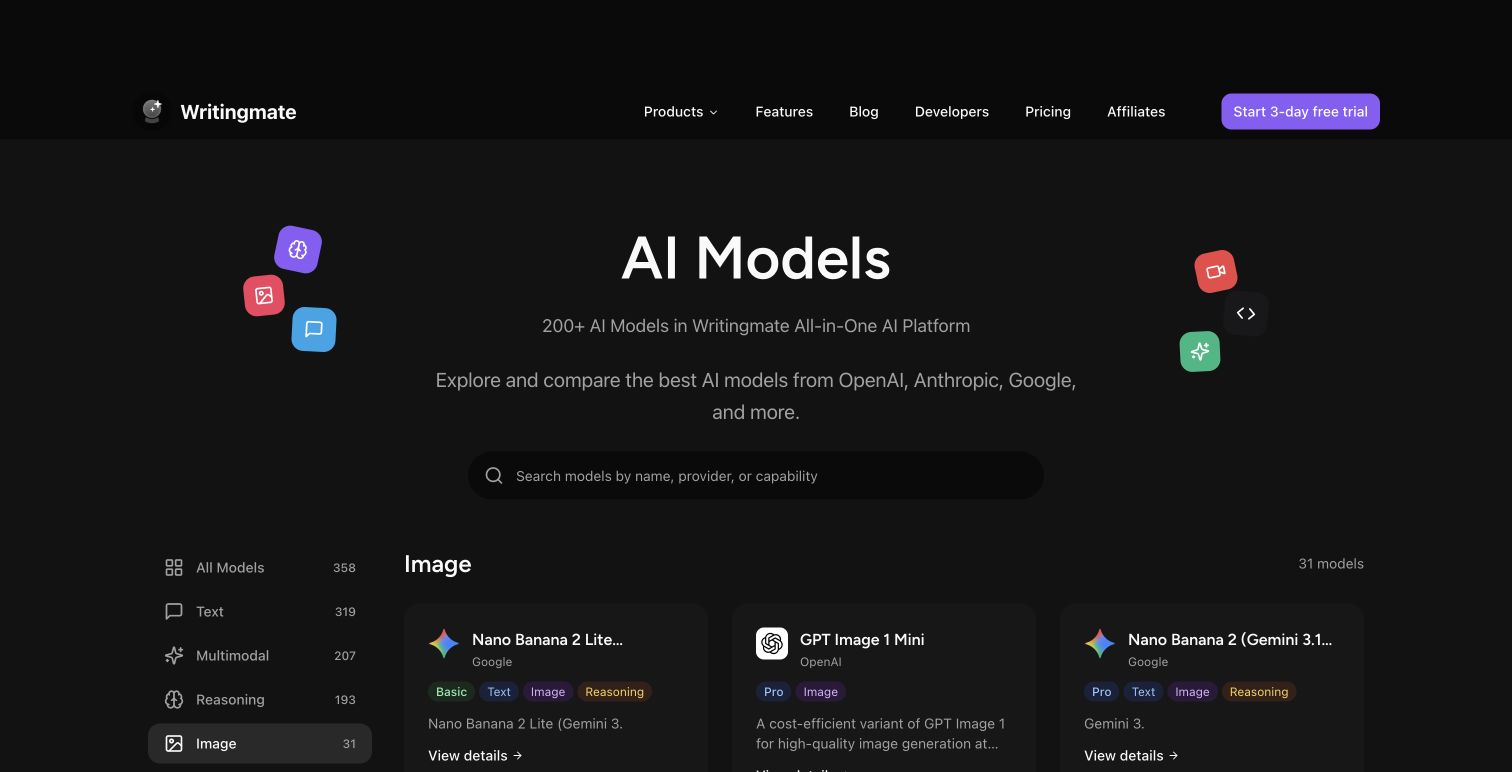
But here's what most search results won't show you: there are now 17 dedicated image generation models available through Writingmate's image model directory, and the gap between a standard Perchance output and what FLUX.2 Pro or GPT-5 Image produces is genuinely jarring the first time you see them side by side. The free, no-login tier of AI image generation has its place — but in 2026, it's a starting point, not a destination.
My name is Artem, and I run the Writingmate blog. We built our image model directory specifically for the situation you're probably in: you want to generate images with real quality, you don't want to juggle accounts across five different platforms, and you'd like to actually understand what you're choosing between. This guide covers the full 2026 AI image model landscape, what's currently in our directory, and a practical framework for picking the right model for the job you actually have.
What You're Really Looking for When You Search "Perchance AI Image Generator"
Most people searching for Perchance aren't die-hard Perchance enthusiasts. They're searching for a type of tool — fast, accessible, frictionless AI image generation with no account creation required. Perchance became the shorthand for that category because it was early, free, and for a basic use case it worked.
What Perchance actually is: a community platform where anyone can build and share generators. The AI image tools on the site are community-created, each wrapping a different open-source model. Quality varies wildly depending on how the individual generator was configured by whoever built it. The practical consequences of that architecture are real:
- Resolution caps at 768×1024, below modern display and print standards
- Hands, feet, and faces come out wrong more often than not — the underlying model checkpoints tend to be older architectures that haven't solved anatomy
- Queue times during peak hours (US evenings) stretch to 2–5 minutes per image
- No editing or inpainting: if one element of a generated image is off, you regenerate from scratch and hope for better luck
None of that is fatal if you're making quick concept sketches that don't need to be publication-ready. The problem comes when you keep refining your prompt and the quality ceiling doesn't budge — because the ceiling isn't your prompt, it's the underlying model.
"Been using Perchance for quick thumbnail ideas. It's fine for that. But anything I actually want to use I redo in FLUX because the quality gap is too big once you've seen both side by side." — u/render_witch on r/StableDiffusion
The search intent behind "perchance ai image generator" is really a search for an accessible entry point into AI image creation. This guide is about what comes after that entry point.
The 2026 AI Image Model Landscape: What Actually Exists Now
The number of serious image generation models has expanded significantly since 2024. Here's a practical breakdown of the current landscape, focused on models that are actually accessible without running your own hardware:
Model | Quality | Speed | Access | Best For |
|---|---|---|---|---|
Perchance AI | Basic | Fast (off-peak) | Free, no login | Zero-commitment drafts |
FLUX.2 Klein 4B | Good | Very fast | Writingmate subscription | Fast iteration, concept work |
FLUX.2 Flex | High | Fast | Writingmate subscription | General purpose, mid-tier |
FLUX.2 Pro | Professional | Medium | Writingmate subscription | Commercial photorealism |
FLUX.2 Max | Professional+ | Slower | Writingmate subscription | Final high-detail outputs |
GPT-5 Image | Very high | Medium | Writingmate subscription | Complex instructions, text in images |
Nano Banana Pro (Gemini 3 Pro) | High | Medium | Writingmate subscription | Versatile, wide style range |
Seedream 4.5 (ByteDance) | High | Medium | Writingmate subscription | Cinematic, character consistency |
Riverflow V2 Pro (Sourceful) | High (stylized) | Fast | Writingmate subscription | Artistic, distinctive visual style |
Two things worth flagging in this table. First, FLUX.2 — released by Black Forest Labs in November 2025 — comes in a genuine tiered line-up (Klein, Flex, Pro, Max) that lets you match compute spend to the actual quality you need for a given task. Klein for drafts, Max for finals. Second, GPT-5 Image from OpenAI leads on prompt-following accuracy, which matters most when your prompt is complex or includes text elements that need to render correctly inside the image.
What's Actually Inside Writingmate's Image Model Directory
The Writingmate image model directory currently has 17 models, all accessible within a single subscription — no separate accounts, no additional API keys, no credit systems to manage per-platform.

Here's the full breakdown of what's available:
- Black Forest Labs FLUX.2 family: Klein 4B, Flex, Pro, Max
- OpenAI: GPT-5 Image, GPT-5 Image Mini, GPT-5.4 Image 2
- Google Nano Banana family: Nano Banana (Gemini 2.5 Flash Image), Nano Banana 2 (Gemini 3.1 Flash Image), Nano Banana Pro (Gemini 3 Pro Image)
- ByteDance Seed: Seedream 4.5
- Sourceful Riverflow V2: Fast, Fast Preview, Standard Preview, Pro, Max Preview
The practical advantage of having 17 models in one interface isn't just convenience — it's that you can run the same prompt through multiple models in the same session and compare outputs directly. When FLUX.2 Pro gives you the composition you wanted but not the mood, you can immediately try Nano Banana Pro on the same prompt without rebuilding your workflow in a different tool. That iteration speed changes how you use AI image generation.
"Multi-model access in one interface is a real workflow shift. You stop debating which tool to open and start actually iterating on the prompt. That's where the quality improvement comes from." — @bfl_ml on X
Matching the Right Model to What You're Actually Making
No model is universally best. Here's how I actually think about picking one:
Quick concept drafts and visual ideation: FLUX.2 Klein 4B is the right default here. It's faster and more cost-efficient than the Pro tiers, which means you can run 10–15 prompt variations without worrying about cost. It also produces notably better anatomy and lighting than Perchance with older model checkpoints. For early-stage work where you're figuring out a direction rather than producing a final asset, Klein handles it well.
Photo-realistic images — product shots, environmental scenes, portraits: FLUX.2 Pro is the sweet spot for commercial work. It handles lighting complexity, skin texture, and detailed scene composition at a level that Perchance simply can't reach. FLUX.2 Max exists for when you're generating a final asset rather than a draft — the quality difference from Pro is visible in fine detail and rendering depth, so it's worth the extra compute when you need the best possible output.
Cinematic scenes and character consistency: Seedream 4.5 from ByteDance was designed with consistent character rendering in mind. If you're generating a sequence where the same character needs to appear across multiple images — a story, a product campaign, a concept pack — Seedream holds character details more reliably than most alternatives. It also tends toward a cinematic quality in composition and lighting.
Versatile creative output across multiple styles: Nano Banana Pro (Gemini 3 Pro Image Preview) handles a wide aesthetic range and interprets prompts with strong creative sensibility. It's a good choice when FLUX doesn't nail the specific mood you're after, and it often produces polished results from shorter prompts without requiring extensive prompt engineering. The Nano Banana 2 (Gemini 3.1 Flash) is faster and cheaper if you're in early-stage exploration with this model family.
Stylized artistic work: Riverflow V2 Pro from Sourceful has a distinctive visual aesthetic that sets it apart from the photorealism-focused models. If you want output that feels like deliberate creative direction rather than pure generative rendering, it's worth testing on your use case. The Riverflow V2 Max Preview pushes this further for final outputs.
Text inside images — posters, labels, marketing materials, typography: GPT-5 Image or GPT-5.4 Image 2 from OpenAI are the clear choice. Text rendering remains a specific weakness of FLUX and most other models — OpenAI's image models have been specifically tuned for instruction-following accuracy and handle text elements inside compositions far more reliably than the alternatives.
The practical rule: don't start with your most capable model. Use FLUX.2 Klein or Flex to get your composition and concept right, then step up to Pro or Max for the final output. You'll produce better results faster than if you always reach for the most powerful option from the start.
Why One Interface for 17 Models Changes the Workflow
This is the thing that's difficult to appreciate until you've actually experienced it. Most people who've used AI image tools have used one or two, across separate accounts, with different credit systems and different prompt conventions. The friction of switching between platforms means you default to whatever you already know, even when it's not the best tool for the specific job.
When 17 models are in one interface, that friction disappears. You stop asking "is this the right tool?" and start asking "is this the right prompt?" — which is where the actual quality improvement comes from. Faster iteration across more models produces better output than finding one favorite tool and sticking with it regardless of the job.
The subscription model matters too. You're not watching a per-image credit counter as you experiment. Running 20–30 prompt variations across three models to develop your sense of what works — and what each model does with similar instructions — is how you actually get good at prompting. That kind of experimentation is what flat-rate access to a model directory makes possible.
Getting from Perchance to the Full Directory in 15 Minutes
If you've been using Perchance and want a clear entry path into the Writingmate model directory, here's the workflow that actually builds a working mental model fast:
- Go to the Writingmate image model directory
- Start with FLUX.2 Klein 4B — run your standard prompt and compare the output directly to what Perchance would give you. The anatomy and detail improvement is immediately obvious.
- If the quality is right for your project, use Klein for drafts and iteration. When you need a final output, step up to FLUX.2 Pro or Max.
- When FLUX doesn't hit the aesthetic you want, try Nano Banana Pro on the same prompt — it often has a different creative interpretation of the same description.
- For character-consistent or cinematic work, test Seedream 4.5.
- For any image that needs accurate text inside it, switch to GPT-5 Image.
This takes about 15 minutes and builds enough hands-on familiarity with the directory to know which model to reach for next time. Most people who go through this process stop treating Perchance as their default for anything beyond absolute zero-commitment exploration — and even then, FLUX.2 Klein is fast enough that it tends to win on quality anyway.
The gap between Perchance and the frontier has widened significantly in 2026. The search that brought you here was really a search for accessible AI image creation — and a 17-model directory with FLUX.2, GPT-5 Image, and Nano Banana Pro is where that search ends up once you know what's actually available.
See you in the next one!
Artem
Frequently Asked Questions
Sources

Written by
Artem Vysotsky
Ex-Staff Engineer at Meta. Building the technical foundation to make AI accessible to everyone.

Reviewed by
Sergey Vysotsky
Ex-Chief Editor / PM at Mosaic. Passionate about making AI accessible and affordable for everyone.