
Data Collection
This page is a practical guide to the data Writingmate handles and the controls available in the product. The Writingmate Privacy Policy provides the full legal description of our privacy practices.
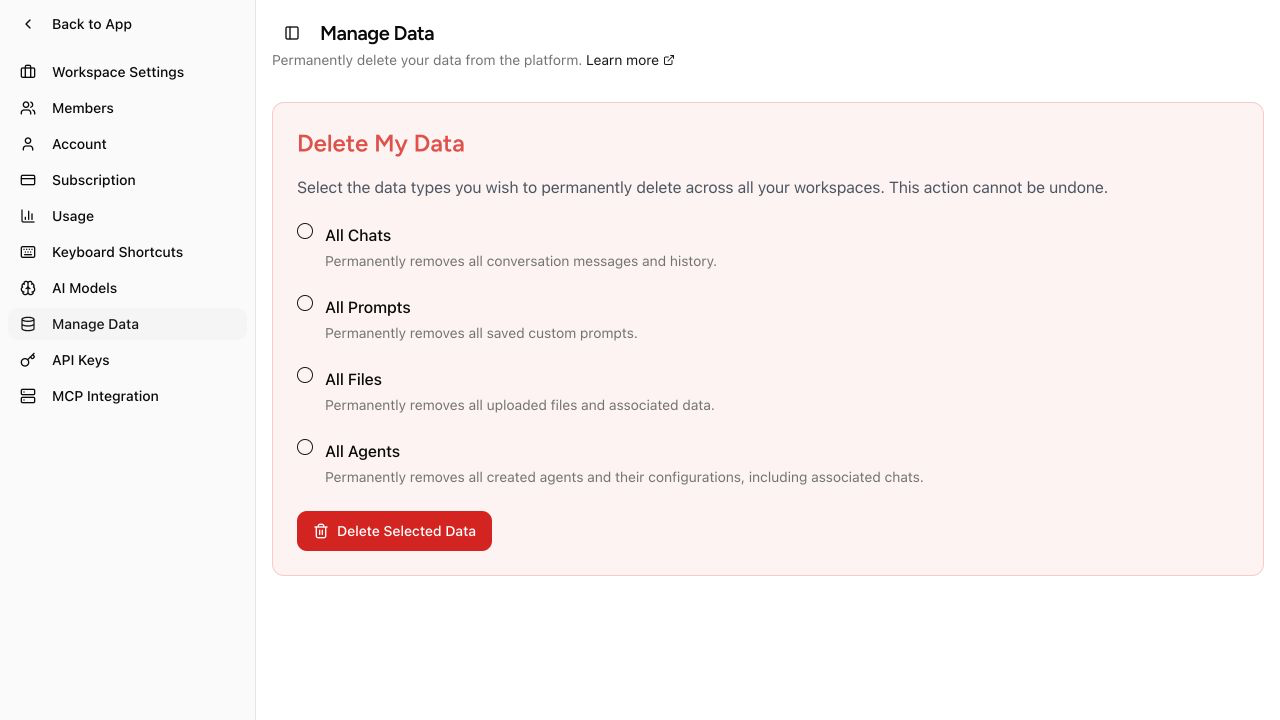
Manage Data lets you select which categories to delete permanently.
Data Writingmate handles
Writingmate handles data that you provide, data created while you use the service, and limited technical information needed to operate the product.
| Category | Examples | Why it is handled |
|---|---|---|
| Account and workspace data | Email address, display name, onboarding answers, workspace membership, preferences, and settings | Sign you in and provide your account and workspace features |
| User content | Chats, messages, uploaded files, Skills, Agents, profile memory, generated media, and other saved work | Provide history, file chat, generation, and related features |
| Usage and service metadata | Message and token counts, model used, timestamps, feature events, and performance or error information | Enforce plan limits, maintain reliability, detect abuse, and improve the product |
| Subscription data | Plan, subscription status, Stripe customer reference, and invoice information | Manage access and billing history |
| Connected-service configuration | Provider API keys, Developer Keys, and MCP connection settings that you choose to save | Let Writingmate connect to the services you enable |
Writingmate does not store your full payment card number or CVC. Stripe processes card payments. Authentication services handle sign-in credentials; Writingmate does not store a plain-text password.
Writingmate does not ask you for government identification, Social Security numbers, or biometric data. If you put sensitive information in a prompt, chat, file, Agent, Skill, or connected service, it becomes user content and may be stored or processed as described on this page. Do not submit sensitive information unless it is necessary for your use of the service.
AI providers and connected services
Writingmate sends the prompt, relevant conversation context, and any files needed for your request to the selected AI service. Many chat requests are routed through OpenRouter. Some models, media features, tools, and MCP connections use other providers directly.
Provider retention and training rules differ by provider and endpoint, and they can change. For current OpenRouter information, review Provider Logging and Data Retention and OpenRouter Data Collection. If you connect your own provider account or API key, that provider's settings and policies also apply.
Writingmate does not use your conversations, documents, or other content to train AI models. A third-party provider's processing is governed by that provider's terms and privacy settings.
Service providers and analytics
Writingmate relies on service providers for hosting, authentication, database and file storage, payments, customer support, analytics, and AI processing. The information sent depends on the service. For example, Stripe receives payment details, AI providers receive the content needed to answer a request, and analytics or support services receive relevant activity or account information.
Writingmate collects service events such as page views, sign-in results, feature use, subscription actions, and errors. These events help operate the service, measure reliability, and understand product use. They are separate from the chats and files you save as user content.
This page is not a contractual subprocessor list. See the Writingmate Privacy Policy for the governing privacy terms, or contact hello@writingmate.ai with a privacy question.
Security
Writingmate's documented safeguards include:
- HTTPS/TLS encryption while data is sent between your device and the service.
- Encryption at rest for stored data.
- Access controls that limit access to user data.
- Monitoring for suspicious activity.
See the Writingmate Privacy Policy for the complete security statement.
Delete selected data
Use Profile Settings → Manage Data to permanently delete selected types of data that you own across your workspaces.
- Open Manage Data.
- Select one or more data types:
- All Chats
- All Skills
- All Files
- All Agents
- Select Delete Selected Data.
This action cannot be undone. Deleting selected data does not delete your account, profile, workspace membership, or subscription.
Delete your account
To request deletion of your entire account:
- Open Profile Settings.
- In Account, find Delete Account.
- Select Delete My Account and confirm the browser prompt.
Account deletion is irreversible. The Privacy Policy describes the scope of account deletion, retention requirements, and backup deletion timing.