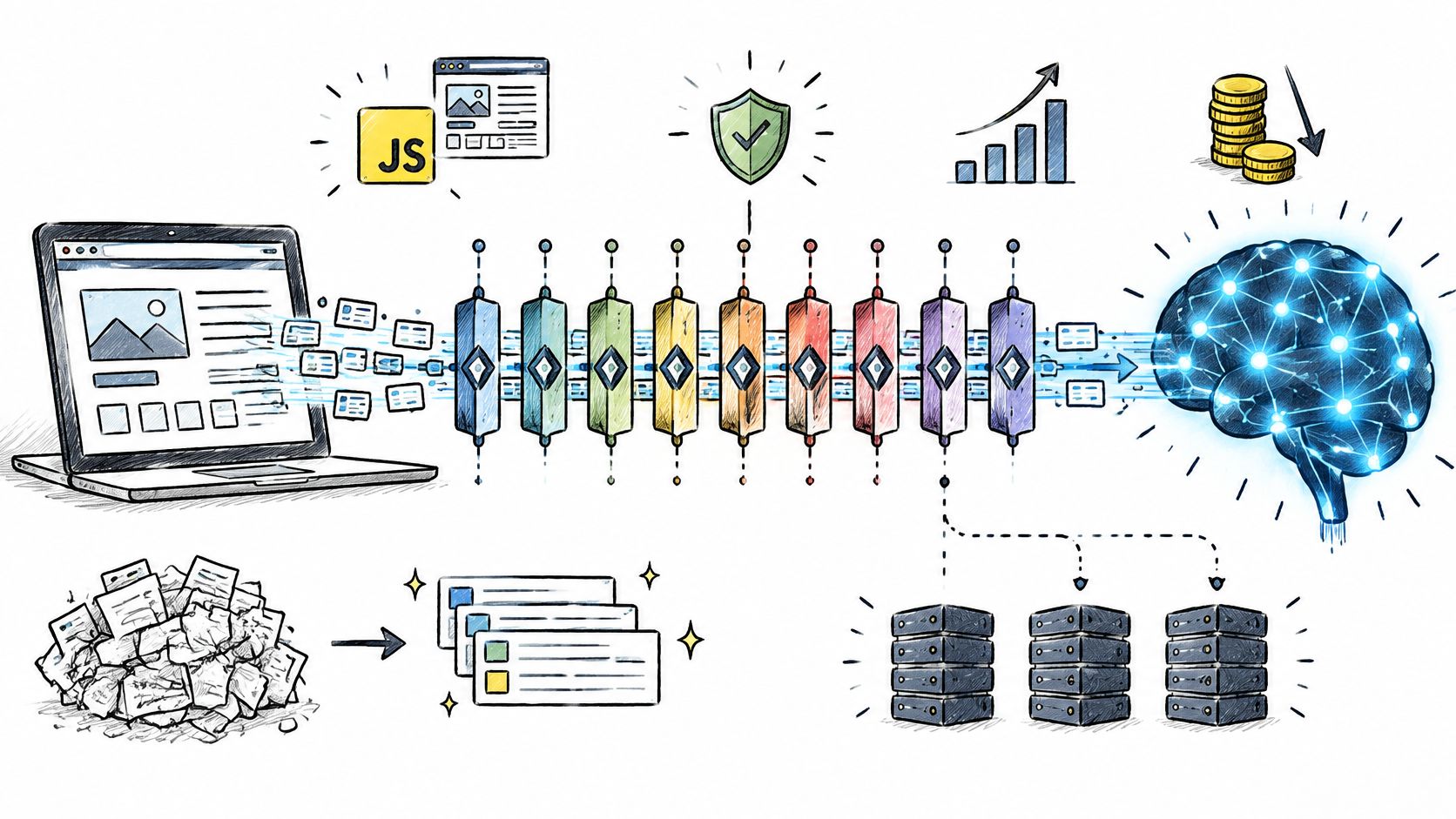
The most repeated advice about web scraping APIs is to compare price per 1,000 requests. Follow it and you'll pick the cheapest credit rate, then spend three weeks writing HTML cleanup, retry logic, and fallback routing you assumed the vendor had already handled.
That's the wrong unit for AI work. A model doesn't consume a thousand HTTP 200 responses. It consumes a small set of pages that must render correctly, convert to clean Markdown, keep their tables and headings, and arrive fresh enough to answer today's question.
The scale behind that gap is real. Common Crawl has archived more than 10 petabytes of public web data since 2008, and its December 2024 crawl alone recorded 2.64 billion pages across 47.5 million hosts. Nobody buys that volume usefully. What you buy is a filtering and structuring layer over a corpus that changes every day.
So I score these tools on six things: Markdown quality after rendering, JavaScript and anti-bot handling, structured output that survives validation, throughput, cost predictability once retries are counted, and the one job each tool is built for. The order below follows pipeline role, not feature counts.
Table of Contents
- 1. Context.dev
- 2. Firecrawl
- 3. Zyte API
- 4. Apify Web Fetch
- 5. ZenRows
- 6. Bright Data Web Scraper API
- 7. ScrapingBee
- 8. Oxylabs Web Scraper API
- 9. Jina AI Reader
- 10. Tavily
- 11. Exa Contents API
- How the 10 web scraping APIs compare for AI workflows
- Match the Scraper to Your Pipeline Before You Commit
1. Context.dev
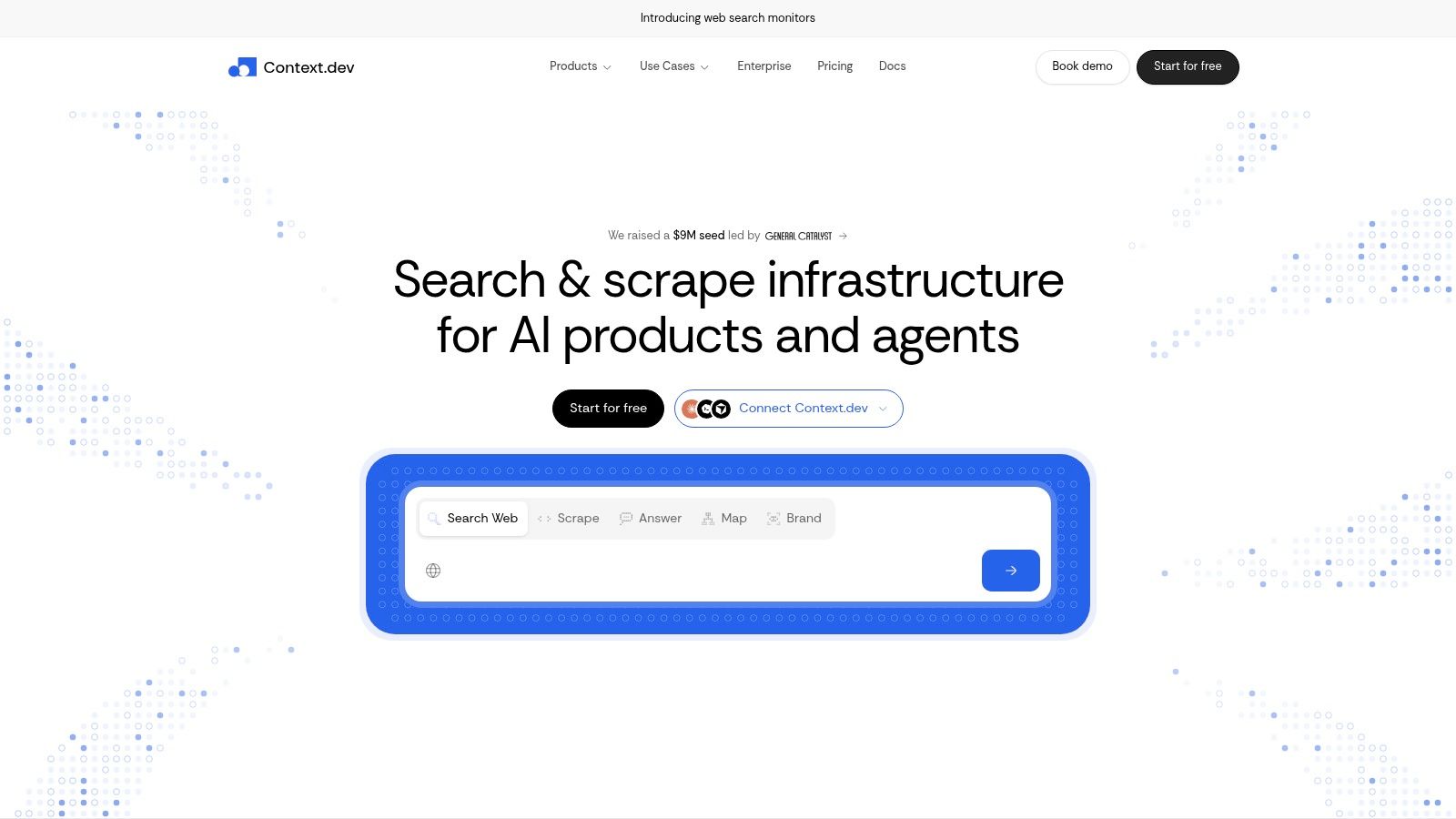
Context.dev fits pipelines that need company context alongside page content. Its Web Context API returns rendered HTML, LLM-ready Markdown, page images, full-page screenshots, and a sitemap-derived URL inventory. Company and brand data are available through the same account.
What comes back from a single call
- Reading a page: Markdown with main-content filtering keeps navigation, cookie banners, and promo blocks out of the prompt.
- Discovering a site: Sitemap crawling returns a URL inventory. Filter and cap it before spending credits on page fetches.
- Structured extraction: AI Query extracts custom entities and product records against a schema. Transaction identification maps messy merchant descriptors to corresponding brands.
- Brand context: Look up logos, colors, fonts, styleguide, social profiles, address, NAICS classification, and a concise company description by domain, email, name, or stock ticker.
The combination is useful for onboarding, CRM enrichment, and personalized pages, where company facts need to sit beside scraped content. It reduces the need to join page results with a separate company-data provider, though extracted fields still need validation in your application.
Context.dev offers SDKs for TypeScript, Python, and Ruby, serves logos from a global CDN, and provides a free tier with credits for evaluation. One subscription covers these capabilities, making it a web scraping api for mixed page-reading and company-enrichment workflows.
Choose another tool if the job is limited to fetching raw HTML from a handful of pages. Context.dev is a better fit when an agent needs to read a page, identify the company behind it, and return schema-based JSON. You still need to check that output before trusting it in downstream code.
2. Firecrawl
Firecrawl turned page-to-Markdown into a product category, and it still has the widest ecosystem in AI work. Scrape, crawl, map, and search endpoints share one credit pool, and its MCP server is the one most agent frameworks already support out of the box.
How good is the output, really
A benchmark over 806 URLs reported usable Markdown on 89.7% of pages for Firecrawl against 92.1% for WebCrawlerAPI, and a separate 40-task agent evaluation finished 32 tasks for Firecrawl versus 38 for WebCrawlerAPI, per the web scraping API benchmark for AI agents. Extraction F1 across providers in that evaluation ran from 0.176 to 0.623.
Roughly nine pages in ten arrive usable. The tenth needs a fallback route or a repair step, and that's the part budget spreadsheets miss.
Where it fits: recursive crawling of documentation sites, RAG ingestion where site coverage beats single-page speed, and teams that want one SDK instead of three integrations.
Where it strains: credit consumption shifts by operation, so mixed workloads are hard to project until you've measured your own. And Markdown is not structured data; fields still need validation before they hit a model.
Wiring it into an agent is mostly config, covered in this guide to MCP server integration. Start at Firecrawl.
3. Zyte API
Zyte is the mature, unglamorous option: managed retrieval, browser rendering, proxy selection, and optional extraction behind one endpoint, billed according to how difficult the target is. It comes from the team behind Scrapy, so Python shops already understand its model.
The pricing model is the real decision
You pay for what came back, not for what you attempted. That beats charging for blocked pages, and it makes hard targets feel fair. It also makes forecasting harder, because a plain HTTP page and a browser-rendered page with residential rotation sit in different brackets. Sample your own domains on trial credit before you build a budget.
Zyte's own numbers show where demand is heading. The company reported that the value of data-for-AI projects increased 400% year over year in 2024, in its 2025 industry report.
My read: Zyte is what I reach for on sites that block everything, with ordinary pages routed elsewhere. Don't make it the default path, or you'll pay browser prices for pages that never needed a browser.
The output is HTTP bodies, rendered HTML, screenshots, and structured fields rather than native Markdown, and the setup is more technical than a URL-in, text-out reader. See Zyte API.
4. Apify Web Fetch
Apify Web Fetch returns Markdown from a URL through an HTTP endpoint. You can call it from Python or JavaScript clients, or trigger it from Make, Zapier, and n8n. Its main advantage is the wider Apify account: a prototype can grow into a scheduled job using marketplace Actors for specific sites, without adding another vendor.
Why API delivery dominates here
Apify reported that API-based Actor runs accounted for 87% of its total runs in 2024, according to its State of Web Scraping report. The figure points to a practical fit: teams can call Actors directly from pipelines rather than relying on dashboard workflows.
Strengths: an easy trial inside the platform and retries handled within a request. Weaknesses: Actor pricing can be event-based, usage-based, or both. Proxies, storage, and data transfer can add to the bill, so costs are harder to predict than a flat per-request fee. A successful fetch also does not guarantee that the page contains the fields your model needs.
Treat Actor output as raw material, not a finished record. Validate it before sending it to a prompt.
Apify fits mixed workloads, specific targets, and teams that want automation around scraping. Choose another option if you need one predictable line item. Try Apify Web Fetch.
5. ZenRows
ZenRows puts fetching, extraction, crawling, batch jobs, and browser sessions in one account, returning HTML, Markdown, JSON, or screenshots. Anti-bot work is the core of the product, and it held up best in the toughest published test I've read.
What the numbers look like on protected targets
A controlled benchmark of four commercially protected sites, 100 requests per site at two requests per second, measured 99.0% aggregate success for ZenRows at about 9.1 seconds average response, with Scrapfly at 98.5% and 10.9 seconds, Zyte at 74.75% and 14.3 seconds, and ScraperAPI at 49.0% and 36.0 seconds, as recorded in the ZenRows benchmark repository. The vendor ran it, so treat the ranking as directional and rerun the test on your own domains.
That methodology also argues for publishing p50, p95, and p99 end-to-end latency beside per-domain success rates, because averages hide timeout-heavy tails.
Watch the multipliers. JavaScript rendering and premium proxies consume more credits, and browser sessions and residential bandwidth bill on their own terms. The published rules are clear enough to estimate from, which is more than most competitors offer.
Right fit: protected targets that break general-purpose readers. Wrong fit: a documentation site that serves clean HTML to anyone who asks.
6. Bright Data Web Scraper API
Bright Data sells records, not requests. Its catalog of site-specific Scraper APIs returns structured fields for supported targets such as Amazon, LinkedIn, Instagram, and Reddit, delivered via API, webhook, or cloud storage. For an ecommerce or social pipeline, that changes the work: you skip writing and maintaining parsers, and inherit a schema someone else keeps current.
The trade-off is flexibility
Prebuilt means specific. A schema exists for supported targets and you take the fields it returns; custom sites need setup of your own. Volume drives cost. Per-1,000-record pricing looks modest as a unit price and stops looking modest at scale.
Then there's governance, which most comparisons skip. The European Data Protection Board guidance on web scraping recommends avoiding sites that signal opposition through robots.txt, ai.txt, CAPTCHA, or authentication, and it stresses purpose limitation, minimization, and transparency about sources.
Legal reality: a provider's proxy fleet or CAPTCHA solver is capability, not permission. Whether you may collect a given page, field, or purpose remains your call, and one pipeline may serve users under different privacy and copyright regimes.
The vendor can help with allowlists, audit logs, retention controls, and regional processing. It cannot decide your source list. Look at Bright Data's Web Scraper API.
7. ScrapingBee
ScrapingBee is the plainest tool here: one call, rotating proxies and browser rendering handled, HTML or extracted values back. Screenshots, CSS and XPath extraction rules, geotargeting, and a few target-specific APIs round it out, and free credits cover the evaluation.
Simple to start, easy to misjudge
Simplicity cuts both ways. Request-based integration takes an afternoon and there's no crawl graph or Actor manifest to learn. But rendering and premium proxies burn credits at higher multipliers, and credits expire monthly rather than rolling over, so unused capacity is money you never recover.
Budget by rendering ratio, not request count. If half your pages need JavaScript, your effective spend per page is higher than the plan page implies.
It doesn't map or deep-crawl a site the way crawl-first tools do, so discovery stays your problem. For datasets built from a known URL list, that's a fair trade: the API surface stays small and debuggable.
Best fit: extraction from known URLs where you control quality downstream. Poor fit: site-wide ingestion, where you'd end up building half a crawler anyway. Plans are at ScrapingBee.
8. Oxylabs Web Scraper API
Oxylabs pairs a scraping API with serious proxy infrastructure. You get raw HTML or structured JSON, dedicated parsers for ecommerce and search targets, plus browser rendering, batch queries, scheduling, and custom parsers. A free trial covers up to 2,000 results with no card required.
Built for repeatable pipelines
This is a scheduled-job tool, not a research toy. If you pull competitor prices every morning or track search rankings across regions, batch and scheduling save you from writing a queue and a cron layer yourself. If you need forty pages once, you're paying for infrastructure you'll never touch.
Two things to pin down before committing. First, rates differ by target type and by whether JavaScript rendering is required, so build the cost model from your own target list rather than the plan page. Second, clarify what counts as a successful result versus a system error, because that definition decides whether a failed page is effectively refunded.
Practical pairing: use a lightweight reader for articles and documentation, and reserve parser-backed endpoints for catalog and SERP targets where the schema saves genuine engineering time.
Start at Oxylabs Web Scraper API.
9. Jina AI Reader
Jina AI Reader solves the narrowest problem on this list faster than anything else. Give it a URL and get clean Markdown back. Prefix the address or authenticate an API request, and it handles web pages and PDFs, stripping navigation and ad noise on the way through.
Where it stops
It isn't a crawler and won't map a site. It doesn't chase structured fields, it doesn't use detection-evasion techniques, and rate limits depend on whether you authenticated. Token-based pricing fits content-heavy reading and penalizes nothing else, which is refreshing next to credit multipliers.
The honest use case is retrieval over known documents: a support bot reading help-center pages, a research agent summarizing a handful of articles, a review workflow dominated by PDFs.
For production ingestion across thousands of unknown URLs, pair it with a crawler that handles discovery and blocking, then send the survivors here. Jina also runs separate search, embedding, and reranking endpoints if you're assembling a retrieval stack rather than just fetching pages.
Start with Jina AI Reader.
10. Tavily
Tavily inverts the usual order. Most scraping APIs assume you already know your URLs; Tavily starts with search designed for agents, then offers extract, crawl, and map endpoints for the pages it surfaced. If your agent's job is to answer a question with current sources, that's a closer match than a fetch-only API.
Discovery plus retrieval in one account
Search first: results come back in a form an agent can reason over, so the model picks sources instead of receiving a fixed list. Extract second: content from the URLs you supply, useful once the shortlist exists. Crawl and map: for exploring a site after the search step. SDKs and an official MCP server cover both paths, and a free monthly plan covers initial testing without a card.
Where it doesn't fit: high-volume extraction from a fixed list of tens of thousands of URLs. Credit use depends on endpoint and request settings, so project spend from a realistic query mix rather than a headline rate.
If you're building inside a platform rather than from scratch, the web search plugin documentation shows how search and page retrieval get wired into an assistant. Try Tavily.
11. Exa Contents API
Exa separates discovery from retrieval, and its Contents API is the retrieval half: full-page Markdown, relevant passages, summaries, or JSON matching a schema you supply, with a choice between cached and live content. That choice matters more than it sounds. Cached is fast and cheap; live is what you want when freshness is the entire reason you're scraping.
Trim before the prompt
Highlights and summaries are the underrated feature. Sending a whole page costs tokens and dilutes attention, and sending the three passages that match the query usually answers better. Schema-based JSON output means the model doesn't parse prose at all when you only need four fields. Better suited to search-driven retrieval than to raw high-volume crawling.
The cost trap is stacking output types on one request. Asking for Markdown plus highlights plus a summary plus JSON for the same URL bills more than picking one deliberately.
On economics, this comparison of web scraping APIs from Exa makes the point that matters most: normalize spend by successful validated records, not requests. Published entry prices run from about $1 per 1,000 pages to $1.50 per 1,000 successful requests, with monthly plans commonly starting around $16 to $49. A malformed page is paid for twice, once to fetch and again to clean.
For the discovery side, read how search engines for developers differ. Start at Exa Contents API.
How the 10 web scraping APIs compare for AI workflows
The cheapest request is not always the cheapest usable result. Compare these tools by pipeline role, pricing model, and the cleanup their output still requires. Published starting prices are included where the section provides them; usage-based and token-based services do not have a single comparable entry price here.
| Item | Best fit | Free tier | Starting paid price | Output formats |
|---|---|---|---|---|
| Context.dev | Web context, brand enrichment, and AI-ready extraction | Free credits | Usage-based | HTML, Markdown, images, screenshots, structured data |
| Firecrawl | Crawling and scraping for RAG and AI agents | Free tier | Usage-based | Markdown, structured data |
| Zyte API | Scraping dynamic or hard-to-access sites | $5 free credit | Usage-based; varies by site and request | Page content, extracted data |
| Apify Web Fetch | Page fetching within automation workflows | $5 monthly platform usage; Actor pricing also applies | Pay per event | Markdown |
| ZenRows | Combined scraping, crawling, extraction, and browser automation | 5,000 credits/month | $16/month | HTML, Markdown, JSON, screenshots |
| Bright Data Web Scraper API | Structured data from supported sites | 5,000 records/month | $1.50 per 1,000 records | JSON, CSV |
| ScrapingBee | General-purpose scraping with browser rendering | 1,000 credits | Usage-based | Page content, screenshots, extracted data |
| Oxylabs Web Scraper API | Repeatable ecommerce and search data pipelines | Up to 2,000 results in free trial | $49/month | JSON, raw HTML |
| Jina AI Reader | Converting supplied URLs or PDFs into readable text | Basic use available without an API key, with lower rate limits | Token-based | Markdown-like text |
| Tavily | AI search and research workflows | 1,000 credits/month | $0.008 per credit | Search results and extracted page content |
| Exa Contents API | Search-led retrieval, highlights, and schema-based extraction | $10 in free credits/month | Usage-based | Markdown, highlights, summaries, JSON |
The table separates page reading and crawling from search-led discovery and structured extraction. Free access also differs: some services provide credits or records, while Jina AI Reader offers basic access with lower rate limits. Treat those tiers as a way to test output quality, not as a like-for-like measure of production cost.
Output format sets the cleanup workload. Markdown is convenient for retrieval, while structured JSON or CSV can reduce parsing when the fields match your schema. Screenshots and raw HTML preserve page detail, but they leave more work before the content is ready for an AI workflow.
Match the Scraper to Your Pipeline Before You Commit
Start with the data source, not the vendor list. Three shapes cover most AI work, and they point at different tools.
- You have known URLs: a lightweight reader handles it cheapest. Jina AI Reader for Markdown, Firecrawl or ScrapingBee when you also need crawler behavior, Context.dev when you want brand and company data attached.
- You need open discovery: search-first tools win. Tavily and Exa find sources an agent didn't know about, then hand you content. Pair them with a crawler if the shortlist turns into a site-wide job.
- You need specific ecommerce or social targets: prebuilt schemas beat generic fetching. Bright Data and Oxylabs maintain parsers for those targets and bill per record or per result, which is predictable once volumes are stable.
Then run the same 30 to 50 URLs through two or three candidates before you sign anything. Mix easy pages, JavaScript-heavy pages, and one protected target, because that mix is what your real traffic looks like. Measure what comes back, not what the dashboard says came back.
Track one number above all others: cost per usable record. A page that arrives with broken tables, missing prices, or duplicated boilerplate is a page you pay for twice, once at fetch and again in cleanup or a wrong answer downstream. Vendors that look expensive per request often win this calculation, and vendors that look cheap often don't.
Build the validation step before the model step. Compare extracted fields against a labeled sample, compute precision and recall on the facts your prompts depend on, and route failures to a fallback provider instead of into a context window. Most bad AI answers that trace back to scraping trace back to this omission, not to the fetch itself.
The category isn't a fad. A 2024 industry estimate valued global web scraping at approximately USD 754.17 million, projecting USD 2.87 billion by 2034 at a 14.3% compound annual growth rate, per market.us. More vendors and more pricing models won't make the choice easier. Testing on your own targets will.
If the pipeline you're building ends in answers rather than files, the last mile matters as much as the fetch. Writingmate runs web research with citations, file analysis, and multiple models behind a single subscription, so a scraping layer has somewhere useful to land instead of feeding a prompt you maintain by hand. Point your extraction at it, ask a question that needs today's web, and see whether the sources hold up.
Frequently Asked Questions
Sources
- Common Crawl
- web scraping api
- web scraping API benchmark for AI agents
- MCP server integration
- Firecrawl
- 2025 industry report
- Zyte API
- State of Web Scraping report
- Apify Web Fetch
- ZenRows benchmark repository
- European Data Protection Board guidance on web scraping
- Bright Data's Web Scraper API
- ScrapingBee
- Jina AI Reader
- web search plugin documentation
- Tavily
- web scraping APIs from Exa
- how search engines for developers differ
- Exa Contents API
- market.us
- Writingmate

Written by
Artem Vysotsky
Ex-Staff Engineer at Meta. Building the technical foundation to make AI accessible to everyone.

Reviewed by
Sergey Vysotsky
Ex-Chief Editor / PM at Mosaic. Passionate about making AI accessible and affordable for everyone.