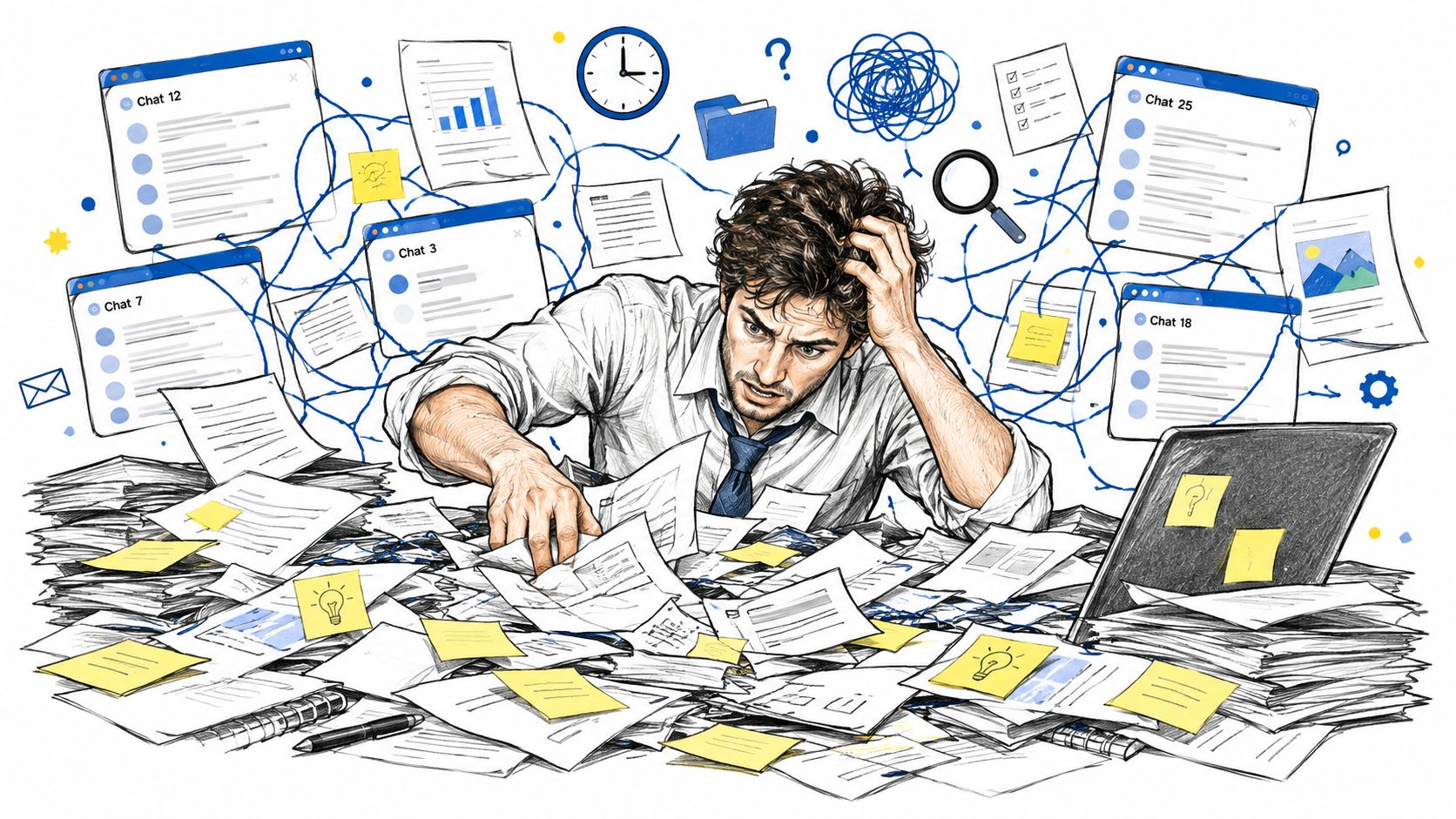
You're halfway through a deadline when an AI-generated email needs one more revision. You remember having a prompt that produced the right tone, structure, and level of detail, but finding it means searching old chats, scattered notes, browser tabs, and documents with names like final_prompt_v3. By the time you find three similar versions, you've spent more effort recovering the workflow than improving the email.
That's the practical reason to build a prompt library AI system. It isn't just a folder for clever instructions. It's a reusable knowledge base that records what a prompt does, where it works, which version is approved, and how your team should use it. A well-maintained library turns repeated AI work into a dependable process instead of a daily memory test.
Table of Contents
- Why Prompt Chaos Costs You Hours Every Week
- What Actually Makes a Prompt Library Different
- Organizing Prompts for Real Workflow Speed
- Maintenance Habits That Prevent Library Decay
- Real Examples Across Creator and Developer Workflows
- The Shift from Personal Folders to Team Governance
- Your Path to a Smarter AI Workflow
Why Prompt Chaos Costs You Hours Every Week
Prompt chaos rarely starts with bad habits. It starts with useful experiments. You write an instruction for a campaign brief, discover a better way to constrain the output, paste the revised version into a new chat, and move on. A few weeks later, the original lives in a conversation, the improved version sits in a document, and a colleague has adapted it in a shared workspace without recording what changed.
The problem isn't only retrieval. It's uncertainty. You can't tell which prompt created the strong result, whether the prompt depended on a specific model, or whether the output quality came from the instruction itself and the extra context you supplied that day. That uncertainty makes every reuse attempt slower.
Practical rule: Save the prompt at the moment it proves useful, not at the end of the project when you no longer remember why it worked.
A functional library gives each reusable prompt a clear home. Instead of searching for “that email prompt,” you can look under a marketing role, a customer-outreach task, and a particular model family. You can also see the expected input, the desired output format, and the limitations that matter. That context is what makes a saved prompt reusable rather than merely recoverable.
The same principle applies when you're learning how to ask AI questions that produce more useful answers. A good question becomes more valuable when you preserve its purpose, assumptions, and successful output alongside the wording.
Start small. Collect the prompts you already reuse, remove duplicates, and give each one a descriptive name. The first useful library may contain only a handful of entries, but each entry should be understandable to someone who didn't write it.
What Actually Makes a Prompt Library Different
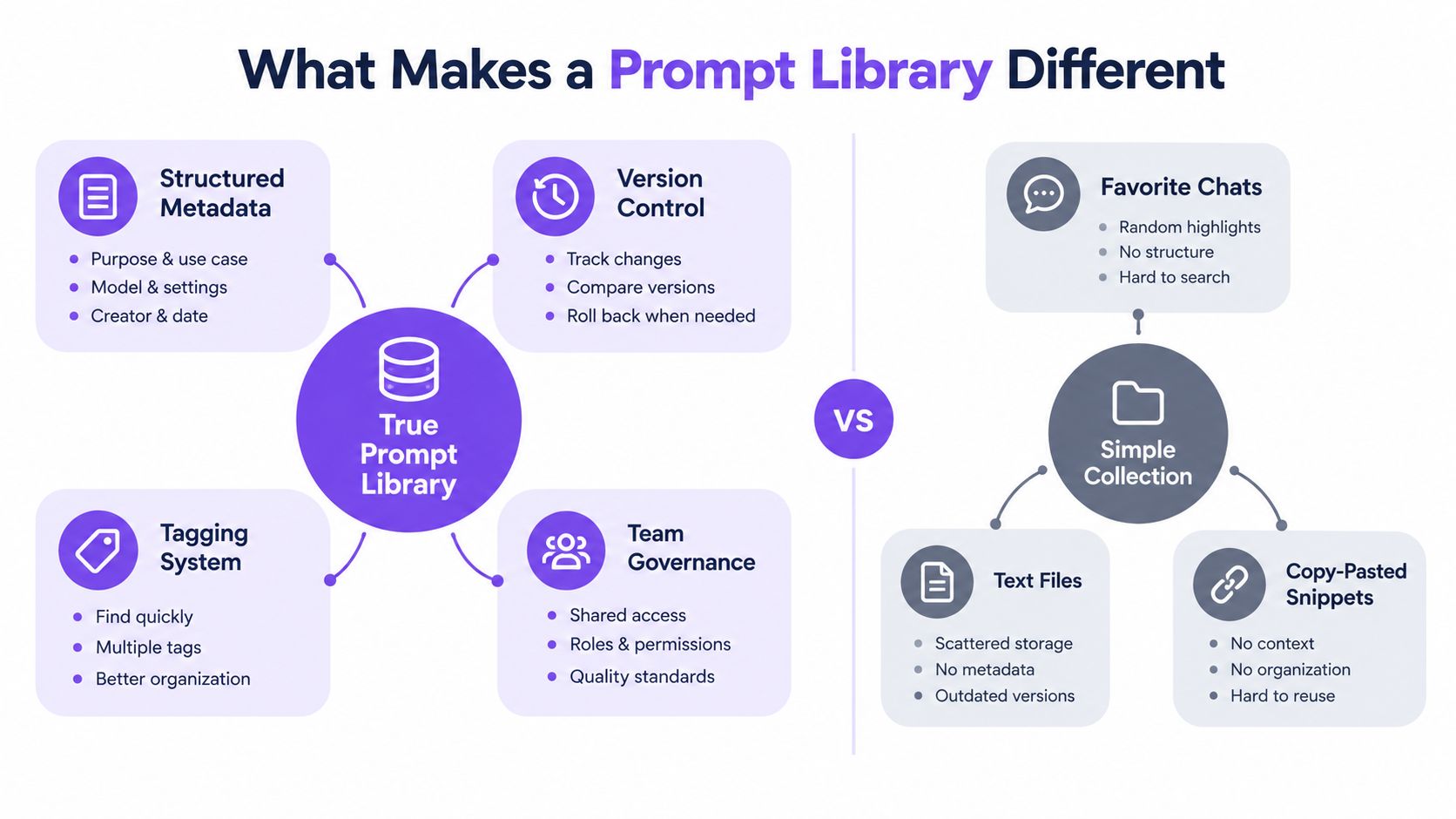
A notes app stores text. A prompt library stores operational knowledge.
That distinction matters because the raw instruction is only one part of a reliable AI workflow. A reusable prompt also needs its job description, required context, output contract, model notes, owner, status, and revision history. Without those fields, the collection gradually becomes another archive that requires interpretation before use.
The minimum record for every prompt
I use a prompt record that answers a simple question: Could another person run this without asking me what I meant?
Include these fields:
- Name: Use a task-based title such as “Create a product brief from interview notes,” not “Good marketing prompt.”
- Purpose: State the decision or deliverable the prompt supports.
- Inputs: List the information the user must provide, including audience, source material, constraints, and desired length.
- Instruction: Store the actual prompt separately from the surrounding explanation.
- Output contract: Specify headings, format, tone, evidence requirements, or fields the response must contain.
- Model notes: Record where the prompt was tested and any model-specific behavior.
- Status: Mark it as draft, approved, deprecated, or experimental.
- Owner and history: Identify who maintains it and what changed between versions.
This structure prevents a common failure mode: preserving the wording while losing the conditions that made it effective. A prompt for summarizing customer interviews may look portable, but it can produce very different results if the input changes from transcripts to bullet notes or if the requested output shifts from internal analysis to public copy.
The same discipline helps developers who are testing prompts in React Native. When a prompt is part of an application, its inputs, expected output, and failure behavior matter as much as the instruction itself.
Separate reusable logic from temporary context
A strong library distinguishes the stable part of a workflow from the information that changes every time. The stable part might define the role, reasoning boundaries, output format, and quality checks. Temporary context might include a product name, a customer segment, a source document, or a campaign objective.
That separation makes adaptation easier. It also makes reviews more meaningful because a team can change the input variables without accidentally rewriting the underlying method. A prompt library should preserve the method, not every one-off chat.
A prompt generator can help with first drafts, but generated prompts still need ownership and testing. Guidance on using a prompt generator for writing workflows is useful for creating candidates, while the library determines which candidates deserve continued use.
Organizing Prompts for Real Workflow Speed
Organization should reflect how people retrieve prompts under pressure. Project folders alone usually fail because projects end, names change, and the same task appears in several campaigns. Date-based filing has the same weakness. You'll remember the job you need to do, not necessarily the month when you saved the instruction.
A practical structure combines role, task, and model context. These layers answer three different retrieval questions:
- Who uses it? Writer, analyst, marketer, developer, researcher, or support specialist.
- What does it do? Outline, classify, summarize, transform, troubleshoot, compare, or generate.
- Where does it run? A model family, application, API workflow, or multimodal tool.
A prompt might therefore carry tags such as marketing, email, rewrite, and multimodal. Another might use developer, debugging, code-review, and cross-model. The point isn't to create an elaborate taxonomy. It's to make the next search obvious.
Build a small vocabulary
Choose labels that your team will use. If one person tags a task outreach and another uses sales-email, retrieval becomes dependent on personal memory. Agree on the main terms, then add synonyms only when they solve a real search problem.
Keep categories distinct. “Audience” describes who receives the output, while “role” describes who operates the prompt. “Summarization” describes a task, while “research” may describe a broader workflow. Mixing these levels produces tags that look organized but don't narrow results.
Store the smallest amount of metadata that makes the right prompt easy to find.
Use versions for meaningful changes, not every minor edit. A change to a sentence's wording may be a revision, while a new output schema, model target, or evaluation method may deserve a new major version. Keep the old version available when a team needs to reproduce an earlier result, but don't present every historical draft as equally valid.
A short retrieval test exposes weak organization. Ask someone who didn't create the prompt to find the right asset using only the task they need to complete. If they must browse every entry, your labels describe the library rather than helping the user. Resources covering practical steps to streamline processes can complement this exercise, but the library itself should remain simple enough to operate during real work.
Maintenance Habits That Prevent Library Decay
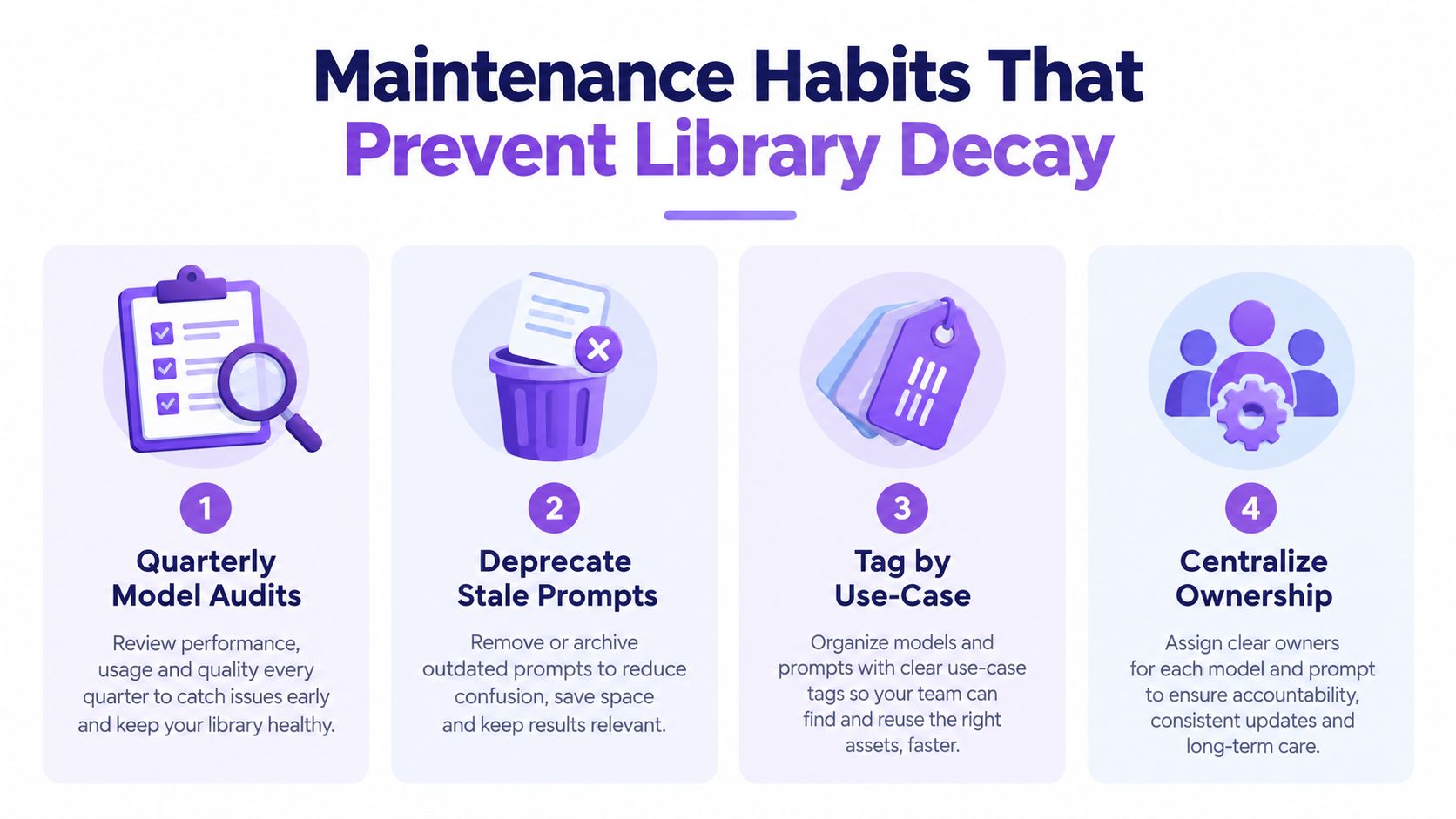
A prompt library decays when nobody knows which entries still deserve trust. Models change, source material changes, team standards change, and users discover better constraints. A prompt that once produced a useful answer may still run successfully while producing outputs that no longer meet the team's needs.
Maintenance works best as quality control, not housekeeping. Each entry should carry a short performance note explaining what was tested, what failed, and what the user should watch for. That record gives the next editor a starting point instead of forcing them to repeat every experiment.
Treat review as a lightweight operating rhythm
A useful maintenance cycle has different levels of effort:
- During normal work: Improve a prompt when you find a clearer constraint, better input format, or more reliable output instruction.
- During regular reviews: Check whether approved prompts still match the team's current tasks, models, and quality standards.
- During larger audits: Identify duplicates, outdated model assumptions, missing owners, and prompts that no one uses.
- When a prompt fails: Decide whether the issue comes from wording, missing context, an unsuitable model, or a broken workflow.
Archive weak entries instead of deleting them immediately. Deletion removes evidence that a prompt was tried and can cause someone to recreate the same failed approach later. Deprecation also lets you explain the replacement, which is more helpful than leaving users to guess.
Record changes that affect behavior
A revision note should say what changed and why. “Improved prompt” is not useful. “Added a required source-evidence field because unsupported claims appeared in the output” gives the team a reason to trust the revision and a clue about what to monitor.
Ownership prevents maintenance from becoming everyone's responsibility and nobody's task. Assign a person or role to approve changes, manage status, and coordinate testing. The owner doesn't need to perform every review, but someone must be accountable for keeping the entry intelligible.
A mature library contains fewer abandoned experiments and more prompts with known boundaries. That is the key benefit of upkeep. It reduces the time spent wondering whether a saved instruction is safe to reuse.
Real Examples Across Creator and Developer Workflows
The same library design can support very different jobs, but the useful fields stay consistent. Each workflow needs a purpose, inputs, output expectations, model notes, and a way to compare revisions.
Creator workflows
A content creator might save a prompt called Outline an evidence-led article. Its input fields could include the audience, search intent, verified source material, primary claim, and required sections. The instruction can define the structure, while the output contract requires a title direction, section headings, missing evidence flags, and a list of claims that need support.
A separate prompt for social captions should not be treated as a shortened version of the article prompt. It has a different audience, a different tolerance for context, and a different review standard. The library can connect both prompts to the same campaign workflow without pretending they are interchangeable.
For scriptwriting, store the beat structure and voice guidance separately from the episode-specific topic. That makes it possible to reuse the creative method while changing the subject, platform, or presenter.
Marketing workflows
A marketing team may keep a Campaign brief synthesizer that accepts research notes, product information, audience context, differentiators, and constraints. Its output might include a positioning statement, message pillars, objections, channel adaptations, and questions requiring human confirmation.
An audience-segmentation prompt should preserve the basis for grouping. If the analysis uses supplied customer descriptions, the record should say so. It shouldn't imply that the model has independently verified behavior or market facts. That boundary is part of the prompt's governance, not an afterthought.
For performance analysis, the library entry should define which metrics are available, how missing data is handled, and which conclusions require human review. A prompt that summarizes a dashboard is not automatically qualified to explain why performance changed.
Developer workflows
A developer's Debug an error report prompt can ask for a reproduction hypothesis, relevant code path, assumptions, proposed fix, and tests to run. The output contract should prevent the model from presenting an untested patch as a confirmed solution.
A code-documentation prompt may be reusable across model families if the input and output format remain stable. A code-generation prompt often needs more careful adaptation because models differ in how they handle tool calls, repository context, and strict formatting requirements. Store those differences in model notes instead of silently branching the prompt into unrelated copies.
| Workflow | Reusable core | Variable context | Review focus |
|---|---|---|---|
| Content creation | Structure, voice, evidence rules | Topic, audience, sources | Accuracy and editorial fit |
| Marketing | Brief format, positioning logic | Offer, segment, campaign | Strategic consistency |
| Development | Diagnostic steps, output schema | Codebase, error, runtime | Reproducibility and testing |
Cross-model reuse works when you preserve the intent and contract while allowing syntax to change. A single prompt should not be forced across every tool if the result becomes vague. Portability is valuable, but a transparent model-specific variant is better than pretending that identical wording produces identical behavior.
The Shift from Personal Folders to Team Governance
A personal folder answers, “What did I save?” A governed library answers, “What may we use, who approved it, how was it tested, and what changed?”
That distinction is becoming more important as organizations use several models for different task types. By 2026, a survey of 1,243 professional developers, product managers, and AI practitioners reported that 73% regularly used two or more models for different task types, with adoption at 78% in tech and software, 62% in finance, and 48% in healthcare. The survey also reported enterprise prompt-engineering budgets rising from $2,000 in 2023 to $120,000 in 2026, described as a 60x increase. These figures come from the prompt engineering survey, and they point to prompt work becoming operational infrastructure rather than an informal individual habit.
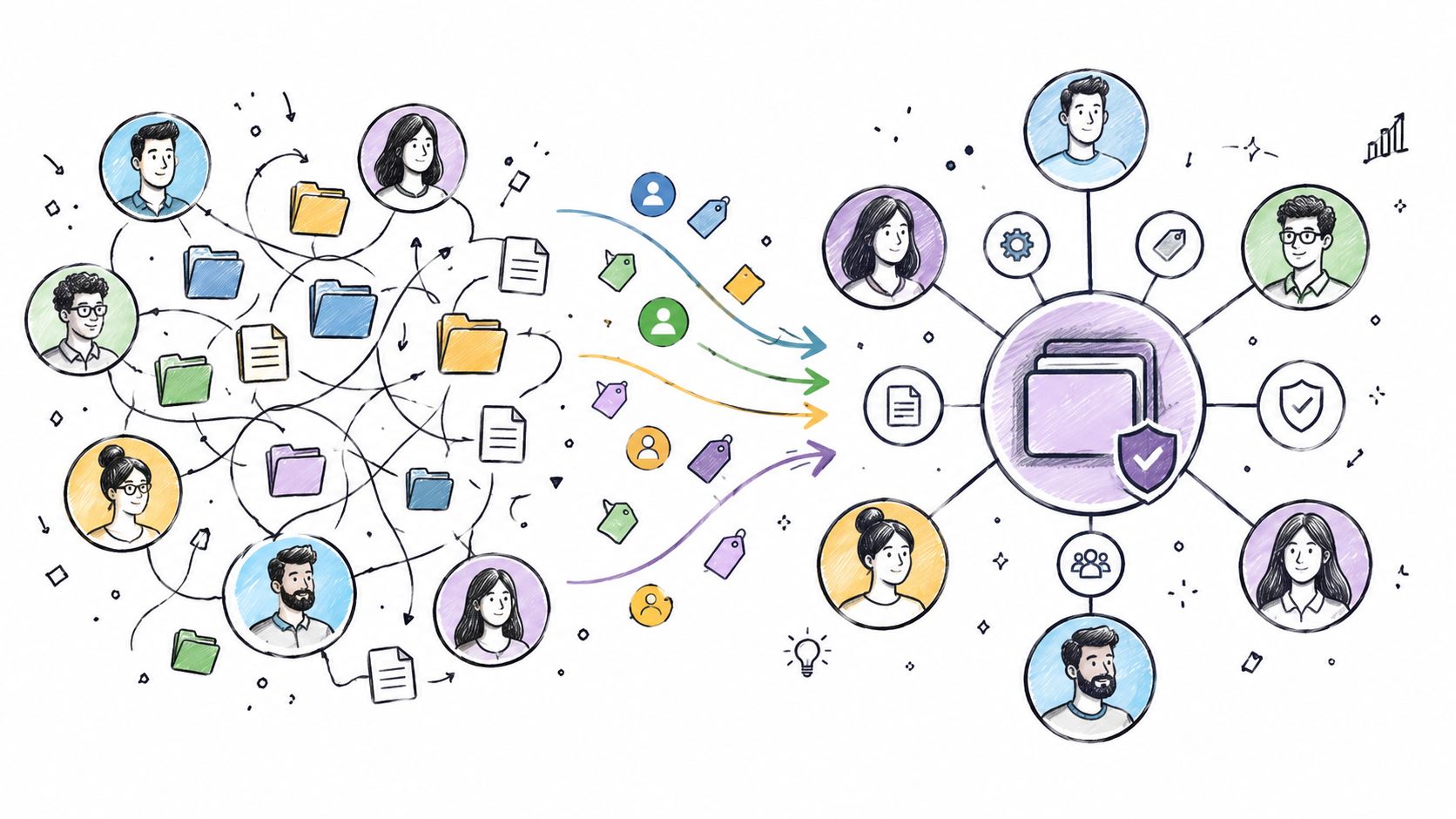
Governance doesn't require a large bureaucracy. Even a small team benefits from clear permissions, named owners, approval states, and an audit trail. Without those controls, a colleague can unknowingly reuse an experimental prompt for customer-facing work, or update an approved instruction without recording the reason.
The labor market reflects the same shift. Adobe's 2024 survey of 1,002 business owners found that 27% of small business owners considered prompt engineering a very important business skill, compared with 54% of larger businesses. It also reported that 28% of small business owners had never used prompt engineering, larger businesses were 2.4 times more likely to use it daily, and the average U.S. salary for prompt engineering roles was $113,294 per year as of May 2024. Those figures are reported in the Adobe survey analysis. The practical implication is clear: teams need a way to standardize expertise instead of leaving it inside individual chats.
Add evaluation before approval
A governed prompt shouldn't be approved because its author liked one response. Attach a small evaluation set that represents normal inputs, edge cases, and known failure modes. Compare the output against explicit criteria such as factual support, formatting, tone, completeness, or code-test readiness.
Recent coverage describes a 2026 shift toward centralized repositories with curated, tagged, maintained prompts, access control, version control, audit logs, and evaluation suites with regression detection. That direction is discussed in the 2026 prompt engineering retrospective. The important idea isn't the administrative terminology. It's the decision to treat a prompt change like a workflow change that deserves evidence.
Teams also need a policy for sensitive inputs, external tools, and unapproved experimentation. A practical shadow AI governance guide can help frame those questions, but the library should translate policy into visible statuses and usable operating rules.
The strongest governance systems make the safe path easier than the improvised path. Users should be able to find an approved prompt, understand its intended use, and report a failure without creating a parallel private system. That's how a collection becomes shared institutional memory.
Your Path to a Smarter AI Workflow
You don't need hundreds of prompts to begin. You need a reliable place for the prompts you already reuse and a naming system that makes retrieval predictable.
Create one entry for a task you perform often. Separate the instruction from its variables, record the expected output, and note the model or tool where you tested it. Then ask a colleague, or your future self, to use it without verbal guidance. Any confusion reveals missing metadata.
A simple starting sequence looks like this:
- Collect proven work: Save prompts that have produced a useful result more than once.
- Remove accidental complexity: Delete redundant wording and separate stable instructions from changing context.
- Name by outcome: Describe the job the prompt completes, not the project where you found it.
- Add one evaluation check: Define what a good result must contain or avoid.
- Assign ownership: Decide who can approve, revise, archive, and restore the entry.
- Review failures: Update the record when the prompt needs new constraints or a different model.
The library becomes more valuable when it supports the whole workflow, not just text generation. For example, a team may store separate prompts for research, file analysis, image direction, video storyboarding, and final review, while keeping their shared audience and quality rules consistent. Cross-model comparison can reveal whether a prompt's logic is portable or whether it depends on a particular tool.
The mature version of this system feels quiet. You open the library, filter by task, select an approved prompt, supply the current context, and review the output against known criteria. You spend less time reconstructing old experiments and more time deciding what the work should accomplish.
Start today with one prompt that saved you effort recently. Improve its name, document its inputs, and save the next revision as a deliberate version. That small act is the foundation of a knowledge base you can trust.
Writingmate offers a prompt library for saving and organizing reusable prompts across chat, image, and video workflows, along with multi-model comparison and tools for working with files and web research. Visit Writingmate to explore whether its unified workspace fits the prompt governance system you're building.
Frequently Asked Questions
Sources

Written by
Artem Vysotsky
Ex-Staff Engineer at Meta. Building the technical foundation to make AI accessible to everyone.

Reviewed by
Sergey Vysotsky
Ex-Chief Editor / PM at Mosaic. Passionate about making AI accessible and affordable for everyone.