You type, “a golden retriever running through autumn leaves at sunset,” click Generate, and a short video appears. The interface makes it feel instant and simple. That surface simplicity is why so many people still ask how does AI video generation work once they try it for the first time.
The honest answer is that modern systems aren't doing one magic step. They run a layered process: language gets converted into numeric guidance, a compressed video draft gets formed out of noise, and temporal controls keep the clip from turning into a sequence of unrelated images. If you only hear “text goes in, video comes out,” you miss the parts that decide whether the result feels cinematic or falls apart into flicker and drift.
Table of Contents
- The Moment You Press Generate
- Generative Video From First Principles
- The Three Model Families That Power Modern Video
- Inside the Inference Pipeline
- Conditioning and the Inputs That Shape Every Frame
- Why Temporal Consistency Is the Hard Part
- Putting It All Together in a Practical Workflow
- Where AI Video Generation Is Heading Next
The Moment You Press Generate
You type your prompt. Maybe it's that retriever at sunset, or a product shot of a watch turning on a pedestal. You press the button and wait while a progress bar moves across the screen.
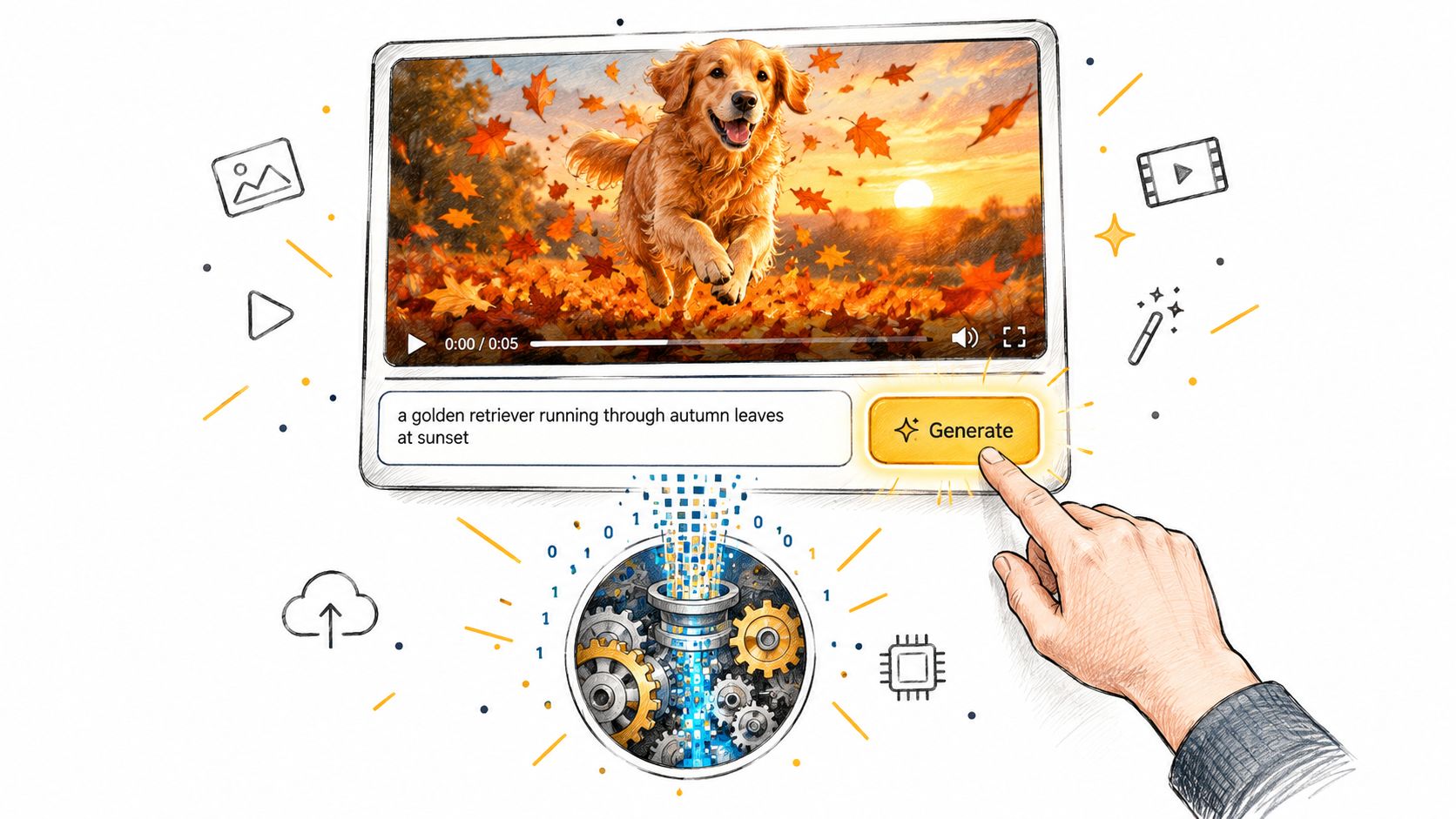
What happens next looks like one action, but it's really a queue of smaller jobs. One component reads your words and turns them into machine-friendly representations. Another creates a noisy starting point. Another repeatedly refines that noise into motion, shapes, lighting, and camera movement. Still later stages decode and sharpen the result into something you can watch.
A helpful mental picture
A coffee shop is a better analogy than a camera.
You give the order at the counter, but the drink doesn't appear from that sentence alone. The cashier records it. The barista prepares it. Someone seals the cup. Someone calls your name. The work is sequential, and each handoff matters.
AI video generation behaves the same way:
- The prompt isn't the video. It's an instruction package.
- The model doesn't begin with a finished scene. It begins with randomness.
- The final render isn't where most of the creative reasoning happens. The main decisions happen earlier, while the model is still shaping the latent draft.
Practical rule: If a generated clip looks wrong, the failure usually didn't start at the export stage. It often started in conditioning or during the denoising process, where the model decided what the scene should become.
That's why two clips from the same prompt can feel very different. The visible interface is simple. The hidden pipeline is not.
Generative Video From First Principles
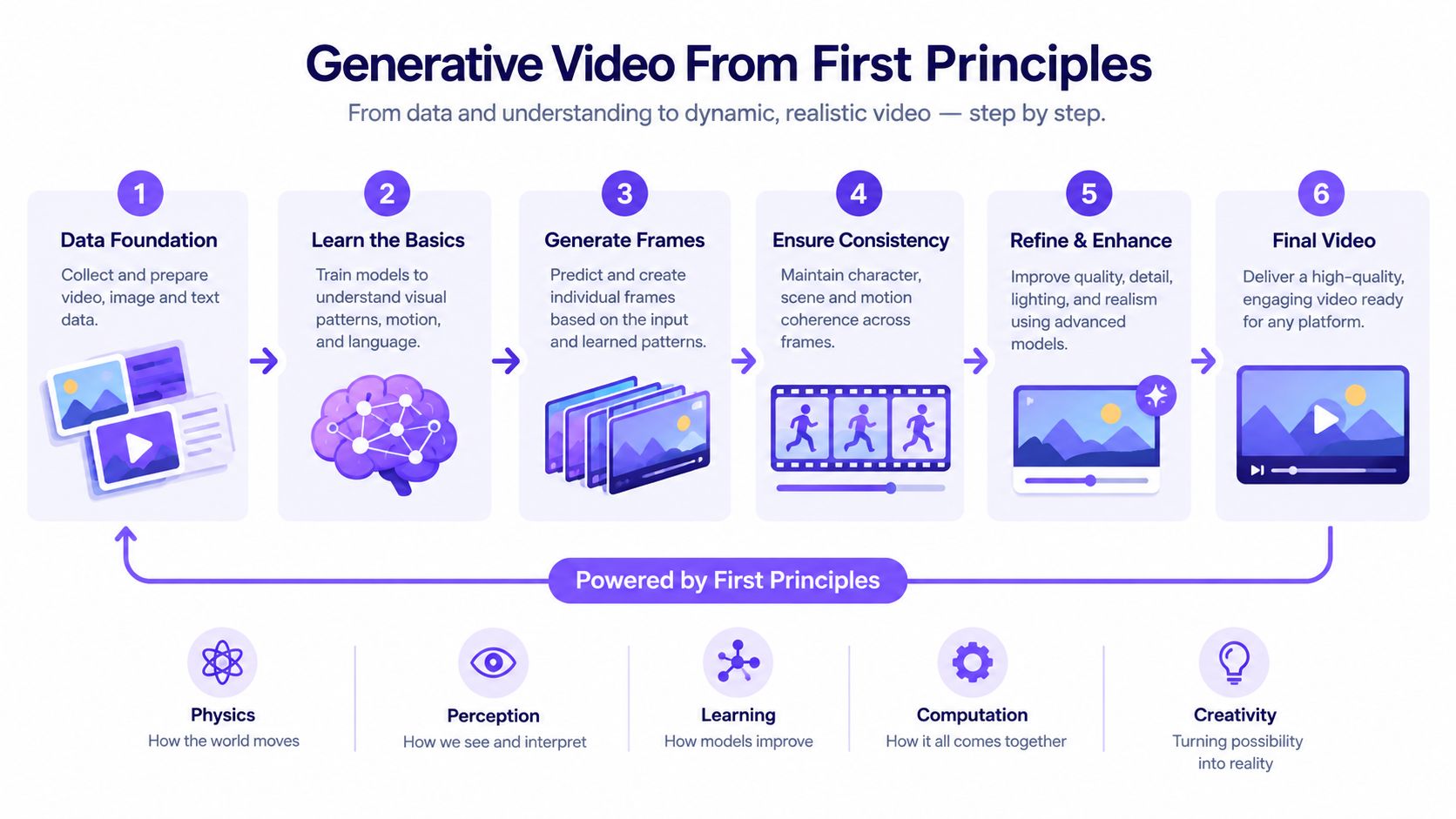
The core idea behind modern AI video is easier to understand if you stop thinking about “drawing frames” and start thinking about removing noise.
A major shift in the field was the move away from GANs and autoregressive systems toward diffusion-based models. A 2025 review of generative AI for video describes diffusion as the dominant high-fidelity approach, tracing 44 diffusion papers versus 25 GAN papers in 2023, then a sharp rise to 321 diffusion papers in 2025. That research matters because it reflects how the field standardized around iterative denoising rather than one-shot synthesis.
Sculpting from static
Think of the starting point as TV snow. Not a blurry dog. Not a rough sunset. Just noise.
The model has learned, during training, how real videos look when noise is gradually added and then removed. At generation time, it runs that process backward. It starts with randomness and asks, over and over, “What slightly cleaner version of this would better match the prompt?”
That's why video models often work in many steps:
- Early steps keep the result mostly chaotic.
- Middle steps begin to hint at shape, composition, and motion.
- Late steps lock in recognizable subjects, textures, and scene detail.
The final clip is the cumulative effect of all those tiny corrections.
Why models use latent space
If a model had to directly refine every pixel of every frame from the beginning, the process would be far more expensive and less practical for longer clips. So many systems work in latent space, a compressed internal representation of the video.
You can think of latent space as a compact sketchbook version of the clip. The system first solves the big questions there. What's in the scene? How does the camera move? Where does the subject go? Only later does it decode that compact draft into visible frames.
A representative modern system, W.A.L.T., uses a latent video diffusion cascade and reports 512×896 output at 8 fps while achieving state-of-the-art FVD on UCF-101 and Kinetics-600, as described in the W.A.L.T. model paper. The important lesson isn't just the benchmark result. It's the architecture choice: generate in compressed form first, then improve quality in stages.
The model isn't painting every frame from scratch at full resolution. It's solving a compressed moving-scene problem, then unfolding that solution into pixels.
The Three Model Families That Power Modern Video
When people ask how does AI video generation work, they often expect one kind of model. In practice, modern systems borrow from three families: diffusion, transformers, and latent representations.
Comparing the roles
Some models are good at refinement. Some are good at long-range planning. Some make the whole process computationally manageable.
| Family | Core Mechanism | Strengths | Weaknesses | Typical Role |
|---|---|---|---|---|
| Diffusion | Repeatedly denoises a noisy sample toward a target clip | Strong visual fidelity, smooth detail formation, stable image quality | Sampling can be slow because it happens over many steps | Main generator or refinement engine |
| Transformer | Uses attention to model relationships across tokens, patches, or frames | Good at long-range temporal reasoning and scene-wide dependencies | Heavy compute demands, especially for long videos | Temporal planning, sequence modeling, control layers |
| Latent approach | Compresses video into a smaller representation before generation | Makes longer clips and staged generation more tractable | Compression can lose detail if poorly designed | Efficiency layer used by diffusion or transformer systems |
Why hybrids win
You can picture these three as a director, a sculptor, and a courier.
A transformer is the director. It can reason across many moments in the clip at once, which helps with continuity, camera movement, and scene evolution. Diffusion is the sculptor. It patiently refines the noisy draft into coherent imagery. The latent system is the courier. It carries a smaller, compressed package through the pipeline so the other two can work without handling full-resolution video all the time.
That hybrid design shows up in current research. The same review cited earlier identifies diffusion transformers and latent diffusion transformers as important architectural milestones in the field's progress toward coherent video. The point is simple: modern systems rarely choose one family in isolation.
Which family matters most to users
From a user's point of view, each family influences a different failure mode:
- Diffusion problems often show up as muddy detail or unstable image quality.
- Transformer problems often show up as weak long-range continuity.
- Latent-space problems can show up as loss of fine structure or odd reconstruction artifacts.
If a clip starts strong but loses identity later, the issue is often temporal reasoning. If it stays coherent but looks plasticky, the issue may be in refinement or decoding. Thinking this way makes model behavior easier to diagnose.
Inside the Inference Pipeline
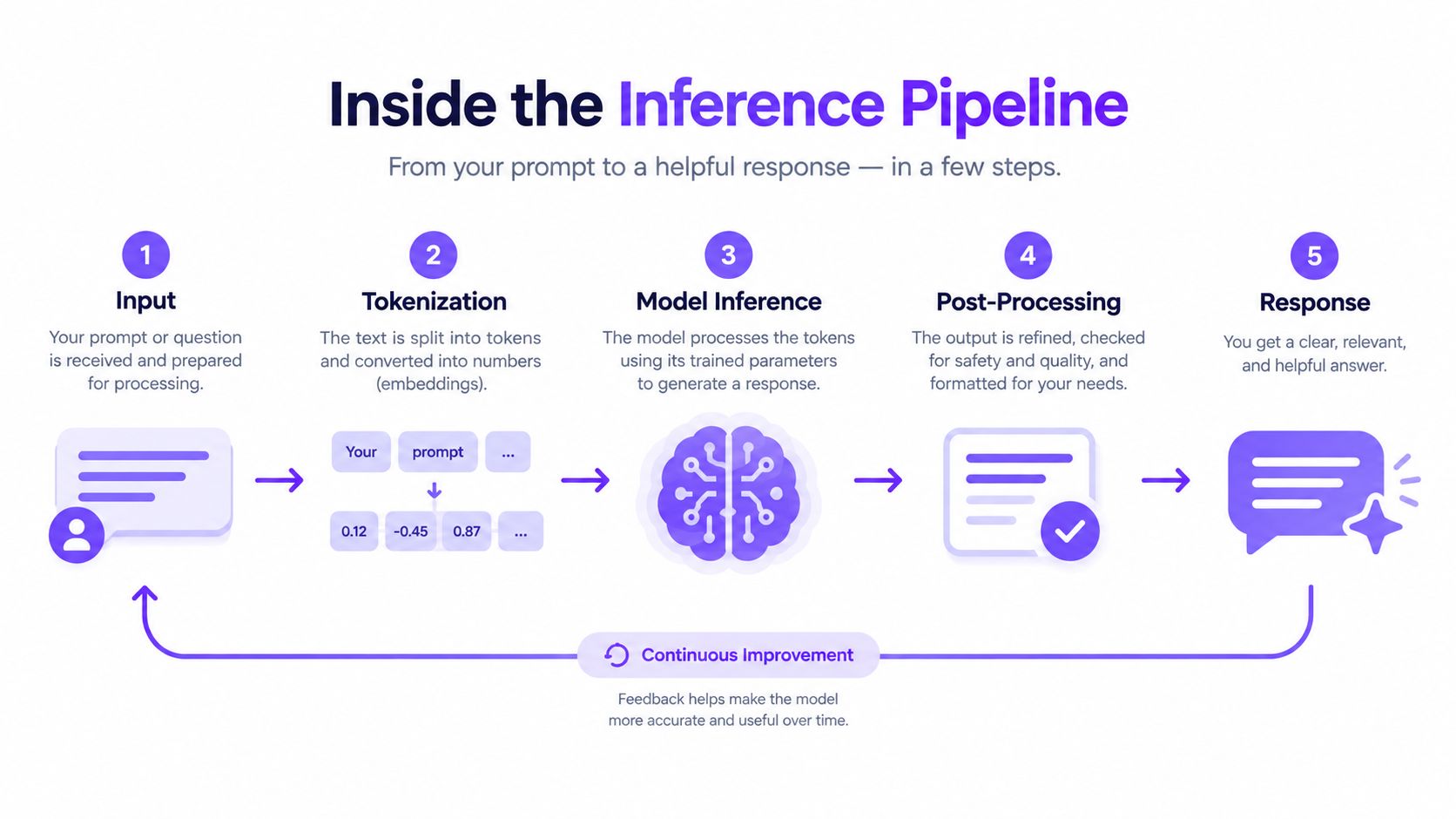
Once you've written the prompt, the inference pipeline begins. This is the part that converts your intent into a generated clip.
The handoffs that create a video
A practical way to understand the pipeline is to follow the handoffs:
Prompt encoding
Your text is split into tokens and converted into embeddings. These embeddings capture relationships between words like “golden retriever,” “running,” “autumn leaves,” and “sunset.”Condition projection
The model maps those embeddings into the space used by the generation backbone. This is how language becomes actionable visual guidance.Latent initialization
The system creates a noisy latent video representation. This is the raw material the generator will shape.Iterative denoising
Most of the creative work happens at each step, the model predicts how to remove a little noise while staying aligned with the conditioning signal.Latent decoding
Once the latent draft is clean enough, a decoder converts it into visible frames.Spatial enhancement
Upscaling or super-resolution adds finer detail to each frame.Temporal polishing
Later stages may smooth motion, increase consistency, or improve frame transitions.
Where the real decisions happen
Users often assume the last stage “makes the video good.” Usually it doesn't. It can polish, but it can't fully rescue a weak latent draft.
That's why sampling settings matter. The number of denoising steps affects how much time the model has to refine the clip. Guidance settings affect how strongly the model follows the prompt versus taking a looser path. These choices reshape the output long before any decoder or upscaler gets involved.
A major milestone in this progression was OpenAI's Sora in 2024, which a 2025 bibliometric review of text-to-video generation describes as a step change toward minute-level world-simulative generation. That review places Sora alongside DDPM and Diffusion Transformer advances as defining milestones, which helps explain why today's systems are judged by coherence, controllability, and duration, not just still-image quality.
A quick visual demo helps make that sequence less abstract:
Conditioning and the Inputs That Shape Every Frame
A prompt matters, but it's only one kind of control. Conditioning is the broader idea. It means every extra signal the model can use to steer generation.
Conditioning modalities at a glance
| Modality | Input | Effect |
|---|---|---|
| Text | Written prompt | Guides subject, action, camera feel, style, lighting, and scene intent |
| Image | Reference frame or source image | Anchors appearance, composition, identity, or style |
| Audio | Music or speech features | Aligns movement, cuts, or lip timing to sound patterns |
| Motion | Pose, trajectory, flow, or camera path | Constrains how bodies or cameras move through time |
What each one actually does
Text conditioning is the broadest steering wheel. It tells the model what should exist and roughly how it should behave. Phrases like “slow dolly in,” “backlit,” or “handheld documentary feel” shape the denoising path, not just the final caption.
Image conditioning narrows the model's freedom. If you give it a starting frame, the model has something concrete to preserve. That's why image-to-video workflows are useful when you care about a specific face, object, or product angle.
Audio conditioning adds rhythm and timing. Instead of guessing when motion should intensify or settle, the model can follow cues from sound structure.
Motion conditioning is the most directorial. A pose sequence, trajectory, or camera path says less about what the scene is and more about how it must move.
For a product-level view of how these controls are exposed in practice, the Writingmate AI video generation docs show a workflow where users choose a model, describe the subject and camera behavior, and in supported cases add a reference image.
Good prompting helps. Good conditioning helps more, because it reduces ambiguity the model would otherwise have to invent its way through.
Why Temporal Consistency Is the Hard Part
The hardest problem in AI video isn't making one frame look good. It's making many frames behave like they belong to the same event.
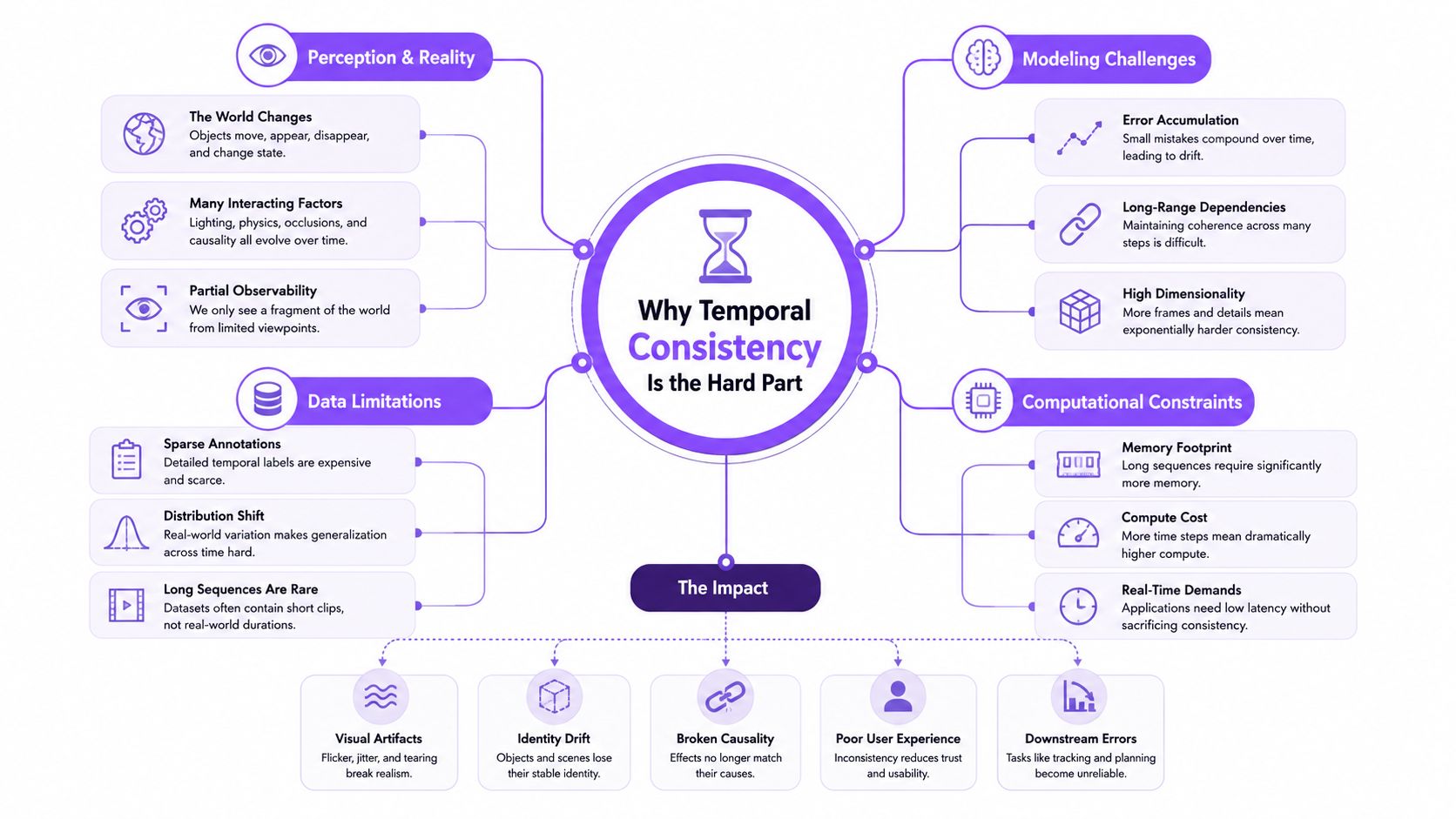
A clip is a chain of interdependent images. The subject has to keep the same identity. Lighting should evolve smoothly. Background objects shouldn't pulse or reshuffle. Hands shouldn't gain or lose structure between moments. When any of that breaks, viewers notice instantly.
Why per-frame generation fails
If you ran an image generator independently for every frame, each frame would begin from unrelated noise and solve the prompt on its own. The result might look fine when paused. Played back, it would shimmer.
That shimmer has familiar forms:
- Identity drift when a face subtly changes
- Texture instability when clothing or fur patterns jump around
- Background flicker when scenery changes without reason
- Motion jitter when movement lacks a stable path
A recent survey on controllable video generation highlights increasing research focus on controlling motion, identity, and scene coherence across the 2020 to 2025 period. That attention matters because it shows temporal control is still a bottleneck, not a solved afterthought. The same survey also notes releases with explicit first-frame, last-frame, and extension controls, which suggests users still need more continuity guidance than prompting alone can provide.
How models fight flicker
Current systems use several strategies:
- Temporal attention layers let frames influence neighboring frames.
- Shared latent representations encourage consistency across the whole clip.
- Frame conditioning uses earlier outputs as anchors for later ones.
- Motion-aware training objectives push the model away from jitter and abrupt changes.
Researchers also evaluate temporal quality more directly now. The VBench-I2V and TC-Bench overview describes suites that score dimensions such as subject consistency, motion smoothness, background consistency, temporal flickering, and compositional changes. Those benchmarks matter because sharp frames alone don't tell you whether a video holds together over time.
If you're trying to understand why a character still changes subtly from shot to shot, this guide on AI character consistency in image models helps frame the same identity problem in a simpler setting. Video adds motion, which makes the challenge harder, not easier.
A good video model doesn't just know what a dog looks like. It has to know how that same dog remains the same dog while moving, turning, and crossing changing light.
Putting It All Together in a Practical Workflow
A practical workflow makes the machinery easier to remember. Start with a simple goal: a short product clip of a sneaker rotating on a matte pedestal while the camera slowly pushes in.
A creator's working loop
First, write the prompt around decisions the model can act on: subject, action, camera movement, lighting, and mood. “Studio product shot of a white sneaker on a matte black pedestal, slow clockwise rotation, gentle camera push-in, soft rim lighting, clean luxury aesthetic” is more useful than “make this look cool.”
Second, decide what needs anchoring. If the exact sneaker design matters, use a reference image. If timing matters, use stronger motion guidance. If the first result is close but unstable, keep the concept and revise the controls before rewriting the whole prompt.
Third, iterate in short loops. Generate a draft, inspect the first second for composition, the middle for drift, and the end for collapse. Then change one variable at a time.
A checklist that maps to the pipeline
- Prompt quality controls scene intent. Be specific about camera and action.
- Reference inputs control identity and composition.
- Sampling choices control how strongly the model refines toward your request.
- Upscaling and post-processing improve finish, not core storytelling.
- Temporal controls protect continuity during motion.
You can also use tool stacks that expose different parts of this pipeline in one place. For example, the Writingmate API for AI video generation discusses workflows where developers and creators can access multiple video models and choose the one that fits a given task, instead of treating all generation models as interchangeable.
One habit helps beginners more than any advanced setting: save promising runs, compare them side by side, and reuse what worked. Consistency in your workflow often matters before consistency in the model does.
Where AI Video Generation Is Heading Next
The direction of travel is becoming clearer. The race is no longer only about prettier clips. It's about longer duration, tighter control, better continuity, and richer multimodal output.
A useful shift in 2025 was that production value started to depend less on raw image quality and more on features around the generator. An independent 2025 generative media survey shows adoption concentrated around a few ecosystems, with Google at 69% in that survey, followed by Kling, Hailuo, Runway, and Alibaba. The same industry tracking describes launches where Veo 3 emphasized native audio, Kling 2.0 emphasized first-frame and last-frame narrative control, and Sora 2 emphasized scene-aware multimodal generation. That combination explains why creators increasingly care about control surfaces and workflow integration, not just base rendering quality.
What creators should watch
The next changes are likely to feel practical before they feel academic.
Models are moving toward stronger clip extension, more audio-aware generation, and better continuity across shots. The unresolved problems are also plain to see: physics still breaks in complicated scenes, characters still struggle to persist across multiple edits, and provenance remains a serious open question.
The frontier is memory
The most interesting future improvement may be some form of structured memory inside the generation loop. A model that can remember a character's identity, wardrobe, environment, and motion logic across separate clips would behave less like a slot machine and more like an editable production system.
That would change how people answer the question, “How does AI video generation work?” The answer would no longer be just “it denoises noise into video.” It would also include retrieval, continuity memory, audio grounding, and stronger feedback loops between user intent and temporal structure.
Writingmate brings many of these ideas into one workspace by letting you access text, image, and video models together, compare outputs, and build generation workflows without jumping between separate tools. If you want to test prompts, reference-image workflows, or model differences while keeping the pipeline understandable, visit Writingmate.
Frequently Asked Questions
Sources
- 2025 review of generative AI for video
- W.A.L.T. model paper
- 2025 bibliometric review of text-to-video generation
- Writingmate AI video generation docs
- survey on controllable video generation
- VBench-I2V and TC-Bench overview
- AI character consistency in image models
- Writingmate API for AI video generation
- independent 2025 generative media survey
- Writingmate

Written by
Artem Vysotsky
Ex-Staff Engineer at Meta. Building the technical foundation to make AI accessible to everyone.

Reviewed by
Sergey Vysotsky
Ex-Chief Editor / PM at Mosaic. Passionate about making AI accessible and affordable for everyone.