AI automation is moving from impressive demonstrations into ordinary work. In Gallup's July 2026 workplace tracking, 47% of U.S. employees said their organization had integrated AI tools to improve productivity, efficiency, or quality, up from 41% in the prior quarter. The same tracking found that 52% personally use AI at work, while 16% of AI users reported automation as a use case, with frequent users nearly three times as likely as infrequent users to use AI for automation, according to Gallup's workplace research.
The important distinction is between generating an answer and moving a repeatable workflow forward. A chatbot can draft an email. An automated workflow can read the request, retrieve the right context, prepare a draft, route it for approval, record the outcome, and escalate uncertainty.
The following AI automation examples are organized by workflow ownership, not by generic capabilities. They cover content, marketing, communication, research, development, media, support, and small-business operations. The strongest systems usually combine reusable prompts, connected files, web research, model comparison, human review, and fallback options.
Writingmate is relevant here because it brings chat, file analysis, web research, media generation, agents, model comparison, and integrations into one workspace. That can be more practical than switching between separate tools for each stage. If you're comparing broader software categories, this comparison of marketing demos offers another useful point of reference.
Table of Contents
- 1. Automated Content Generation and Blog Writing
- 2. Social Media Content Calendar and Scheduling
- 3. SEO Optimization and Content Strategy Planning
- 4. Personalized Email Marketing and Customer Segmentation
- 5. Email Drafting and Professional Communication Automation
- 6. Meeting Transcription Analysis and Action Item Extraction
- 7. Intelligent Customer Support and FAQ Automation
- 8. Document Analysis and Research Summarization
- 9. Code Generation and Technical Documentation
- 10. Video and Image Content Generation at Scale
- 11. Small-Business Workflow Automation With AI Agents
- AI Automation: 11 Use Cases Compared
- Turn One Repetitive Task Into a System
1. Automated Content Generation and Blog Writing
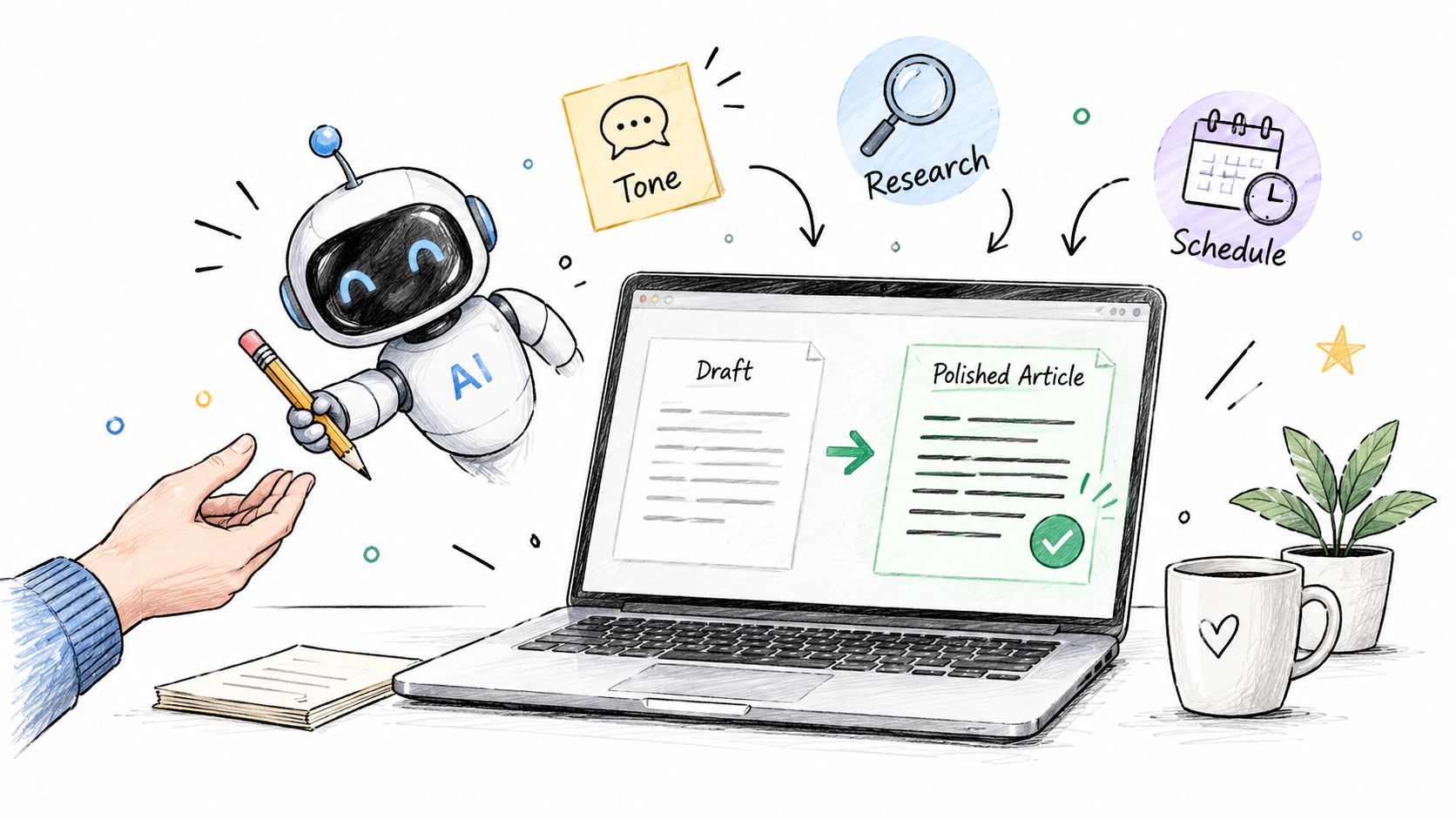
A content manager starts with a brief, not a blank page. The brief might include a target audience, search intent, internal links, brand guidelines, research documents, and a publishing deadline. An AI workflow can turn those inputs into an outline, research questions, a first draft, social excerpts, a metadata proposal, and a revision queue.
The human checkpoint belongs after research and before publication. AI can organize information and produce coherent prose, but it can also repeat an unsupported claim, miss a qualification, or flatten a brand's point of view. A subject-matter expert still needs to verify facts, sharpen the argument, and decide whether the draft deserves to exist.
A practical content sequence looks like this:
- Brief intake: Capture the topic, audience, objective, format, tone, and required evidence in a reusable prompt.
- Context gathering: Add approved documents, brand examples, product information, and current web research.
- Draft production: Ask one model to structure the piece and compare another model's approach before editing.
- Quality control: Check claims, links, quotations, search intent, and originality before publishing.
A custom agent is useful for repeatable formats such as product descriptions, briefing documents, or weekly newsletters. The workflow for automating content creation is strongest when the system separates research, briefing, drafting, visual production, review, and publishing rather than treating “write an article” as one oversized prompt.
Practical rule: Automate the repeatable production steps, but keep editorial judgment close to the final output.
For creators who need a steady publishing rhythm, the benefit isn't faster drafting. It's a more consistent operating process, with successful prompts stored in a library and reusable agents handling predictable content types. See this guide to AI content automation for creators for another perspective on the workflow.
2. Social Media Content Calendar and Scheduling
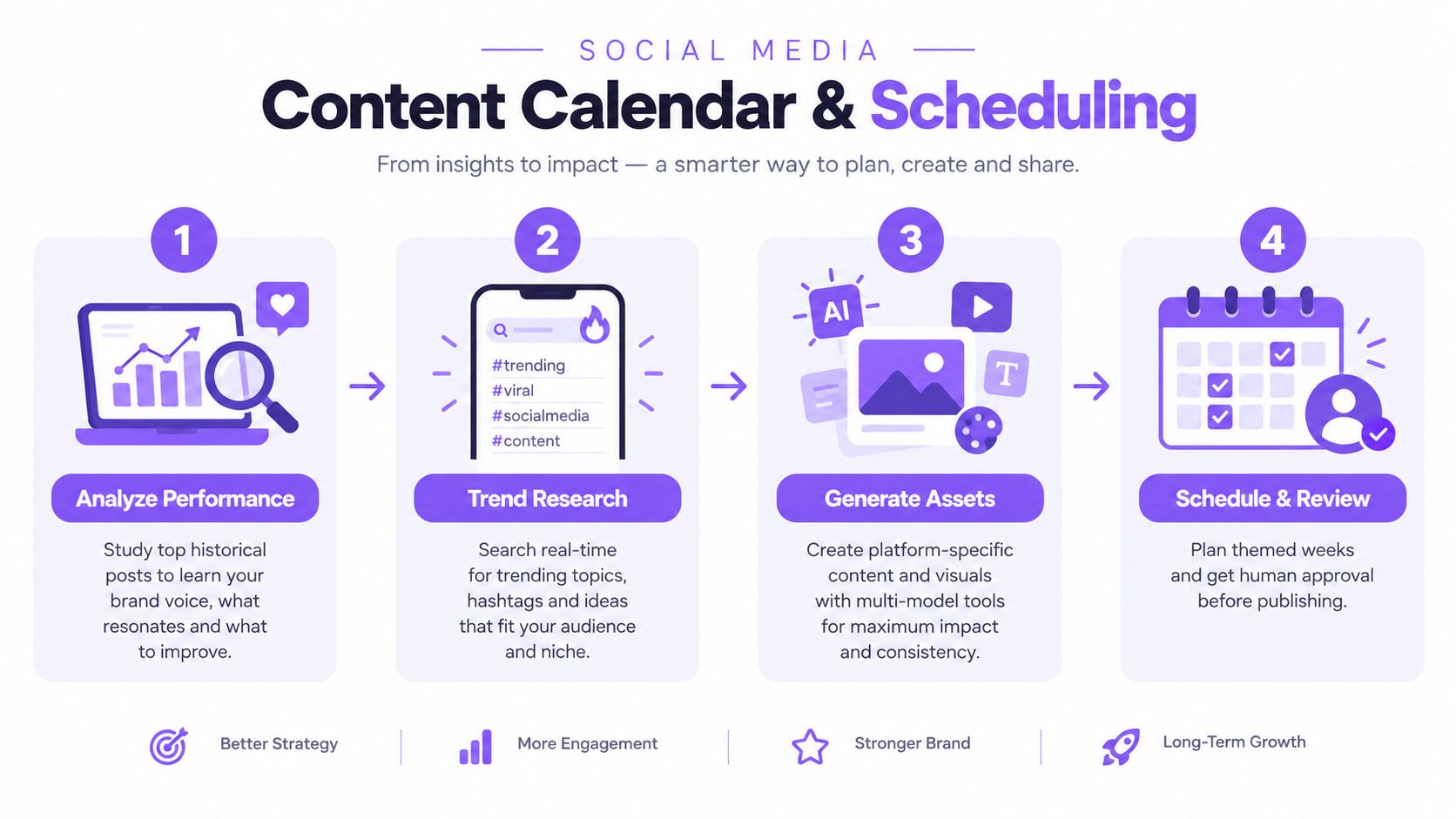
A social media manager owns a calendar, but the calendar is only the visible part of the workflow. Behind it sit audience research, campaign themes, platform adaptations, creative requests, approvals, scheduling, and performance reviews. AI can connect those steps by turning a campaign brief into platform-specific drafts and an approval-ready publishing plan.
Start with historical posts and approved brand examples. Ask the system to identify recurring themes, sentence patterns, calls to action, and topics that should be avoided. Then add current industry research so the content reflects relevant conversations without blindly copying trends.
The automation sequence can produce:
- Theme planning: Create a sequence of educational, promotional, community, and product-focused posts around a campaign objective.
- Platform adaptation: Rewrite the same idea for LinkedIn, Instagram, X, or TikTok without treating every platform as interchangeable.
- Asset preparation: Generate image concepts, short video briefs, captions, and alternate hooks.
- Approval routing: Send drafts to a person who checks brand fit, legal sensitivity, timing, and factual accuracy.
The human checkpoint matters most for context. A system may recognize a trending topic but fail to understand why the topic is inappropriate for a brand that day. It may also create a caption that sounds polished but makes a promise the product team can't support.
A good social agent proposes a calendar. It shouldn't quietly publish every idea it generates.
A content-calendar agent can plan recurring themes and keep formats consistent, while model comparison helps the team test different tones before choosing a final version. Scheduling should remain the last step, after approval rules are clear and someone owns the responsibility for publishing.
3. SEO Optimization and Content Strategy Planning
An SEO strategist often begins with scattered evidence: search results, existing pages, competitor coverage, customer questions, product knowledge, and changes in the market. AI automation can turn that evidence into a prioritized content plan, but it shouldn't reduce SEO to a list of keywords.
The input is usually a set of pages, a business description, target audiences, and a defined commercial objective. The workflow then compares current coverage with search results, groups related topics, identifies missing explanations, and produces briefs with suggested intent, structure, internal links, and evidence requirements.
A useful implementation path has four stages:
- Coverage analysis: Upload existing content and approved competitor material for side-by-side comparison.
- Intent mapping: Ask the system to distinguish informational, commercial, navigational, and support-oriented needs.
- Brief generation: Create outlines that specify the reader's problem, required proof, likely objections, and conversion path.
- Monitoring: Use a recurring agent to flag new competitor pages, emerging questions, or content that needs review.
Human judgment remains essential because search visibility isn't the same as business value. An AI system may recommend a topic with apparent demand that attracts the wrong audience, duplicates an existing page, or can't be supported by the company's expertise.
The best prompts ask for reasoning and evidence, not just recommendations. They should also require the system to label assumptions, separate observed results from interpretation, and identify where fresh research is needed.
A marketing team can use multi-model comparison to challenge its first strategy. One model might emphasize topic breadth, while another highlights conversion intent or internal linking. The strategist still decides what fits the site, the product, the audience, and the available editorial resources.
4. Personalized Email Marketing and Customer Segmentation
A lifecycle marketer doesn't need AI to send more email. The useful task is deciding which message belongs to which customer, at which stage, and for what reason. AI can analyze approved customer attributes and campaign history, suggest meaningful segments, and produce variants that reflect different needs.
The workflow begins with clean inputs. Those may include purchase history, product usage, lifecycle stage, previous campaign performance, support context, and consent status. The system can then propose segments such as new customers, loyal customers, inactive subscribers, or accounts showing signs of disengagement.
From there, automation can:
- Build segment briefs: Describe each group's likely objective, concern, and appropriate offer.
- Draft variants: Generate subject lines, preview text, body copy, and calls to action for review.
- Coordinate lifecycle messages: Prepare onboarding, education, renewal, re-engagement, or retention sequences.
- Support testing: Create controlled variants while preserving the same audience and campaign objective.
A marketer must verify that personalization is relevant rather than intrusive. The system shouldn't infer sensitive characteristics casually, expose private information, or turn a weak behavioral signal into an aggressive sales message. Compliance language, consent rules, and unsubscribe options also need to be built into the workflow.
Personalization should explain why a message is useful, not reveal everything the company knows about a recipient.
Writingmate can help compare subject-line approaches and analyze uploaded campaign material, but the sending system still needs its own permissions and approval controls. AI should prepare the campaign. A responsible marketer should decide whether the campaign is appropriate to send.
5. Email Drafting and Professional Communication Automation
Routine communication is a strong candidate for automation because the input and desired output are usually clear. A salesperson receives a reply, a customer success manager sees an account risk, or an executive assistant needs to answer a scheduling request. AI can read the relevant thread, identify the purpose, and create a draft in the right tone.
The sequence should begin with context, not with a generic instruction such as “write a professional email.” Add the previous conversation, the recipient's role, the desired outcome, constraints, and any information the sender must not disclose. A reusable prompt can then produce drafts for follow-ups, proposals, introductions, renewals, or internal updates.
An email agent can also use connected context from Gmail or other approved systems. That allows it to retrieve a thread, summarize the unresolved issue, draft a response, and leave the final message in the sender's review queue.
Keep these boundaries explicit:
- Draft only by default: The system prepares the message but doesn't send it automatically.
- Escalate sensitive topics: Negotiations, complaints, employment decisions, legal matters, and investor communication require a human owner.
- Preserve uncertainty: If the thread doesn't establish a deadline or commitment, the draft shouldn't invent one.
- Use fallbacks carefully: A backup model can maintain continuity, but it must follow the same privacy and review rules.
Tone is harder than grammar. A message can be polished and still sound evasive, too familiar, or commercially inappropriate. Human review is therefore part of the workflow, not an optional final flourish.
6. Meeting Transcription Analysis and Action Item Extraction
Meeting notes become valuable when they change what people do next. AI can process a transcript or recording, separate decisions from discussion, identify unresolved questions, and prepare action items for the people responsible.
The input should include more than the transcript when possible. Add the project brief, team context, relevant terminology, and the expected meeting type. A stand-up requires a different output from a customer call or a strategy review.
Ask for a structured result with distinct sections:
- Decisions: What the group agreed to do, stop, approve, or investigate.
- Action items: The task, owner, deadline, and dependency.
- Open questions: Issues that need a decision rather than a summary.
- Risks and changes: New concerns, scope changes, or commitments that affect delivery.
A meeting agent can send the approved action list to Slack or another internal channel. It can also store a searchable summary for later reference. The human checkpoint is particularly important when speakers interrupt one another, use ambiguous language, or discuss a tentative idea that the transcript could mistake for a final decision.
Names and deadlines should be explicit in the prompt. If the conversation doesn't establish an owner, the output should say “owner not assigned” rather than guessing. That small discipline prevents a polished summary from creating false accountability.
Model comparison is useful when a decision carries operational consequences. Two independent summaries can reveal where the transcript is unclear and where a manager needs to review the recording directly.
7. Intelligent Customer Support and FAQ Automation
Customer support automation works best where the question is frequent, the answer is documented, and the customer can be escalated without losing context. Order status, account instructions, setup steps, billing explanations, and known troubleshooting paths are usually better candidates than unusual complaints or high-risk decisions.
The support workflow starts with a trusted knowledge base. Add product documentation, approved policies, previous support conversations, and escalation rules. When a customer writes in, the system classifies the request, retrieves relevant material, drafts a response, and either resolves the question or routes it to a person with a concise summary.
A reliable support agent needs more than a friendly tone. It needs operational constraints:
- Source grounding: Answer from approved documentation and identify when the source doesn't resolve the question.
- Escalation rules: Route account disputes, safety concerns, unusual refunds, and unresolved technical problems to the appropriate team.
- Conversation memory: Preserve the customer's prior explanation so they don't have to repeat it.
- Quality monitoring: Review failed or escalated conversations and update the knowledge base, not just the prompt.
IBM's benchmarking of 680 companies across 18 industries and 21 countries found that highly automated organizations attributed a 28% reduction in IT costs and a 36% reduction in downtime costs from cybersecurity incidents to digital transformation, as reported by IBM. Those figures don't prove that every support bot will produce the same outcome. They do show why teams increasingly evaluate automation as an operating capability rather than a standalone chatbot.
Speed matters in support, but an incorrect confident answer creates a second ticket.
A fallback model can help during high-volume periods, but fallback behavior should preserve the same escalation logic. Changing models must not mean changing what the system is allowed to promise.
8. Document Analysis and Research Summarization
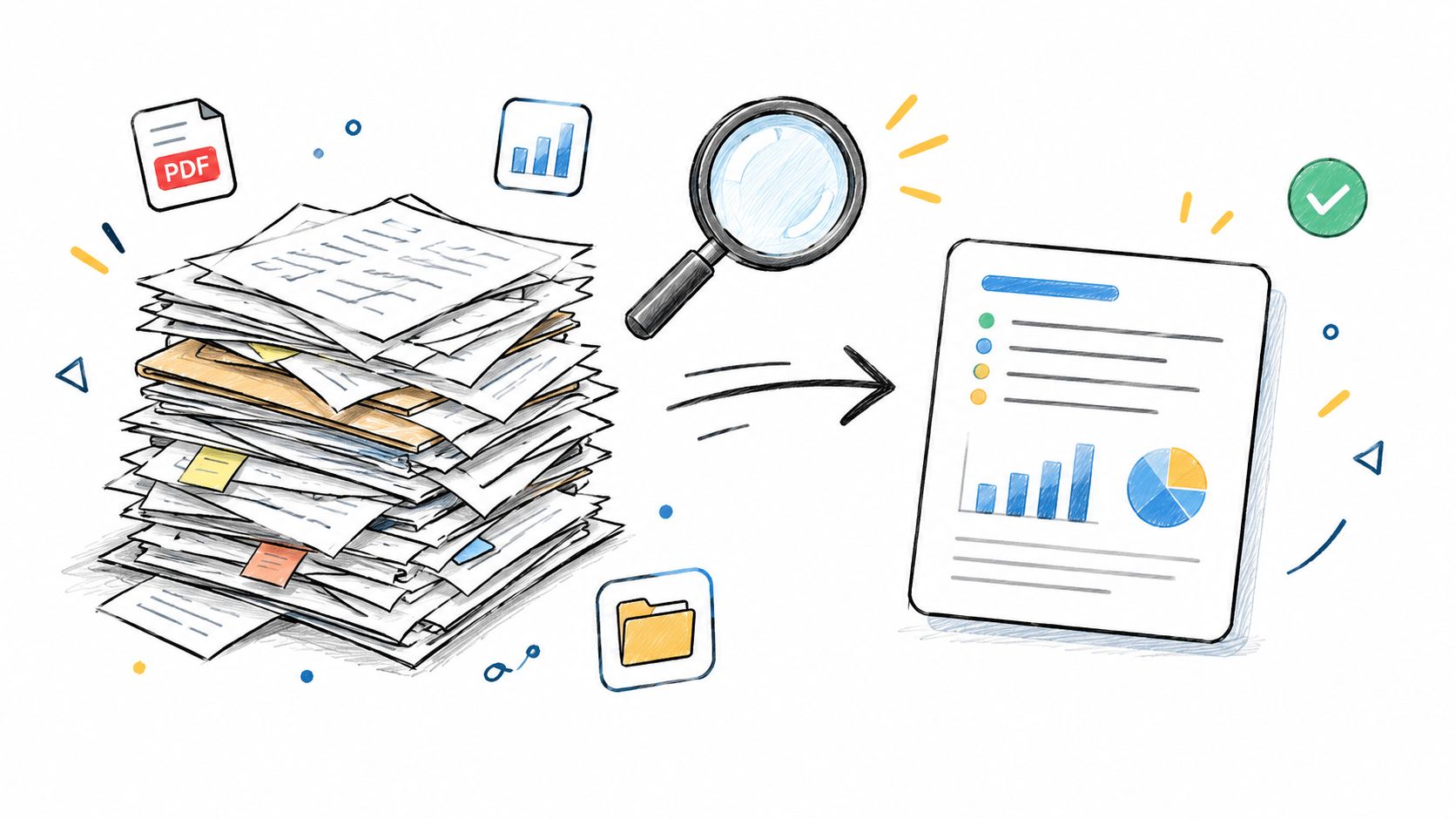
Research teams rarely struggle because documents are unavailable. They struggle because important information is distributed across reports, transcripts, policies, papers, contracts, and spreadsheets. AI automation can create a first layer of structure, helping an analyst locate themes, compare sources, and identify documents that deserve close reading.
Begin by organizing files by source, date, topic, or project. Give the system a clear question and define the required output. “Summarize these files” is less useful than “extract each document's stated assumption, evidence, unresolved risk, and recommendation, then identify contradictions across sources.”
A document workflow can:
- Extract fields: Pull clauses, product specifications, findings, dates, or named entities into a consistent format.
- Compare sources: Show where documents agree, conflict, or use different definitions.
- Create research briefs: Summarize the evidence while linking each conclusion to its source document.
- Flag anomalies: Identify missing sections, unusual language, or claims that require manual verification.
The human checkpoint depends on the stakes. A researcher may use an AI summary to decide what to read first. A lawyer, compliance officer, or investment professional shouldn't treat the summary as a substitute for the underlying material.
A useful control is to ask for page or section references and to separate direct extraction from interpretation. Another is to run the same document set through more than one model when the cost of omission is high. If the outputs disagree, that disagreement is a review signal.
A research agent can combine uploaded files with current web research, but it should clearly distinguish internal documents from external sources. That separation makes the final brief easier to audit and reduces the risk of presenting an old internal assumption as a current fact.
9. Code Generation and Technical Documentation
Developers get the most value from AI automation when the task has a defined interface and a visible test. Generating a utility function, an API handler, a migration outline, or documentation from an established specification is easier to validate than asking for an entire production system from a vague description.
The input may include a repository excerpt, coding conventions, API schema, issue description, and expected behavior. The workflow can then produce an implementation proposal, tests, documentation, and a list of assumptions. A developer reviews the proposal before it enters a branch or build process.
Start with bounded tasks:
- Boilerplate generation: Create predictable handlers, serializers, configuration files, or integration scaffolding.
- Documentation synchronization: Draft API references and examples from approved code or schemas.
- Test creation: Ask for unit tests that cover normal paths, edge cases, and failure behavior.
- Review support: Compare an implementation with the specification and flag possible gaps.
The human checkpoint is technical validation. AI-generated code can compile and still contain a security issue, mishandle permissions, use an outdated library method, or fail under unusual input. Developers must run tests, inspect dependencies, and review the change against the system's architecture.
Writingmate's OpenAI-compatible API can support developer tooling and agent workflows, while model comparison can expose different implementation approaches. That doesn't remove the need for version control or code review. It makes the drafting stage more productive when the team has already defined what “correct” means.
A strong prompt includes tests from the start. “Write code” produces an artifact. “Write code, explain the assumptions, and include tests for these cases” produces something a team can evaluate.
10. Video and Image Content Generation at Scale
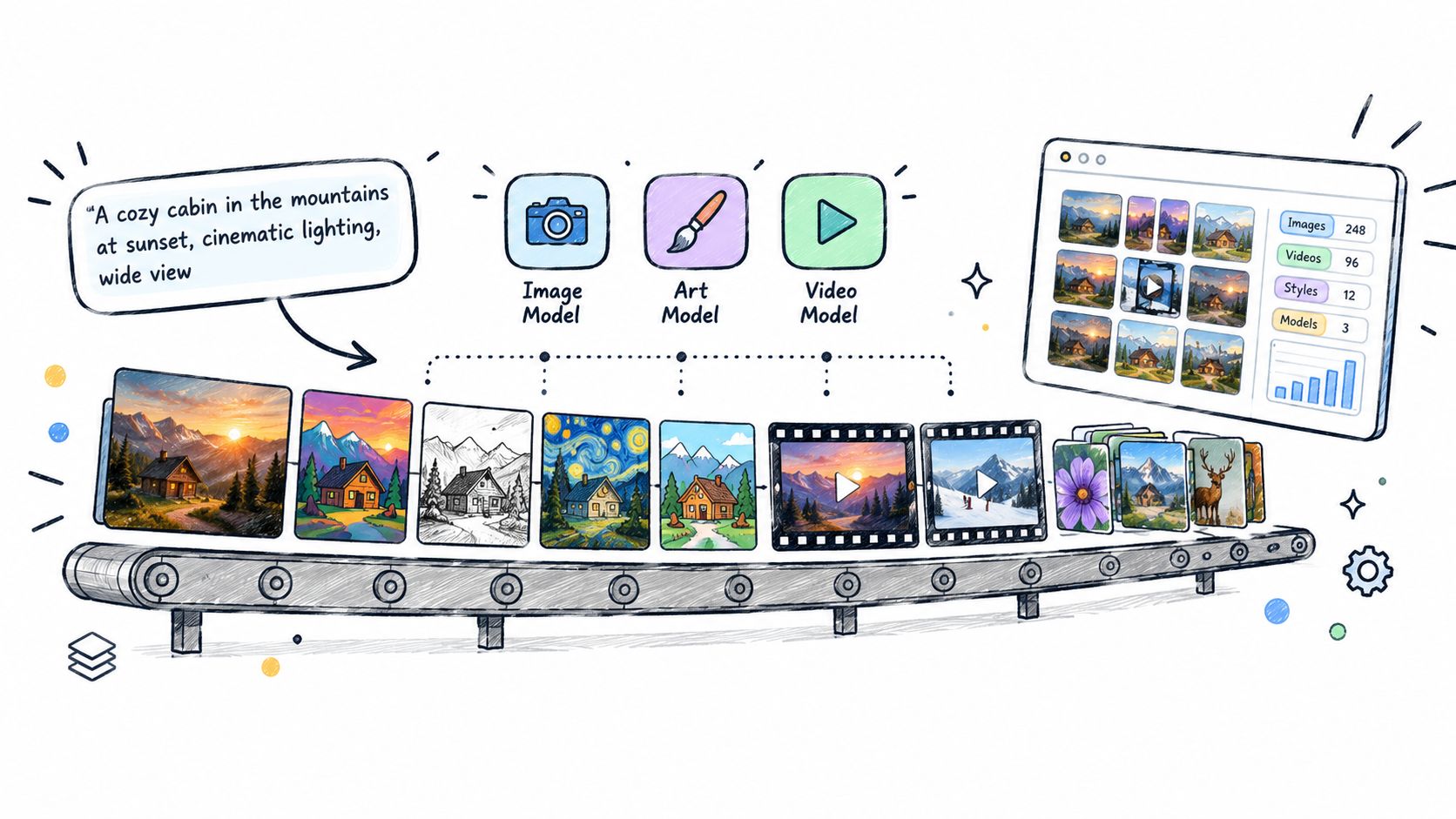
A creative director usually owns the brief, while a production team turns that brief into variations. AI can automate parts of this production loop by converting a concept into image prompts, video scenes, voiceover drafts, thumbnails, and platform-specific adaptations.
The input should describe the subject, audience, message, visual references, aspect ratio, pacing, mood, and brand restrictions. A custom agent can preserve those decisions across a series, which is useful for product explainers, educational episodes, social ads, or recurring campaign assets.
A scalable media workflow looks like this:
- Brief interpretation: Convert a campaign concept into a shot list, visual direction, and asset requirements.
- Variation generation: Produce alternative hooks, compositions, scenes, or edits for review.
- Brand checking: Compare outputs against approved colors, logos, visual references, and prohibited claims.
- Production handoff: Select the strongest assets and prepare captions, thumbnails, and usage notes.
The human checkpoint is creative and factual. Generated media can introduce incorrect product details, inconsistent visual identity, unrealistic physical behavior, or rights questions around reference material. A person must approve what represents the brand publicly.
Writingmate's explanation of AI video generation provides useful context for understanding how text briefs become visual outputs. In practice, teams should compare models such as Sora, Veo, and Kling for a specific creative requirement rather than assuming one model will suit every style.
The production process can use fallback models when a preferred system is unavailable, but the team should maintain a consistent review standard. More generations don't automatically create better creative. A clear brief and a decisive approval process matter more than endless variation.
11. Small-Business Workflow Automation With AI Agents
Small teams don't need an agent that tries to run the company. They need an operating layer for one recurring process, such as sorting inbox messages, preparing a weekly report, researching a decision, or turning internal documents into a team update.
The owner should define the workflow before configuring the agent. Write down the input, the expected output, the systems it may access, the approval step, and the situations that require escalation. If the procedure can't be explained clearly to a colleague, it isn't ready to become an automated workflow.
A practical agent might:
- Read approved inputs: Review selected Gmail messages, project files, or research sources.
- Apply a prompt template: Classify the request, summarize the context, and prepare a draft response or report.
- Connect the next tool: Send an approved update to Slack or create a review task.
- Stop when uncertain: Ask for a person when information is missing, sensitive, contradictory, or outside policy.
Agentic automation differs from a single prompt in that it maintains instructions, uses connected context, and moves through a sequence. It still needs boundaries. The guide to AI agents for automation describes the value of saved instructions, tools, and repeatable workflows without requiring a separate system for every task.
Stanford Digital Economy Lab's review of 51 enterprise cases found that 77% of the hardest issues involved hidden operational factors, including change management, data quality, and process redesign. The review also reported a 71% median productivity gain for agentic implementations, in its enterprise AI playbook. For a small business, the practical lesson is straightforward: workflow design and review rules can matter as much as model selection.
AI Automation: 11 Use Cases Compared
| Use Case | 🔄 Implementation Complexity | ⚡ Resource Requirements | ⭐ Expected Effectiveness | 📊 Expected Outcomes | 💡 Ideal Use Cases & Tips |
|---|---|---|---|---|---|
| Automated Content Generation and Blog Writing | 🔄🔄🔄 (Beginner→Intermediate) | ⚡⚡⚡ (moderate integrations, prompt templates) | ⭐⭐⭐⭐ (consistent, scalable drafting) | 📊 60–80% faster time-to-publish; scalable article volume | 💡 Content teams; start with detailed prompt templates, use multi-model comparison, always human-edit |
| Social Media Content Calendar and Scheduling | 🔄🔄🔄🔄 (Intermediate) | ⚡⚡⚡⚡ (multi-platform + image/video models) | ⭐⭐⭐⭐ (high when combined with trend data) | 📊 Consistent posting, improved engagement via trending topics | 💡 Marketing teams; analyze top posts, create calendar agents, review before publish |
| SEO Optimization and Content Strategy Planning | 🔄🔄🔄 (Intermediate) | ⚡⚡⚡ (web search, analysis agents) | ⭐⭐⭐⭐ (strong for keyword discovery & planning) | 📊 5–10× faster keyword opportunities; better topic clusters | 💡 SEO teams; upload competitor content, use multi-model analysis, generate briefs |
| Personalized Email Marketing and Customer Segmentation | 🔄🔄🔄🔄 (Intermediate) | ⚡⚡⚡⚡ (clean customer data, integrations) | ⭐⭐⭐⭐⭐ (very effective for opens/conversions) | 📊 30–50% higher open rates; improved conversions; scalable personalization | 💡 E‑commerce/SaaS; segment with agents, run multi-model A/B tests, ensure data quality & compliance |
| Email Drafting and Professional Communication Automation | 🔄🔄 (Beginner) | ⚡⚡ (Gmail integration, templates) | ⭐⭐⭐⭐ (fast and consistent drafting) | 📊 50–70% faster composition; consistent professional tone | 💡 Sales/admin; use templates and file context, specify tone, always review before send |
| Meeting Transcription Analysis and Action Item Extraction | 🔄🔄🔄 (Beginner→Intermediate) | ⚡⚡⚡ (transcription quality, integrations) | ⭐⭐⭐⭐ (reliable for structured summaries) | 📊 Faster summaries; clearer action tracking and owner assignments | 💡 Distributed teams; upload transcripts, request structured outputs, set Slack distribution |
| Intelligent Customer Support and FAQ Automation | 🔄🔄🔄🔄 (Intermediate) | ⚡⚡⚡⚡ (knowledge base, chat/email integrations) | ⭐⭐⭐⭐⭐ (high for speed & consistency) | 📊 Response times cut from hours→seconds; scales first‑contact handling (~70%) | 💡 Support teams; train KB, set escalation rules, monitor tone and updates |
| Document Analysis and Research Summarization | 🔄🔄🔄 (Beginner→Intermediate) | ⚡⚡⚡ (batch file processing, custom agents) | ⭐⭐⭐⭐ (efficient synthesis across corpora) | 📊 Days→hours (or minutes) for large‑scale summaries; structured outputs | 💡 Researchers/analysts; organize files, run pilot batches, request tables/bullet outputs |
| Code Generation and Technical Documentation | 🔄🔄🔄🔄🔄 (Intermediate→Advanced) | ⚡⚡⚡⚡ (codebase, CI/CD integration, testing) | ⭐⭐⭐⭐ (accelerates routine dev tasks) | 📊 30–50% faster on boilerplate; improved docs and onboarding | 💡 Dev teams; upload style guides, require unit tests & security review, use multi-model comparison |
| Video and Image Content Generation at Scale | 🔄🔄🔄🔄 (Intermediate) | ⚡⚡⚡⚡⚡ (multiple heavy models, compute) | ⭐⭐⭐⭐ (varies by model; great for rapid iteration) | 📊 Production time weeks→hours; scalable A/B creative testing | 💡 Creators/marketers; provide detailed briefs, compare models, use fallbacks and brand references |
| Small‑Business Workflow Automation With AI Agents | 🔄🔄🔄 (Intermediate) | ⚡⚡⚡ (connectors, prompt library, approvals) | ⭐⭐⭐⭐ (effective for repeatable ops) | 📊 Centralized recurring tasks; reduced context switching; preserved approvals | 💡 Small teams; start with one workflow, write procedures first, define escalation and test on small set |
Turn One Repetitive Task Into a System
The safest way to adopt AI automation is to start with a task that happens often, has a clear owner, and carries limited downside when a person reviews the result. That might be preparing meeting actions, drafting support replies, summarizing internal files, producing a content brief, or classifying incoming requests. Don't begin with the workflow that contains your most sensitive customer, financial, legal, or employment decisions.
Write the process in operational terms. What enters the workflow? What should come out? Which files or systems provide trusted context? Where does a person approve, edit, reject, or escalate the result? These questions turn a vague automation idea into something a team can test.
A useful rollout path is:
- Choose a narrow workflow: Prefer a repeatable process with a visible queue and a clear definition of completion.
- Define the checkpoint: Decide exactly what a person must verify before the workflow continues.
- Add trusted context: Connect only the files, email threads, research sources, or internal tools the agent needs.
- Compare outputs: Use multiple models when tone, reasoning, or implementation quality matters.
- Review exceptions: Track missing information, incorrect classifications, unsupported claims, and failed handoffs.
- Measure the operation: Monitor time saved, quality, rework, approval delays, and the types of cases that still require human intervention.
The goal isn't to remove people from every step. Enterprise evidence shows that adoption has become broad, while the most dependable autonomous workflows remain concentrated in repeatable, high-volume, policy-driven work. Deloitte reported that 63% of businesses had fully operationalized AI or implemented it in parts of the business, and projected adoption to reach 80% within two years, in its 2026 State of AI report. That projection is future-facing, so it should be treated as a forecast rather than a current outcome.
Writingmate can support this progression through a unified workspace for multi-model chat, file analysis, cited web research, image and video generation, custom agents, integrations, side-by-side model comparison, and fallback options. Those features can reduce tool switching and make repeatable workflows easier to test, but they don't replace source validation or human accountability.
A mature workflow makes uncertainty visible. It tells the reviewer what the system found, what it inferred, what it couldn't verify, and what action it recommends. That transparency is more valuable than an automation that appears autonomous until an exception reaches a customer or a critical business system.
Choose one workflow this week, document its input and approval point, and run a small batch of real work through it. Use Writingmate to compare models, analyze the files and web sources the task depends on, and build a repeatable agent that keeps a person responsible for the final decision.
Frequently Asked Questions
Sources
- according to Gallup's workplace research
- comparison of marketing demos
- workflow for automating content creation
- guide to AI content automation for creators
- as reported by IBM
- explanation of AI video generation
- guide to AI agents for automation
- in its enterprise AI playbook
- in its 2026 State of AI report
- Writingmate

Written by
Artem Vysotsky
Ex-Staff Engineer at Meta. Building the technical foundation to make AI accessible to everyone.

Reviewed by
Sergey Vysotsky
Ex-Chief Editor / PM at Mosaic. Passionate about making AI accessible and affordable for everyone.